
PDF mail merge from a CSV, one PDF or image per row
A PDF mail merge takes one design and a spreadsheet, and gives you one finished file for each row. In thirds.ai, you save a design once, such as a certificate, an invoice, or a social post, with your logo, colours, and fonts. Then you paste your rows into Batches and click one button. You get a ZIP with one PDF or image for each row, and each file that works costs one credit. This page covers making new files from your own design. It doesn't fill in a PDF form that someone else made.
Give this prompt to your AI agent. The agent does the task for you.
Read https://thirds.ai/docs/batch-renders and help me turn a spreadsheet of rows into many PDFs or images from one thirds.ai template, with a clear credit cost.
You stop copying an old file and retyping each name by hand, and every file keeps the same look. A verified free account gets 50 free credits each month, as the credits and billing page says, so you can try a 10-row batch before you pay for anything.
Make it without code
You can run a PDF mail merge in the thirds.ai editor and the Batches page without writing any code. It takes three steps, and you need a free thirds.ai account and a spreadsheet with one row for each file. This example uses the Portrait course certificate, so each learner on your list gets their own certificate.
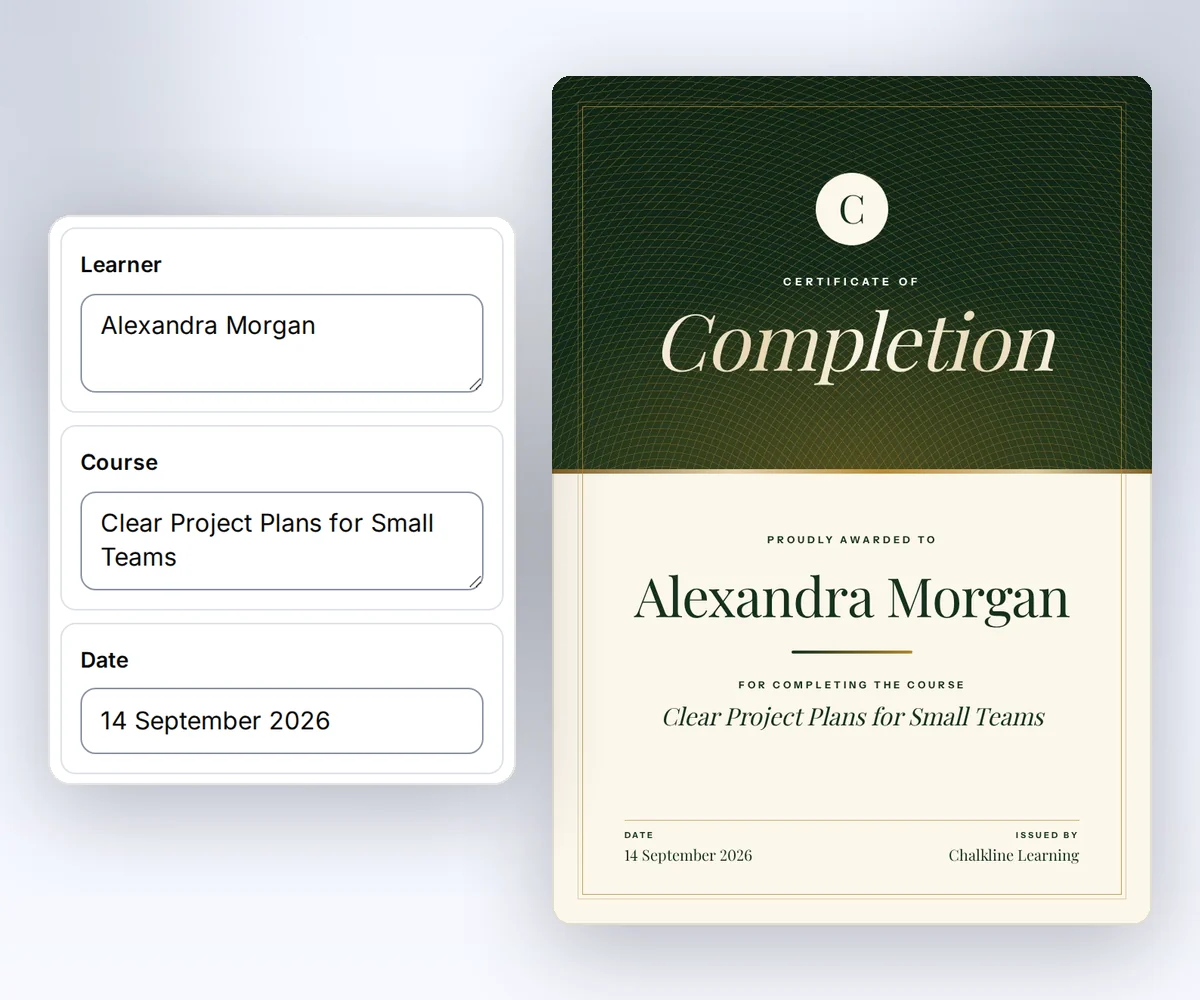
- Open the Portrait course certificate and click Use this template. Sign in first if you need to. If you want to change the words, colours, or layout, do it on the canvas and click Save.
- Click Batch at the top of the editor. The Batches page opens with a table that has one column for each detail on the certificate. You can also open Batches from the studio or from a template.
- Paste your rows, check the cost, and click the button that shows your file count, such as Make 2 files. When the files are ready, click Download ZIP.
How do I set up the spreadsheet for a PDF mail merge?
To set up a spreadsheet for a thirds.ai PDF mail merge, give it one column for each detail on your design and one row for each file you want. The table on the Batches page already has those columns, so you only add the rows. You can type in the cells, paste cells from a spreadsheet, or load a CSV file.
When the first row you paste or load holds the column names, each column goes to the detail it names. Any other paste fills the cells in order. For a detail that holds a list or an object, put JSON in that cell. The product spec sheet recipe shows a CSV with list cells that makes one sheet for each SKU. Download a starter CSV gives you a file with the right first row.
This sample fills the four details of the Portrait course certificate, the same ones the certificate recipe walks through for a single learner:
issuer,learner,course,date
Northgate Design School,Alex Rivera,Workshop,2026-09-04
Northgate Design School,Theo Lee,Workshop,2026-09-04
Paste or load the CSV. Its first row names issuer, learner, course, and date, so each column fills the right spot on the certificate. Check the rows, then click Make 2 files. To check one certificate before you make the batch, use the free certificate generator.
What does a CSV batch cost, and how many rows can I send?
A CSV batch in thirds.ai costs one credit for each file that works. Failed and cancelled rows cost nothing, and there's no bulk discount. The Batches page shows the cost before you click, and a refresh never spends a credit. Your plan sets the most rows in one batch: 10 on Free and on credit packs with no plan, 50 on Starter, 100 on Growth, and 200 on Scale.
For a billing example, see how to make an invoice PDF for each client. The credits and billing page lists what each plan includes.
Download, cancel, or retry a batch
On the Batches page, you download a thirds.ai batch with Download ZIP, stop it with Cancel pending, and try failed rows again with Retry failed rows. The ZIP is ready as soon as any file in the batch works. Retry doesn't charge you again for files that already worked.
The files in the ZIP follow row order, such as 001.pdf. The ZIP also holds a manifest.json file with each row's state, but not the details you typed. Cancel pending stops only the rows that haven't started.
API and MCP
You can also run a CSV batch from your own code with the thirds.ai API or an MCP agent. The API takes each row as a JSON object instead of CSV text, so turn each spreadsheet row into one object. Pin the template version, and reuse an idempotency key only for the same body. To prepare a design to reuse across rows, follow how to make a template you can reuse.
To have an AI agent send a new list each morning, connect Hermes Agent to thirds.ai and try the Hermes Agent use cases. To make a poster for each new event every week, connect OpenClaw to thirds.ai. To make one report a week from a Power Automate flow or a Make scenario, follow create weekly report PDFs in Power Automate or Make. To ask Kimi Code for a certificate for each name, connect Kimi Code to thirds.ai and start from the prompts on the Kimi Code page.
curl --fail-with-body --silent --show-error https://thirds.ai/v1/batches \
  -H 'Authorization: Bearer YOUR_API_KEY' \
  -H 'Content-Type: application/json' \
  -H 'Idempotency-Key: YOUR_UNIQUE_BATCH_REQUEST' \
--data '{"template_id":"tpl_00000000000000000000000000000000","version":1,"format":"pdf","rows":[{"issuer":"Northgate Design School","learner":"Alex Rivera","course":"Workshop","date":"2026-09-04"},{"issuer":"Northgate Design School","learner":"Theo Lee","course":"Workshop","date":"2026-09-04"}]}'const response = await fetch("https://thirds.ai/v1/batches", {
method: "POST",
headers: {
"Authorization": "Bearer YOUR_API_KEY",
"Content-Type": "application/json",
"Idempotency-Key": "YOUR_UNIQUE_BATCH_REQUEST"
},
body: JSON.stringify({
"template_id": "tpl_00000000000000000000000000000000",
"version": 1,
"format": "pdf",
"rows": [
{
"issuer": "Northgate Design School",
"learner": "Alex Rivera",
"course": "Workshop",
"date": "2026-09-04"
},
{
"issuer": "Northgate Design School",
"learner": "Theo Lee",
"course": "Workshop",
"date": "2026-09-04"
}
]
}),
redirect: "error",
signal: AbortSignal.timeout(30000),
});
if (!response.ok) throw new Error(`HTTP ${response.status}; Retry-After: ${response.headers.get("retry-after") ?? "none"}`);
console.log(await response.text());import json
from urllib.error import HTTPError
from urllib.request import HTTPRedirectHandler, Request, build_opener
class NoRedirect(HTTPRedirectHandler):
def redirect_request(self, req, fp, code, msg, headers, newurl):
return None
request = Request("https://thirds.ai/v1/batches",
method="POST",
headers={
"Authorization": "Bearer YOUR_API_KEY",
"Content-Type": "application/json",
"Idempotency-Key": "YOUR_UNIQUE_BATCH_REQUEST"
},
data=json.dumps({
"template_id": "tpl_00000000000000000000000000000000",
"version": 1,
"format": "pdf",
"rows": [
{
"issuer": "Northgate Design School",
"learner": "Alex Rivera",
"course": "Workshop",
"date": "2026-09-04"
},
{
"issuer": "Northgate Design School",
"learner": "Theo Lee",
"course": "Workshop",
"date": "2026-09-04"
}
]
}).encode("utf-8"),
)
try:
with build_opener(NoRedirect()).open(request, timeout=30) as response:
print(response.read().decode("utf-8"))
except HTTPError as error:
retry = error.headers.get("Retry-After", "none")
raise RuntimeError(f"HTTP {error.code}; Retry-After: {retry}") from NonePoll GET /v1/batches/{id} until state is complete, partial, failed, or cancelled. Then download archive_url. POST /v1/batches/{id}/cancel stops pending rows. POST /v1/batches/{id}/retry admits failed, cancelled, and pending rows.
Node 24:
const response = await fetch("https://thirds.ai/v1/batches", {
  method: "POST",
  headers: {
    Authorization: `Bearer ${process.env.THIRDS_API_KEY}`,
    "Content-Type": "application/json",
    "Idempotency-Key": "YOUR_UNIQUE_BATCH_REQUEST",
  },
  body: JSON.stringify({
    template_id: "tpl_00000000000000000000000000000000",
    version: 1,
    format: "pdf",
    rows: [
      {
        issuer: "Northgate Design School",
        learner: "Alex Rivera",
        course: "Workshop",
        date: "2026-09-04",
      },
      {
        issuer: "Northgate Design School",
        learner: "Theo Lee",
        course: "Workshop",
        date: "2026-09-04",
      },
    ],
  }),
});
const batch = await response.json();
Python 3:
import os
import urllib.request

request = urllib.request.Request(
    "https://thirds.ai/v1/batches",
    data=b'{"template_id":"tpl_00000000000000000000000000000000","version":1,"format":"pdf","rows":[{"issuer":"Northgate Design School","learner":"Alex Rivera","course":"Workshop","date":"2026-09-04"}]}',
    headers={
        "Authorization": f"Bearer {os.environ['THIRDS_API_KEY']}",
        "Content-Type": "application/json",
        "Idempotency-Key": "YOUR_UNIQUE_BATCH_REQUEST",
    },
    method="POST",
)
with urllib.request.urlopen(request) as response:
    print(response.read().decode())
An MCP agent, such as OpenCode with the thirds.ai server or Claude Code with the thirds.ai MCP server, can call create_batch with the same JSON rows, then get_status with the batch_ id:
{
  "jsonrpc": "2.0",
  "id": 5,
  "method": "tools/call",
  "params": {
    "name": "create_batch",
    "arguments": {
      "idempotency_key": "YOUR_UNIQUE_BATCH_REQUEST",
      "template_id": "tpl_00000000000000000000000000000000",
      "format": "pdf",
      "rows": [
        {
          "issuer": "Northgate Design School",
          "learner": "Alex Rivera",
          "course": "Workshop",
          "date": "2026-09-04"
        }
      ]
    }
  }
}
See the batches reference and credits and billing.
More batch recipes
- For the invoice details each row needs, follow Generate invoice PDFs from template data.
- To make a named ticket with its own QR code for each guest, see how to create event tickets from your registration data.
- To make a day-by-day trip plan for each guest on a tour, follow how to make a travel itinerary PDF for every booking.
- To check one quote before you make many, try the free quote generator.
- To fill each quote from an approved deal in your own code, see how to make a quote PDF from your CRM data.
- To check one card before you make a card for each teammate, try the free business card generator.
- For a team card CSV you can copy, see how to make a UK business card PDF from a template.
- To make a thumbnail for every episode of a YouTube series, start from the YouTube thumbnail template guide.
- To make one file each time a new order or report arrives, add the thirds.ai Zapier app, Make app, or n8n node to your workflow. To build the request yourself, follow the HTTP request guide.