
Turn each customer review into a post
Paste in what the customer said and their name, and download a square post and a portrait post in your colours.
Browse the gallery

A social media post template from thirds.ai is one design that comes out as the 1080 × 1080 square post, the 1080 × 1350 portrait post, the 1080 × 1920 story, and the 1200 × 630 link preview, all from one headline and one photo. Type the post once, and every size downloads together in one ZIP. Your logo, colours, and fonts go on in one step, and you can ask ChatGPT or Claude for each new post instead of opening an editor.
Free to start, and you don't need a card.
Real posts, stories, thumbnails, and link cards made from thirds.ai gallery templates.
Social media images
Here's a social media image generator that makes your post in every size, from one design. You get the square post, the story, and the link preview.
Say your podcast comes out every Tuesday. Each episode needs three pictures in three sizes... every single week. But hey, you only have to design it once.
Copy the podcast episode template from the gallery for free. Then swap in your colours and your logo, type your show name, and save it.
Next, click Smart resize and pick Story and Link preview. The layout fits each size for you, and you can still drag anything where you want it.
Type in the episode and your guest, and drop in their photo. Change it once, and all three sizes change with it.
Click Export pack, and all three come down in one ZIP. It's one credit per image, so that's three credits a week.
Next Tuesday, open the same design, type the new episode, and swap the photo. Three new pictures, and they match last week's.
Make your first post in every size at thirds.ai. It's free to start.
How it works
Say you announce a new team member every Monday, on Instagram, LinkedIn, and your blog. That's a square post, a story, and a link preview from the same headline and photo.
Choose a post template in the gallery and click Use this template. Pick your kit where it says Brand kit, and your logo, colours, and fonts replace the sample's.
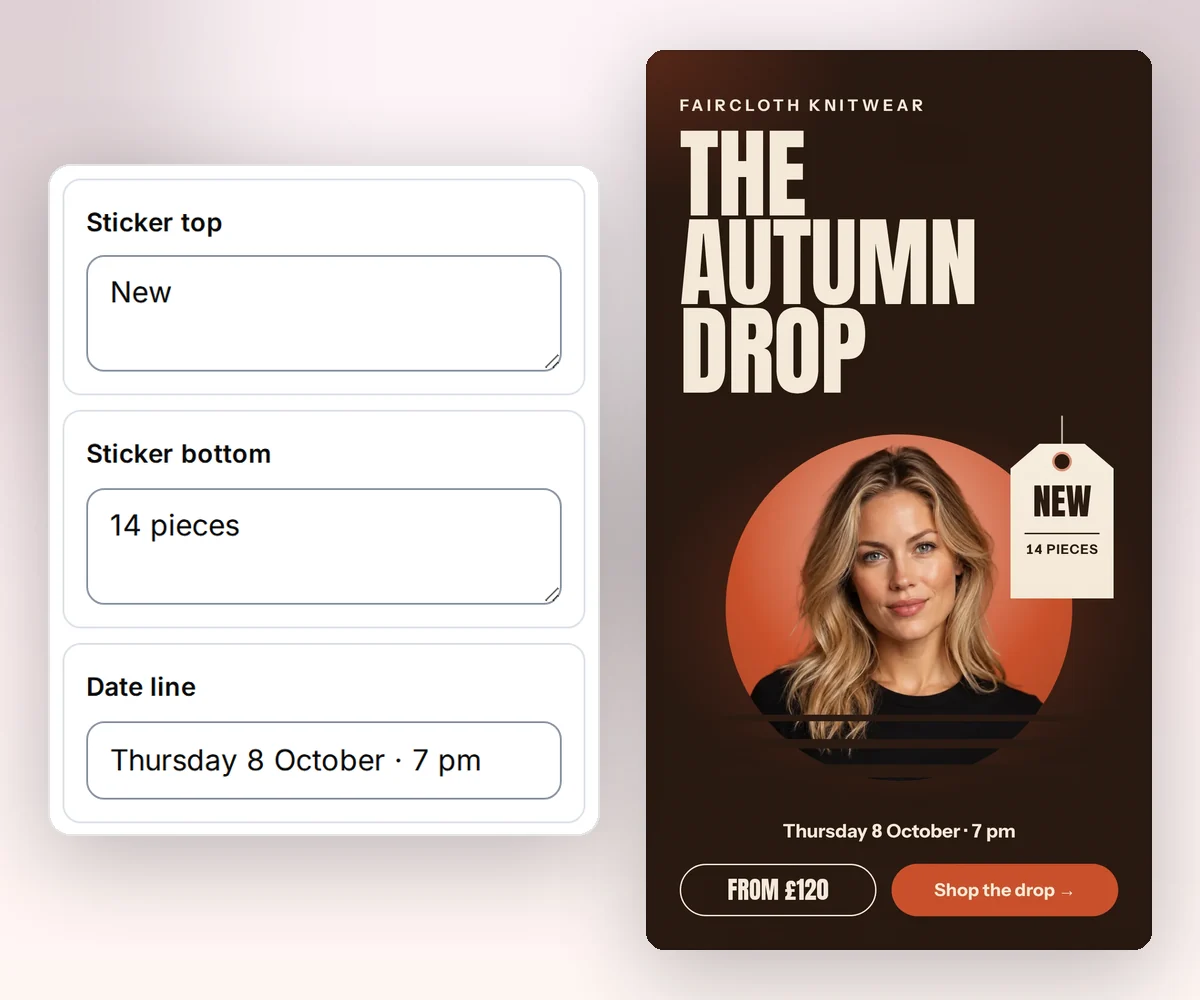
Open the Data tab and type the headline, the line under it, and the name. Swap in the photo. Every size you add in the next step reads these same words, so you never retype a post.
Click Smart resize, tick Square post, Story / vertical video, and Link preview, and the layout fits each one. Click Export pack, and one ZIP holds all three.
Change a line and make a real post.

The editor
Most people see your post on a phone, where it is a few centimetres wide, so small text and words near the edge are the two things that go wrong. Our designers follow three rules for that screen: on a 1080 px post, a supporting line is at least 28 px, a design uses at most four text sizes, and the outer margin is at least 6% of the short edge, so nothing sits on the edge of the picture. Your part is the headline and the photo.
Every size
Pick the sizes by where the post goes. Our templates use the 1080 × 1080 square and the 1080 × 1350 portrait post for the feed, the 1080 × 1920 story for stories and photo slides, the 1200 × 630 link preview for the picture that shows when someone shares your page, and the 1280 × 720 thumbnail for a video. Add any of them to one thirds.ai design, and smart resize fits the layout to each, up to 20 sizes.

From your AI assistant
Connect ChatGPT, Claude, Gemini, Grok, or any other AI you use to thirds.ai once. Then ask for a post about each article you published this week, and it reads them, writes a headline for each, and hands you every finished image in your saved design, in every size you set. The layout and your brand are already in the design, so the posts match the ones you made last week.

Free to copy
Each template is already the right size for its place: a wide thumbnail, a tall story, a square for the feed, a banner for the top of a profile. Pick the one for what you want to say, and drop in your photo and your headline.
A 1280 × 720 thumbnail for each new video, when the title and your face have to win the click.
A 1080 × 1920 story for a weekend sale, with the offer and the code up front.
A square post for one short line you want people to stop and read in the feed.
A 1584 × 396 banner for the top of your LinkedIn profile, with your headline and one next step.
More to post
Your best customer quotes sit in emails and reviews where nobody sees them, and each new article and episode needs its own picture too. Hand them to thirds.ai, or to your AI assistant, and each one becomes a post in your brand.
Paste in what the customer said and their name, and download a square post and a portrait post in your colours.
Browse the galleryGive every blog post and page a 1200 × 630 picture in your brand for when someone shares the link.
Learn more about Link previewsMake one page per slide, and download the slides numbered in order as images, or as one PDF.
Learn more about CarouselsUpload a post you already made, and AI rebuilds it as an editable design in your brand, so one good post becomes a series.
Learn more about Turn an old post into a templateFit a finished picture to another network's size for free, right in your browser.
Learn more about Free social image resizerFor developers and agents
When your blog or app needs a picture for every post, send the title and the size to a saved design, and the finished image comes back. Here a 1200 × 630 link card is made from one template and four fields. Connect the MCP server instead, and ChatGPT or Claude asks for the same card in plain words.
curl --fail-with-body --silent --show-error \
  https://thirds.ai/v1/image \
  -H "Authorization: Bearer YOUR_API_KEY" \
  -H "Content-Type: application/json" \
  -H "Idempotency-Key: post-2026-09-16-launch" \
  --data '{
    "template_id": "tpl_YOUR_LINK_CARD",
    "data": {
      "site_name": "Fieldnote Labs",
      "page_title": "Weekly reports in minutes",
      "description": "How three teams cut their Friday reporting to one click.",
      "site_url": "fieldnotelabs.co.uk/blog/weekly-reports"
    },
    "image": {"format": "png", "width": 1200, "height": 630}
}'{
"servers": {
"thirds": {
"type": "http",
"url": "https://thirds.ai/mcp",
"headers": {
"Authorization": "Bearer YOUR_API_KEY"
}
}
}
}Good to know
Who it is for
Weekly offers, new episodes, new articles: if the same kind of picture goes out every week, set the design up once and spend the week on the words.
Post sales and announcements in every size, each one in your brand without a trip to the design tool.
Each episode gets a cover and a thumbnail in your look, in every size, with no design work on the day.
Your own code or your AI tools make a picture for every post, in the design your team checked.
An image generator starts from nothing each time, so the fonts and colours drift, the words come out wrong, and someone has to check every picture. A template is a design with layers, like a file from a design tool. The layout and your brand are set, so each post matches the last one, and you can change any word or photo by hand.
Because the second post takes a minute, not an afternoon. The design holds the layout, the sizes, and your brand. Each week you type the new headline, swap the photo, and download every size in one ZIP. Twelve weeks later the whole series still looks like one set, and a reader knows a post is yours before they read it.
Our templates use 1080 × 1080 for a square feed post, 1080 × 1350 for a portrait feed post, 1080 × 1920 for a story, 1200 × 630 for a link preview, and 1280 × 720 for a video thumbnail. These are the sizes the editor offers under Smart resize, and one design can hold all of them. The free resizer also has a 1080 × 566 landscape post, or type any size as your own. Resize a finished picture.
No. Open your design, click Smart resize, and tick the sizes you post to. Each size is free to add, the layout fits its new shape, and the words stay shared, so a change in one place shows in every size. Click Export pack to download them together.
Yes. Copying a gallery template is free, and a free account gets 50 credits a month. One finished image costs one credit, so a post in three sizes costs three, and you can spend free credits on the AI chat or an import too. See the plans.
Yes. Connect it to thirds.ai and ask for a post in plain words. It looks up what it needs, writes the headline, and gives you the finished image in your brand, in every size your design holds. Connect your AI assistant.
Yes. Type your post's title into the free Open Graph image generator and download a 1200 × 630 PNG. Save the design with your logo, and your site can ask for a new card each time you publish a post. Make an Open Graph image. Set up a card for every post.
Usually, yes. Each text box in a gallery template shrinks long text to fit, down to a smallest size the designer set, and keeps every word whole. If a headline can't fit even at that size, the editor tells you instead of letting it spill over the photo, so you shorten it or make the box bigger. Check your longest headline once, and every post after that follows the same rule.
Yes. Open a design with two or more pages, choose the slides, and export them as a ZIP of numbered images or as one PDF. Each slide image costs one credit, and a PDF of the same pages costs one credit. Read about carousels.
Social media images
Pick a template, put your brand on it, and the square, the story, and the link preview come down in one ZIP a few minutes from now. It's free to start.