
thirds.ai vs PDFMonkey
In PDFMonkey you build every template from scratch, with its blocks or in HTML and Liquid, before you make one document. thirds.ai builds the design for you. Pick a designer-made invoice, report, or certificate from the gallery, describe one in a few sentences, or upload a picture of a design you like, and the AI gives you an editable design in your logo, colours, and fonts. From then on, ask ChatGPT or Claude for each new PDF in plain words, or make it in the studio. The $29 plan gives you 2,500 PDFs or images a month.
We aren't connected to PDFMonkey. PDFMonkey is a trademark of its owner.
Watch the comparison
PDFMonkey alternative: start from a finished design, not a blank template
Read the transcript
With this PDFMonkey alternative, you don't build the PDF design from a blank page. You start from a finished one.
In PDFMonkey, you build each template yourself first, in its block builder or in HTML and Liquid, and then it fills it with your data.
Tamsin runs the website at Corrowby Tea Merchants, and every Monday she owes forty cafés a delivery note that looks as good as the tins on their shelves.
So she opens the gallery, picks a designer-made delivery note, and clicks Edit in the editor. Nothing there that fits? Describe what you need, or show it a picture, and the AI builds one for you.
She types in the order and picks Corrowby's brand kit, and in one step the whole note takes on their logo, colours, and fonts, the same brand as the tin. Then Export, and the PDF is hers.
From then on, Tamsin just asks ChatGPT. Mill Lane Larder, six tins of breakfast blend, Thursday, and back comes the delivery note.
And Monday morning? She pastes in the order sheet. Forty rows in, forty delivery notes out, one for every café, all in one ZIP.
Writing your own code? Point it at the same design. And if you're bringing a Liquid template, paste in its HTML. Your double-brace values carry over, and you swap Liquid's filters for ours.
Already writing Liquid templates, and happy with them? Then PDFMonkey is the pick: you keep them as they are.
Got a document you send every week? Start free at thirds.ai.
- 1 credit
- makes 1 PDF or image
- 50 credits
- free every month, no card
- $29
- a month for Starter, with 2,500 credits
- 4 formats
- PDF, PNG, JPEG, and WebP
Feature by feature
What's different
| What you need | thirds.ai | PDFMonkey |
|---|---|---|
| Who builds the design | The AI does. Describe it in a few sentences, or upload a picture of a design you like, and you get an editable design in your brand. | You do, from scratch, with its block builder or in HTML, CSS, and Liquid (vendor claim, checked 2 October 2026). We found no way to build a design from a sentence or a picture (our reading). |
| Where you start | A gallery of designer-made invoices, reports, and certificates. Open one and type in your details. | A blank template. PDFMonkey says it does not import existing PDF or Word files (vendor claim, checked 2 October 2026). We found no library of ready designs (our reading). |
| Your brand | Save your logo, colours, and fonts once, or type your website address and the kit builds itself. Pick the kit and the file comes out in your brand. | We found no brand kit on the pages we read. You style each template yourself in its blocks or its CSS (our reading, 2 October 2026). |
| Files from your AI assistant | Connect ChatGPT, Claude, Gemini, or Grok once. Then ask for this month's invoice and it comes back finished. | We found no MCP server or AI assistant connection in its integrations (our reading, 2 October 2026). |
| PDFs and images | One saved design makes the PDF and the PNG, JPEG, or WebP. One credit each, whatever the size. | PDF by default. PNG, WebP, and JPG come from a template saved as an image template (vendor claim, checked 2 October 2026). |
| Free plan | 50 free credits every month with no card, enough for the AI to build your first design. Outside pictures and fonts load on every plan. | 20 documents a month. A document that uses outside images, fonts, CSS, or JavaScript fails on the free plan (vendor claim, checked 2 October 2026). |
| Price per file | One credit per PDF of up to 100 pages or per image. Starter is $29 a month for 2,500 credits. | One document from the plan quota. Starter is €5 a month for 300 documents (vendor claim, checked 2 October 2026). |
| How long files stay | 30 days on the free plan, and up to a year on a paid plan. | 1 day on Free and Starter, and 7 days on Pro (vendor claim, checked 2 October 2026). |
| Many files at once | Paste a spreadsheet or load a CSV and get one file for each row, with a ZIP of all of them. | We found no spreadsheet batch in its docs (our reading, 2 October 2026). |
| For developers | A REST API at /v1/pdf, /v1/image, and /v1/templates, webhooks, an MCP server, and apps for Zapier, Make, and n8n. Your code can also send plain HTML without saving a design. | A REST API at /api/v1/documents, webhooks through Svix, Ruby and Node.js SDKs, and apps for Zapier, Make, n8n, Workato, Bubble, and Glide. Every PDF needs a saved template, so plain HTML goes through a wrapper template (vendor claim, checked 2 October 2026). |
Pricing
How much does PDFMonkey cost compared with thirds.ai?
The cheaper tool depends on how many files you make each month and what kind they are. Here's what PDFMonkey and thirds.ai each cost, and how each one counts a file.
- thirds.ai Starter is $29 a month for 2,500 credits, and one credit makes one PDF or image. PDFMonkey Starter is €5 a month for 300 documents, and Pro is €15 a month for 3,000, before VAT (vendor claim, checked 2 October 2026).
- You start free with 50 credits every month and no card, and you can spend them on the AI build. PDFMonkey's free plan gives 20 documents a month, and a document that loads an outside image or font fails on it (vendor claim, checked 2 October 2026).
- Your files stay for 30 days on the free plan and up to a year on a paid plan. PDFMonkey keeps them for 1 day on Free and Starter and 7 days on Pro (vendor claim, checked 2 October 2026).
- A file that fails costs nothing in thirds.ai, so you can fix it and try again.
- If you run out on a paid thirds.ai plan, you keep making files at $0.015 each, up to one month of your plan's credits, and you can set a spending cap on any API key. PDFMonkey bills extra documents at €0.008 each on Starter with no built-in spending cap (vendor claim, checked 2 October 2026).
- A thirds.ai credit pack starts at $10 for 500 credits and lasts 12 months. A PDFMonkey Boost Pack is €5 for 1,000 documents and expires at the end of the current monthly quota period (vendor claim, checked 2 October 2026). See credits and billing.
Where thirds.ai wins
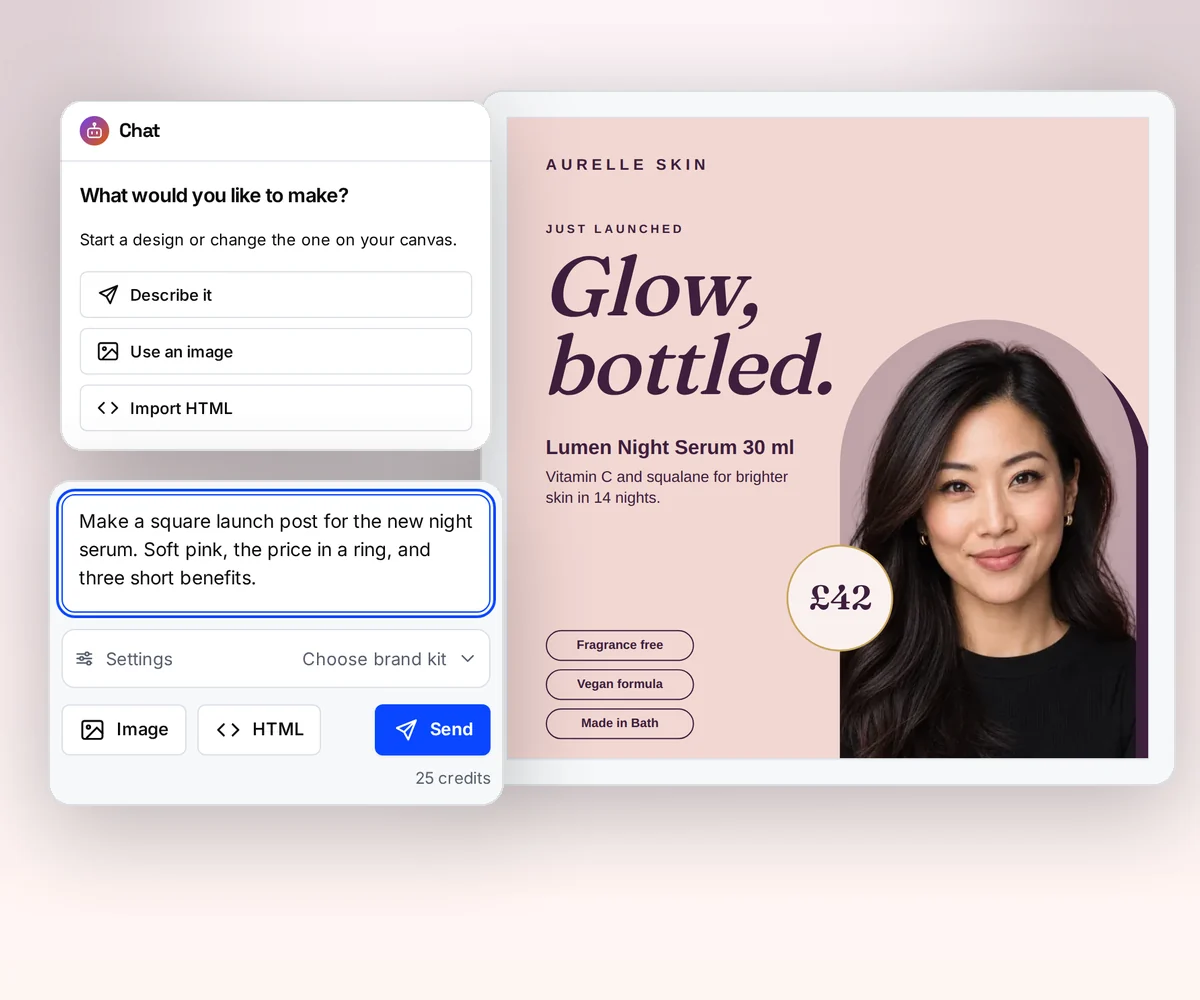
The AI builds your design
Nobody on your team has to learn Liquid or lay out a page to get a good-looking quote. Tell the AI what the document is for and who gets it, and it builds an editable design in your logo, colours, and fonts. If you already have a design you like, upload a picture of it and the AI rebuilds that one in your brand.
The result looks like a designer made it, and you can change any part of it yourself. Try it on the AI template generator page, or turn a picture into a template.
Where thirds.ai wins
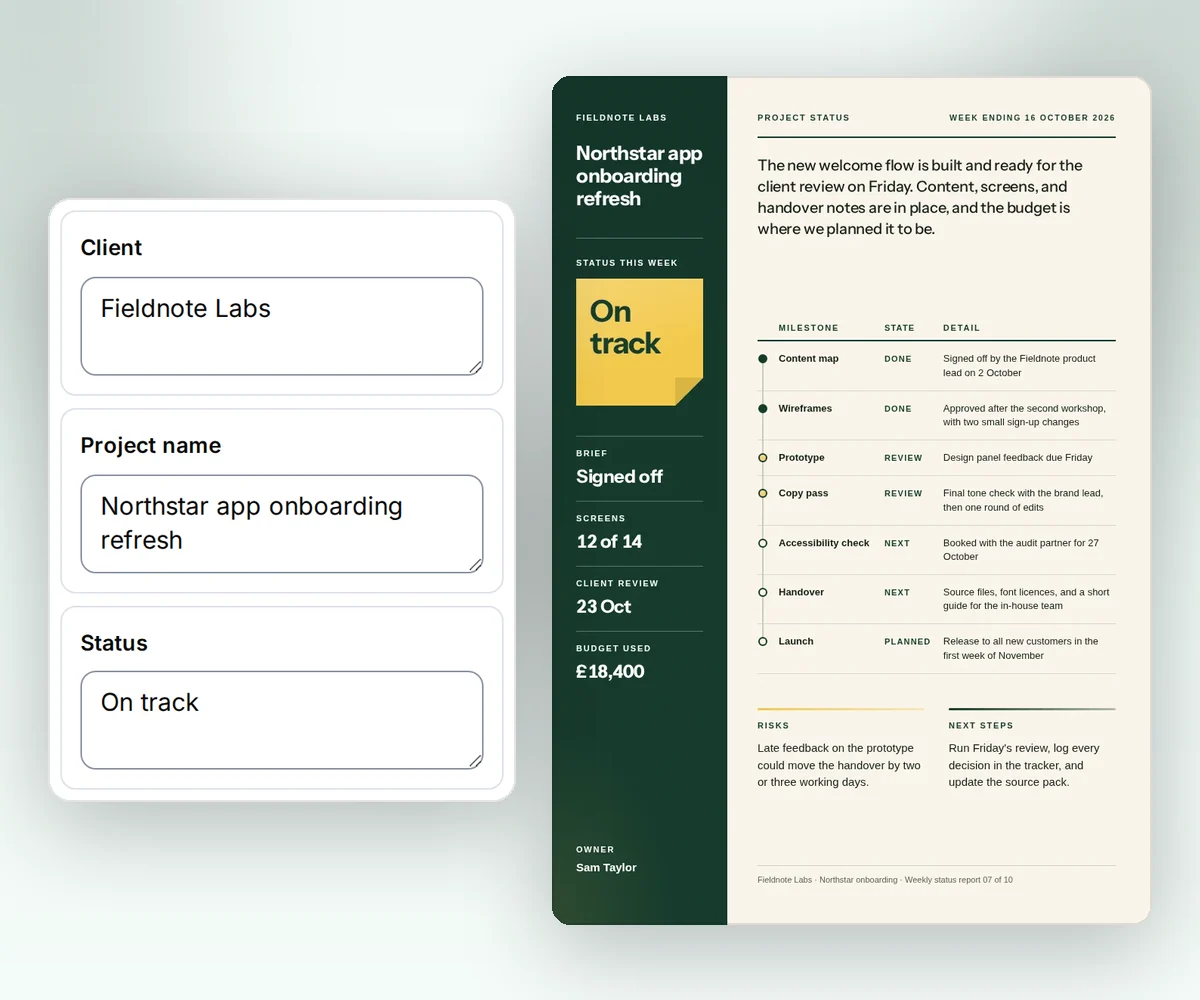
Start from a designer-made template
Open an invoice, a report, or a certificate from the gallery, type in your details, and download the PDF. A designer made each one, so the first file you make looks finished. PDFMonkey starts you from a blank template (vendor claim, checked 2 October 2026).
The same gallery gives you social posts, ads, and labels, so the picture for your launch and the report for your client come from one place.
Where thirds.ai wins
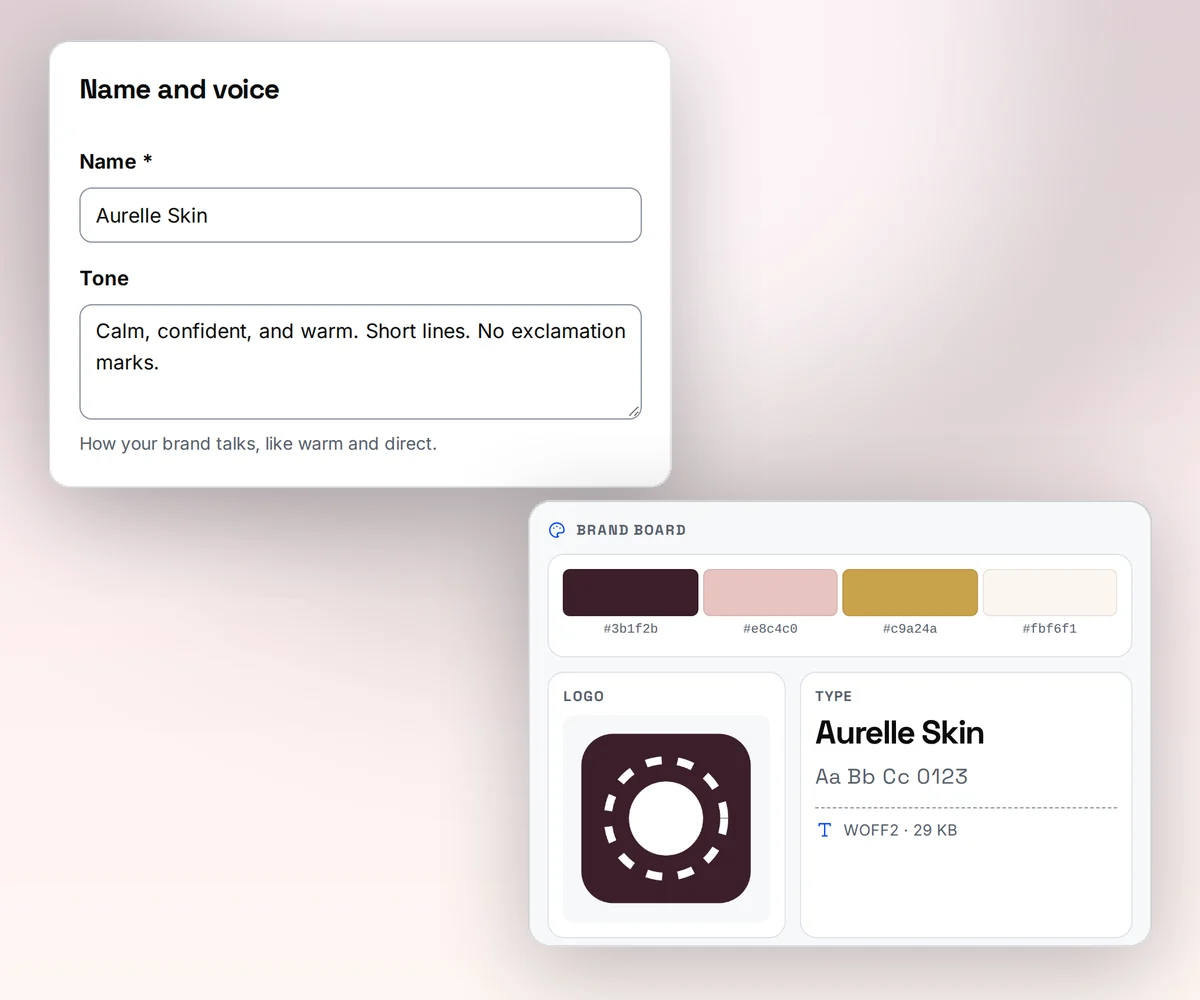
Your brand kit, applied in one step
Save your logo, colours, and fonts once as a brand kit, or type your website address and thirds.ai builds the kit itself. Pick the kit on any design, and the file comes out in your brand.
Your colours land in the right places, so the file looks on-brand with nothing to tweak. In PDFMonkey, you style each template yourself in its blocks or its CSS (our reading, 2 October 2026).
Where thirds.ai wins
Ask ChatGPT or Claude for the finished PDF
Connect thirds.ai to ChatGPT, Claude, Gemini, Grok, or any other AI you use. From then on you ask for the file in plain words. Ask for the invoice for a client with this month's hours, and the finished PDF comes back in your brand.
Your assistant can do the whole job, from your brand kit to the finished file, while you stay in the chat. We found no AI assistant connection in PDFMonkey's integrations (our reading, 2 October 2026).
Where thirds.ai wins
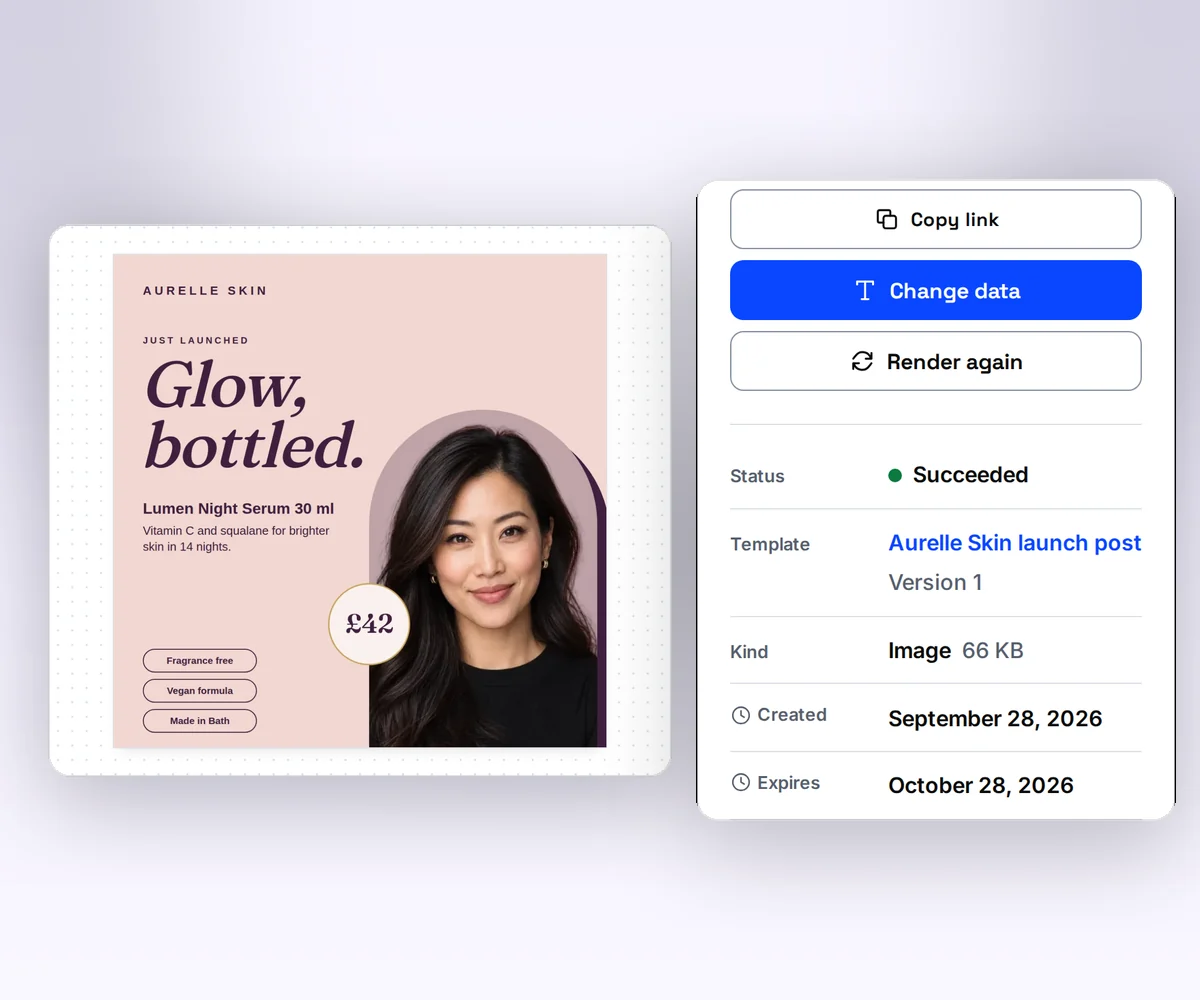
One design makes the PDF and the picture
A saved thirds.ai design makes the PDF for your client and the PNG for your post, at any size you ask for. In PDFMonkey a template makes PDFs, and images come from a separate image template (vendor claim, checked 2 October 2026).
Your files stay for up to a year on a paid plan, so a link you send still works when the client opens it. PDFMonkey keeps a file for 1 day on Free and Starter (vendor claim, checked 2 October 2026). See the plans.

No code needed
How do you make an invoice in thirds.ai without a designer?
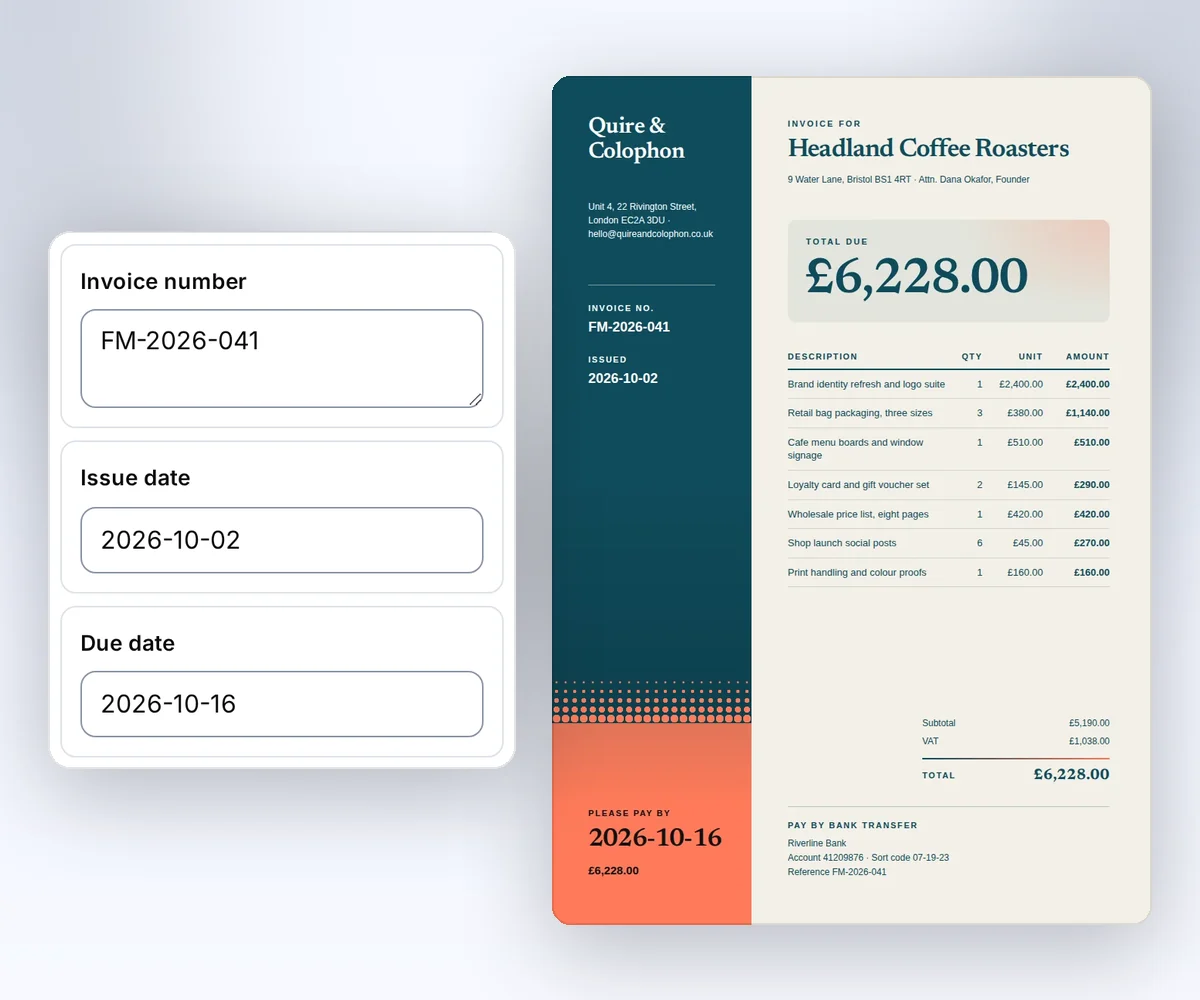
Open a designer-made invoice from the gallery, type in the dates and the number, and download the PDF.
- Open the Design studio invoice design in the gallery and click Use this template.
- Type the invoice number, the issue date, and the due date into the boxes beside the invoice. Pick your brand kit, and the invoice switches to your logo and colours.
- Click Export and download the PDF. Every invoice you make from this design matches the first one.
Once the design is yours, ask ChatGPT or Claude for each client's invoice, or paste a spreadsheet and get one invoice per row.
Switching
Moving from PDFMonkey
You move from PDFMonkey to thirds.ai one design at a time, and each design takes two steps. First you rebuild the design in thirds.ai, then you point your code or your assistant at it. The fastest rebuild is the picture import. Save one finished document from PDFMonkey as a picture, upload it, and the AI rebuilds it as an editable design in your brand kit. A code template moves too. Paste its HTML into the template editor, and swap Liquid's filters for our date, currency, and number filters. The {{ }} values and the if and for tags work the same way. Mark the parts that change and save it.
For developers, both APIs fill a saved design with data, but the request and the result differ. PDFMonkey takes a document_template_id and a payload, and you set status to pending to start the document, then poll it or catch a Svix webhook. Its download_url lasts one hour (vendor claim, checked 2 October 2026). thirds.ai takes a template ID and a data object whose keys match the fields in the design, checks the data against the template's schema, and gives you a download link when the file is ready, or calls your webhook. Use templates with your data shows how to map your old payload to template data.
If you're weighing more than one switch, the DocRaptor comparison and the PDFShift comparison check two more HTML to PDF tools against the same job. The CraftMyPDF comparison covers another option for recurring business PDFs. See HTML to PDF for the developer side of thirds.ai.
Checked and dated
Sources
We checked PDFMonkey's pricing page, plan docs, boost packs, pay-as-you-go, output formats, retention, HTML to PDF, integrations, and API docs on 2 October 2026. Where we say which tool fits, or that we didn't find a feature, that's our opinion.
- PDFMonkey pricing, checked 2 October 2026 for plan prices in euros, documents per plan, the free plan, the 30-day trial, retention, team members, and the VAT note
- PDFMonkey plans and limits, checked 2 October 2026 for documents, retention, generation time, external resources, and share links on each plan
- PDFMonkey Boost Packs, checked 2 October 2026 for the price, the document count, the expiry, and the refund rule
- PDFMonkey pay as you go, checked 2 October 2026 for the per-document rates and the missing spending cap
- PDFMonkey external resources, checked 2 October 2026 for which plans load outside images, fonts, CSS, and JavaScript
- PDFMonkey Builder vs Code templates, checked 2 October 2026 for the two ways to build a template and the note that it does not import PDF or Word files
- PDFMonkey output formats, checked 2 October 2026 for PDF, PNG, WebP, and JPG and the image template
- PDFMonkey retention and deletion, checked 2 October 2026 for how long each plan keeps a document
- PDFMonkey HTML to PDF, checked 2 October 2026 for the wrapper template and the missing raw HTML endpoint
- PDFMonkey integrations, checked 2 October 2026 for Zapier, Make, n8n, Workato, Bubble, Glide, the Ruby and Node.js SDKs, and the missing MCP server
- PDFMonkey Documents API, checked 2 October 2026 for the request fields, the
pendingstatus, and the one-hour download link - PDFMonkey webhooks, checked 2 October 2026 for Svix delivery and the success and failure events
- PDFMonkey Liquid syntax, checked 2 October 2026 for Liquid v4 in code templates
- PDFMonkey docs index, checked 2 October 2026 for the block builder, page layout, headers and footers, and password protection pages
- thirds.ai facts come from our pricing page, API reference, billing guide, and CSV batch guide.
Free to try
Make your first file free
Make your first invoice free from the Design studio invoice design, then let ChatGPT or Claude make the rest. A developer can make them from code with HTML to PDF.
Start from a designer-made template and download a real file for free. Sign up, and ChatGPT or Claude can make the next one in your brand.