
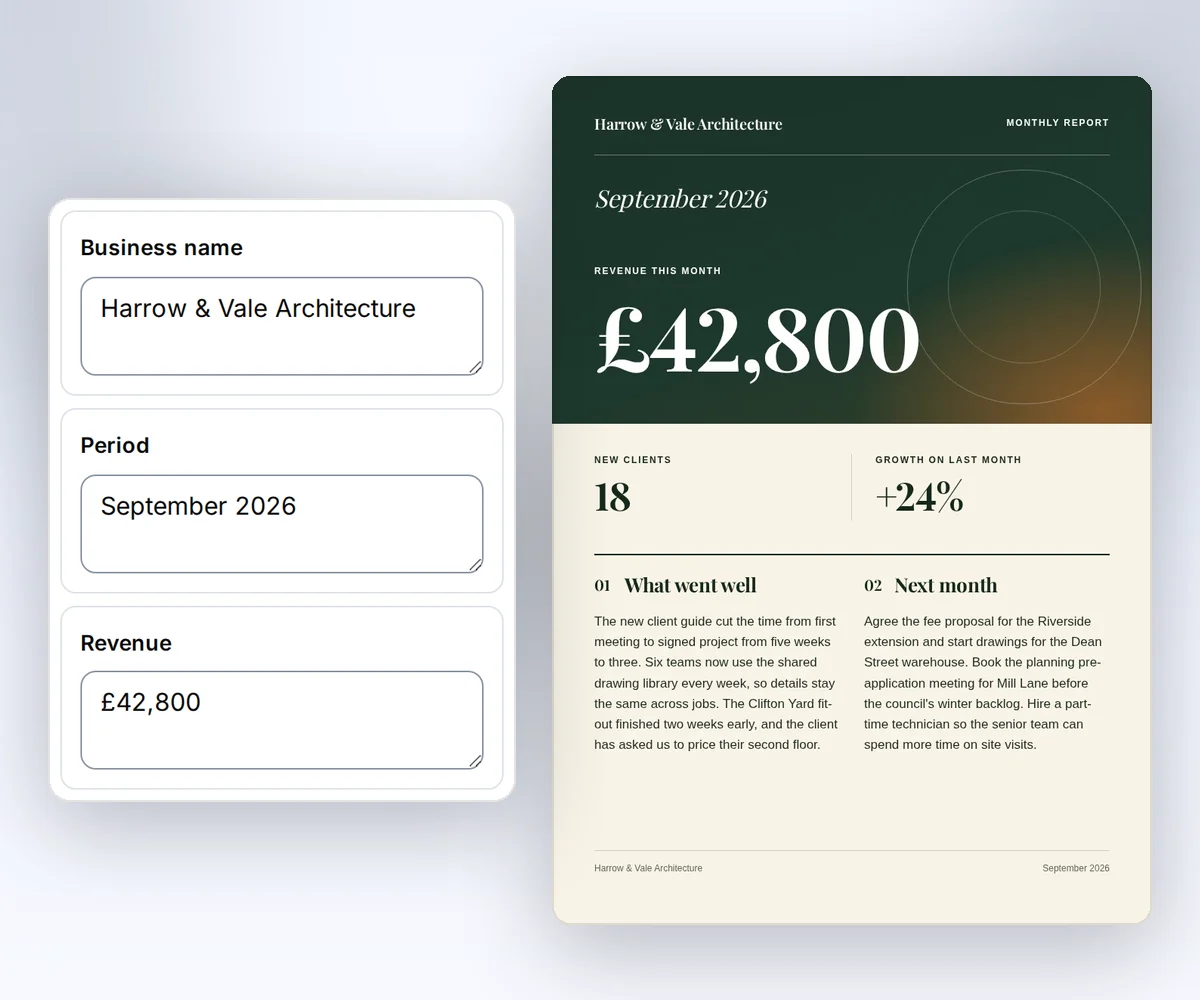
Work in the browser without code
Open a design such as the Monthly report, type your details in the Data tab, and click Export. Your code or your agent can then fill the same saved design with new data.
Make a template you can reuseSave a design once, then fill it with new details in the editor, from your code, or with your AI tool. You get back a finished PDF or image, and each one costs one credit.
curl https://thirds.ai/v1/pdf \
  -H "Authorization: Bearer $THIRDS_API_KEY" \
  -H "Content-Type: application/json" \
  -H "Idempotency-Key: completion-certificate-1" \
  -d '{
    "template_id": "tpl_your_copy",
    "version": 1,
    "data": {
      "issuer": "Chalkline Learning",
      "learner": "Alexandra Morgan",
      "course": "Clear Project Plans for Small Teams",
      "date": "14 September 2026"
    }
  }'
Send these fields with your API key, and you get this certificate back as a PDF with a signed download link.

Guides
Pick the task you want to do. Each guide takes you from the first step to the finished file.
Get an API key and make your first PDF.
2 guidesDesign a template, fill it with your data, and set the output.
5 guidesWork from your agent, hear when a file is ready, and recover a failed request.
3 guidesFill a saved design from Zapier, Make, or n8n.
3 guidesFollow a worked example for a common integration.
3 guidesLook up each endpoint with its fields and responses.
15 guidesConnect the client you already use.
19 guidesLook up error codes, limits, short answers, and billing.
4 guidesMove from another tool with a field-by-field map.
1 guideThree ways in
Every path uses the same saved templates, credits, and files, so you can start in the browser and automate later without rebuilding anything.
Open a design such as the Monthly report, type your details in the Data tab, and click Export. Your code or your agent can then fill the same saved design with new data.
Make a template you can reuse{
"id": "pdf_1f8b3c7d5e2a49061f8b3c7d5e2a4906",
"status": "succeeded",
"download": {
"url": "/v1/downloads/…",
"expires_at": "2026-10-17T09:00:00Z"
}
}Send a JSON body with your API key and an idempotency key for each file. You get the job's status back, and a signed download link once the file is ready.
API keys and requestsGive this prompt to your AI agent. The agent does the task for you.
Read https://thirds.ai/docs and help me choose how to create PDFs or images with thirds.ai and walk me through the first steps.
Connect the MCP server to Claude Code, Cursor, ChatGPT, or another client, and your agent creates templates and files for you with your credits.
Connect your AI agentStart in the playground with a gallery template, or follow the quickstart and send your first request from your own terminal.