
Swap the photo and keep the layout
Give each creator or product its own photo and hook in the same layout, and every ad stays in your brand.
Browse ad templates

An ad test only tells you something when one thing changes between the versions. thirds.ai holds the layout fixed in a saved template, so you change the headline, the offer, the picture, or the colour, and get a clean set to test. Pick a designer-made ad template, add the sizes you run, such as a 1080 × 1080 square post, a 1080 × 1920 story, and a 1200 × 630 link preview, and every version comes out in every size as one ZIP. Ask ChatGPT or Claude for five headlines, and five ads come back.
Free to start. No card needed.
Each ad here is a real thirds.ai download from a gallery template, and View HTML opens the template behind it.
Static ads
Here's how to make static ads in every size from one design. One saved design gives you the square post, the story, and the banner!
Making the same ad again for every size, every week, takes a lot of time. But hey, you only need to set it up once!
Copy an ad template from the gallery for free. Then change the colours and the logo, and save it as your design.
Click Smart resize, pick Story, and type in your banner size. The layout fits each size, and you can still move anything by hand.
Now type in this week's offer and drop in your product photo. You change it once, and every size changes with it!
Click Export pack to download the whole set in one ZIP. Each finished image costs one credit.
Next week, open the same design, type the new offer, and swap the photo. You get a new set that matches the last one!
Make your first ad set at thirds.ai. You can start free!
How it works
Say you're running 40% off autumn coats this week and want to test three headlines in the feed, in stories, and on a link preview. Here is the whole job.
Choose an ad template from the gallery and click Use this template, or upload an ad you already run and let AI rebuild it as an editable design. Pick your brand kit and save it. This layout now stays fixed for every version.
Click Smart resize and tick the placements you run: Square post 1080 × 1080, Portrait post 1080 × 1350, Story / vertical video 1080 × 1920, Link preview 1200 × 630, or type your own width and height. The layout fits each one, and you can nudge any size by hand without touching the others.
Open the Data tab, type the first headline, and click Export pack for the ZIP. Change only the headline and export again, then the third. Three headlines, four sizes, twelve files, one layout, so the test is about the words and nothing else.
Change a line and make a real ad.

What to test
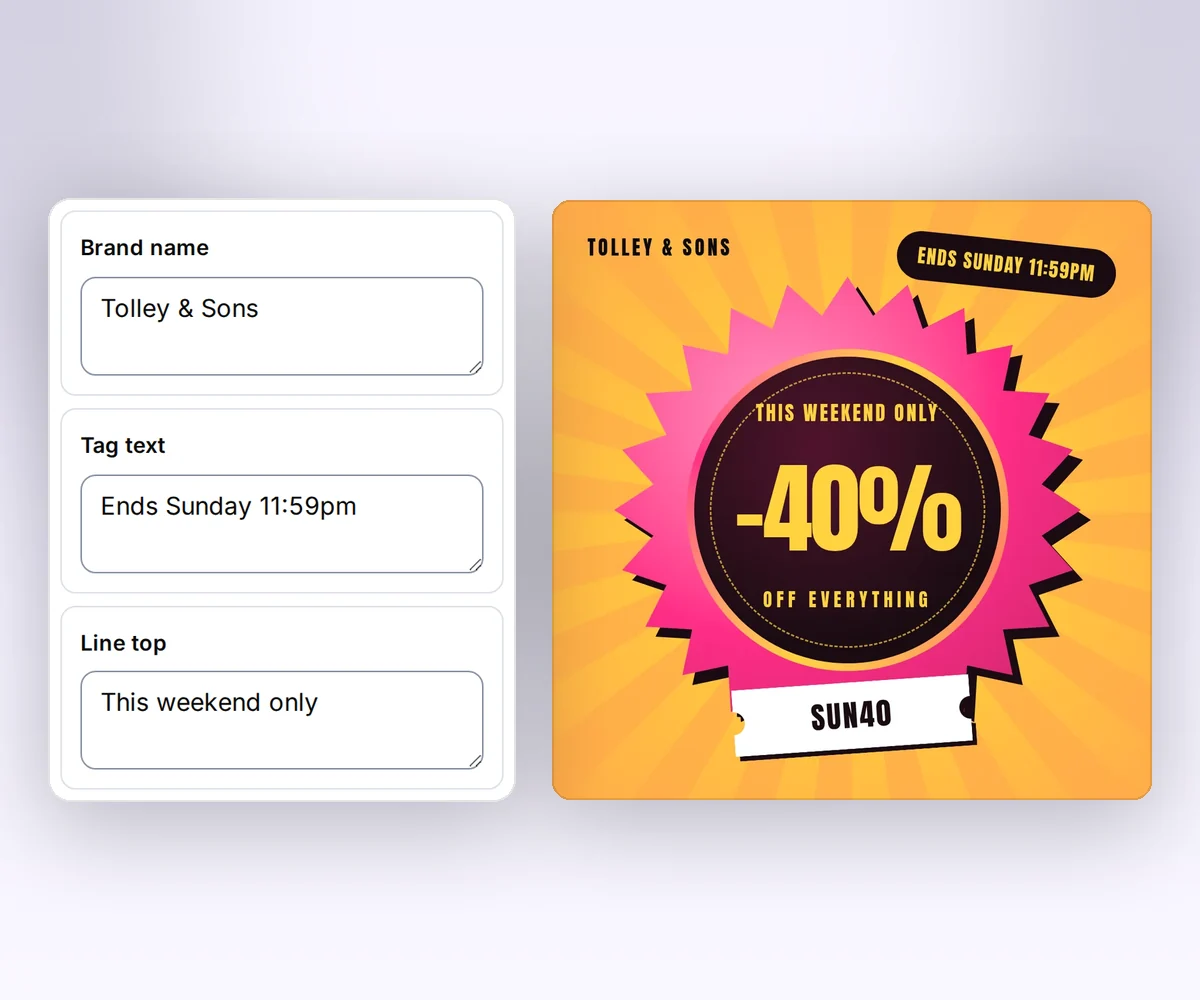
Four things are worth a test on a static ad, and you test them one at a time: the headline, the offer, the picture, and the colour. Three to five versions of one of them is a set you can read. Everything else, the logo position, the type, the button, the margins, stays as the layout has it, because if it moves too you can't tell what worked. In a gallery ad template like this one, those four things are the boxes beside the ad in the editor, and the rest is the design, so a version can't drift.
Every placement
The common shapes are a 1080 × 1080 square and a 1080 × 1350 portrait for the feed, a 1080 × 1920 story, and a 1200 × 630 link preview. A display campaign adds a 1920 × 600 web banner or a 336 × 280 large rectangle, and an email adds a 1200 × 400 header. All of these are ready sizes in Smart resize, and any other placement is a width and a height you type in. Add them once to the saved design, and every version you export comes in all of them.

Brand kits
A set of twelve ads is twelve chances for last year's logo or a near-miss red to slip through. Your brand kit puts the current logo, colours, and fonts on the saved design once, and every version and every size uses them. When the brand changes, change the kit, and the next set is right.

From your AI assistant
Connect ChatGPT, Claude, Gemini, Grok, or any other AI you use to thirds.ai, then brief it like a colleague: 'Five headlines for 40% off autumn coats, in the square, story, and link sizes.' It writes the headlines for you to approve, fills your saved design, and hands you the finished set. The layout and your brand come from the design, so you review words and pictures, not alignment.

Ad formats
A price drop, a seasonal sale, a before and after, and a launch each ask the eye to land somewhere different. Pick the layout that puts your strongest point first, and then test the words inside it.
For a price drop, when the saving should be the first thing people read.
For a seasonal sale, when one square post has to carry the whole offer.
For a product the result sells, with your own before and after photos.
For a launch, when one bold line and one photo have to do the work.
Start anywhere
The layout is the one thing you make once. Start from a template, from an ad you already run, or from a sentence to the AI chat. Each gives you an editable design in your brand, and the tools below turn it into the set.
Give each creator or product its own photo and hook in the same layout, and every ad stays in your brand.
Browse ad templatesUpload the ad that already works, and you get its layout as an editable design in your brand.
Learn more about Turn an existing ad into an editable templateDescribe the ad you need, and the chat builds a design you can finish yourself.
Learn more about AI template chatDraw a frame on the design and ask the AI for a picture to fill it.
Learn more about Visual editorGive each headline you want to test its own row in a CSV file, and get one ad for every row.
Learn more about CSV batchesFor developers and agents
One POST request to /v1/image-packs takes your saved design, the data for one version, and the sizes you run, as preset names such as square-post and story or as a width and height such as 1200x628, and returns the whole set as one ZIP. Loop it over your headlines or your product list, and set the Idempotency-Key per version so a retry within 24 hours doesn't make a second set. An AI agent connected over MCP calls the same pack tool with the headlines it wrote.
curl --fail-with-body --silent --show-error \
  https://thirds.ai/v1/image-packs \
  -H "Authorization: Bearer YOUR_API_KEY" \
  -H "Content-Type: application/json" \
  -H "Idempotency-Key: autumn-sale-week-38" \
  --data '{
    "template_id": "tpl_YOUR_TEMPLATE",
    "version": 1,
    "data": {"headline": "Autumn coats, now 40% off."},
    "format": "png",
    "sizes": ["original", "square-post", "story", "1200x628"]
}'{
"servers": {
"thirds": {
"type": "http",
"url": "https://thirds.ai/mcp",
"headers": {
"Authorization": "Bearer YOUR_API_KEY"
}
}
}
}Good to know
Who it is for
Build the layout once, and the next headline test or next week's sale is a new line in the Data tab and one export.
Test headlines and offers in every placement from one saved layout, with the social posts to match.
Change the price on a sticker or a seasonal drop, and every size gets the new price in one export.
Run the same test for each client in that client's brand kit, on layouts your team already knows.
Loop one request over a product list and get a ZIP per product, with every size inside.
One ad gives you one result and nothing to compare it with. Three to five versions that differ in one thing let the ad platform find the one your audience responds to, and tell you which idea did the work. Meta's split testing guide says to change only one variable per test for that reason (Meta for Developers, Split testing, checked 13 October 2026). A fresh version in the same layout also keeps a campaign going when the first picture has been seen too often. Read the guide to ad variations.
Scaling a square to a story stretches the type or leaves most of the frame empty. A template keeps the text, the logo, and the photo as separate parts, so each size gets a layout that fits it, and the headline is still the headline. Change the offer and every size changes with it, so no placement runs last week's price.
For most feed and story campaigns: 1080 × 1080 square, 1080 × 1350 portrait, 1080 × 1920 story, and 1200 × 630 for the link preview. For display: 1920 × 600 and 336 × 280 are common. Each ad platform publishes its own placement sizes, and any size you type into Smart resize comes out in the next export. See 15 static ad examples in four sizes.
Meta asks you to keep about 14% (250 pixels) at the top and 20% (340 pixels) at the bottom of a 1080 × 1920 story free of text and logos, because the profile name and the button sit there (Meta, design requirements for Instagram Stories ads, read 2 October 2026). On thirds.ai, open the story size, move the headline inside those bounds once, and the saved design keeps it there for every version.
Yes. Upload the image, and thirds.ai rebuilds its layout as an editable design in your brand. A rebuild costs 50 credits, and it's a close match that you finish yourself.
Open your design, click Smart resize, and tick your three sizes. Then click Export pack, and the set comes down as one ZIP with a file for each size.
Yes. Put your fonts, colours, and logo in a brand kit, and any ad template you open takes them on. Your own font files work too.
No. You can make the whole set in the editor or from your AI assistant. The API is there when your own code makes the ads. Connect your AI assistant.
Yes. A verified free account gets 50 credits a month, and one finished image costs one credit, so three headlines in four sizes is twelve credits. Copying a gallery template is free, and you can spend free credits on the AI chat or an import too.
Yes. Describe the ad to the AI template chat, and it builds a design that's yours to adjust. An AI build costs 50 credits, and your hand edits after that are free. Once the design is saved, your AI assistant can write the headlines and make every version from it.
Static ads
Pick an ad template, put your brand on it, and add the sizes you run. Then change one line and export the next version to test.