
thirds.ai vs Placid
Placid has you build each design in its drag-and-drop editor, or start from a preset, before you can fill it (vendor claim). thirds.ai builds the design for you. Describe it in a few sentences, or upload a picture of a design you like, and the AI gives you an editable design in your logo, colours, and fonts. From then on, ask ChatGPT or Claude for each new file in plain words. One credit makes one image or a whole PDF of up to 100 pages, where Placid charges two credits for every page (vendor claim).
We aren't connected to Placid. Placid is a trademark of its owner.
- 1 credit
- makes 1 PDF or image
- 50 credits
- free every month, no card
- $29
- a month for Starter, with 2,500 credits
- 4 formats
- PDF, PNG, JPEG, and WebP
Feature by feature
What's different
| What you need | thirds.ai | Placid |
|---|---|---|
| Who builds the design | The AI does. Describe it in a few sentences, or upload a picture of a design you like, and you get an editable design in your brand. | You do, in the drag-and-drop editor, or you start from one of its design presets (vendor claim, checked 12 October 2026). We found no way to build a design from a sentence, a picture, or your own HTML (our reading). |
| Your brand | Save your logo, colours, and fonts once, or type your website address and the kit builds itself. Pick the kit and the file comes out in your brand. | We found no brand kit on the pages we read. You set colours and fonts on each template's layers (our reading, 12 October 2026). |
| Files from your AI assistant | Connect ChatGPT, Claude, Gemini, or Grok once. Then ask for an image or a PDF in plain words and it comes back finished. The same chat can build or change the design. | A Placid GPT and an MCP server fill a template you built first. Placid says its MCP doesn't invent visuals (vendor claim, checked 12 October 2026). |
| PDFs | One credit makes a PDF of up to 100 pages. Long text and tables run across the pages on their own. | A PDF is a list of pages, each one a filled template, at two credits a page (vendor claim, checked 12 October 2026). |
| Your design as HTML | Open the design as HTML and edit it yourself, or ask the AI chat to change it. | A drag-and-drop editor with dynamic layers, and an Editor SDK you can put inside your own app (vendor claim, checked 12 October 2026). We found no HTML editing (our reading). |
| Price per file | One credit per image up to 32 megapixels, or per PDF of up to 100 pages, in any format. Starter is $29 a month for 2,500 credits. | One credit per image up to 4,000 px and eight up to 8,000 px, two credits per PDF page, and ten credits per ten seconds of video. Basic is $19 a month for 500 credits and Pro is $39 for 2,500 (vendor claim, checked 12 October 2026). |
| Free plan | 50 free credits every month, enough for the AI to build your first design. | A free trial with a few credits and no card, and free watermarked previews on every plan (vendor claim, checked 12 October 2026). We saw no monthly free plan (our reading). |
| Outputs | PDF, PNG, JPEG, and WebP. | JPG, PNG, and WebP images, PDFs, and video (vendor claim, checked 12 October 2026). |
| For developers | A REST API at /v1/pdf, /v1/image, /v1/carousels, and /v1/templates, webhooks, an MCP server, and apps for Zapier, Make, and n8n. | A REST API at https://api.placid.app/api/rest with POST /images and POST /pdfs, a URL API, a webhook_success field, a polling_url, transfer to your own S3 bucket, an MCP server, and apps for Zapier, Make, n8n, Airtable, WordPress, Webflow, and Ghost (vendor claim, checked 12 October 2026). |
Pricing
How much does Placid cost compared with thirds.ai?
The cheaper tool depends on how many files you make each month and what kind they are. Here's what Placid and thirds.ai each cost, and how each one counts a file.
- Placid's Basic plan costs less each month: $19 for 500 credits, against $29 for 2,500 on thirds.ai Starter (vendor price, checked 12 October 2026). Per file, thirds.ai costs less, and Placid's Pro plan matches Starter's 2,500 credits at $39 a month.
- The gap grows with PDFs. A ten-page PDF costs 20 Placid credits, because each page is two credits, and one thirds.ai credit, because one credit covers up to 100 pages (vendor claim for Placid's rate, checked 12 October 2026). An image up to 4,000 px costs one credit in both tools. A larger one, up to 32 megapixels, costs one credit in thirds.ai and eight in Placid (vendor claim, checked 12 October 2026).
- Both tools give you two months free when you pay for a year. Placid Basic is $190 a year and Pro is $390 (vendor prices, checked 12 October 2026). thirds.ai Starter is $290.
- When the credits run out, Placid stops making files until your credits renew, with no overage (vendor claim, checked 12 October 2026). On a paid thirds.ai plan you keep going at $0.015 a credit, up to one month of your plan's credits. Placid rolls unused credits over up to double a month's allowance (vendor claim). thirds.ai plan credits last three months.
- The AI in thirds.ai uses credits too: 50 to build a design or rebuild one from a picture, 25 for a later change in words or HTML, and 50 for a change with a new picture or for an AI image. A file that fails costs nothing. See credits and billing.
- You start free with 50 credits every month and no card. Placid gives a free trial with a few credits and free watermarked previews on every plan (vendor claim, checked 12 October 2026). Prices can change, so check the Placid pricing page and our pricing page before you decide.
Where thirds.ai wins
The AI builds the design for you
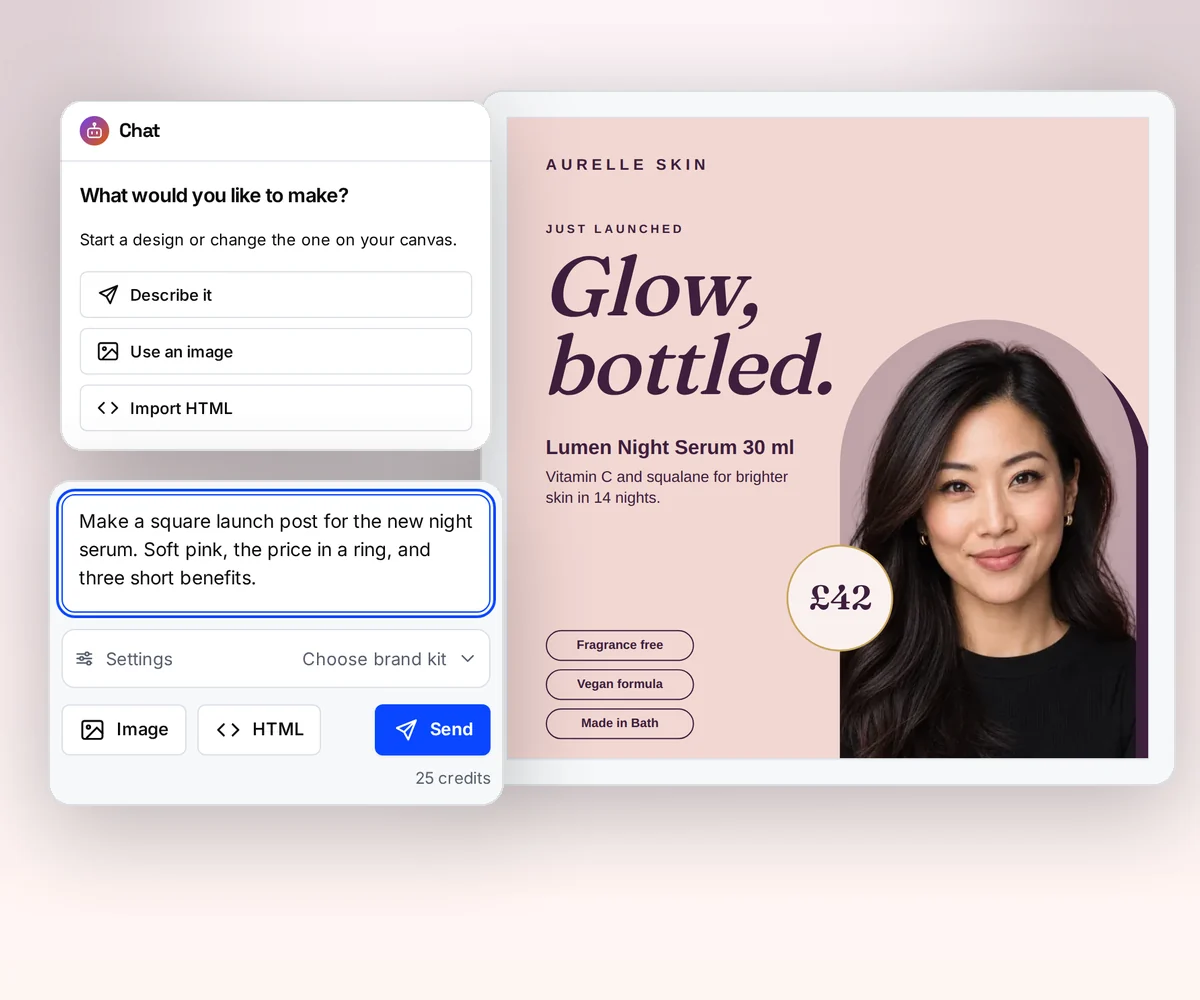
In Placid, the design comes first: someone builds it layer by layer in the editor, or starts from a preset, before the first file comes out (vendor claim, checked 12 October 2026). In thirds.ai, you tell the AI what you need, or upload a picture of a design you like, and it builds an editable design in your logo, colours, and fonts.
Try it on the AI template generator, or turn a picture into a template.
Where thirds.ai wins
Your brand kit, applied in one step
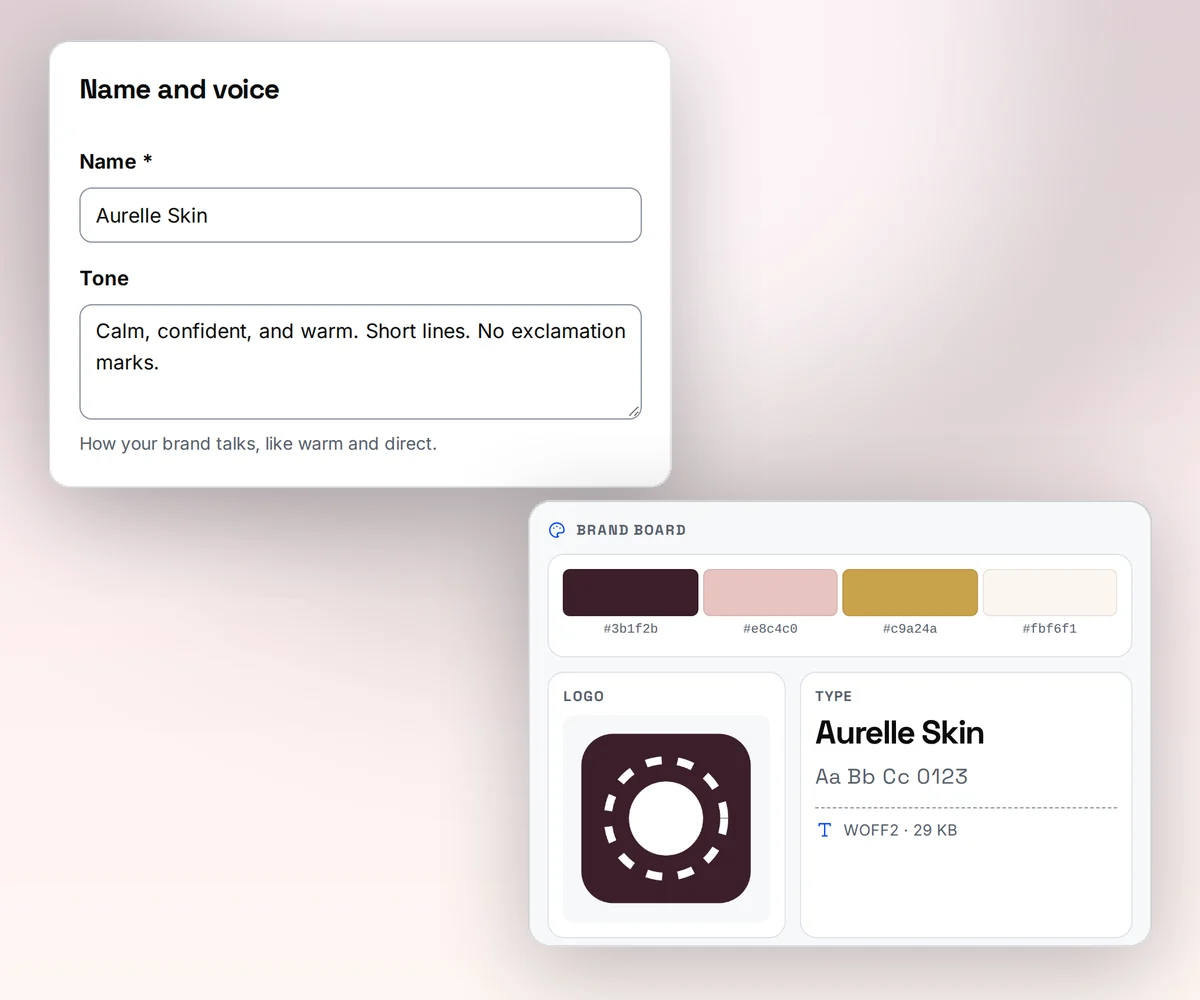
Save your logo, colours, and fonts once as a brand kit, or type your website address and thirds.ai builds the kit from what it finds there. Pick the kit on a design and the whole design switches to your brand, with each colour where it looks best.
In Placid you set colours and fonts on each template's layers, and we found no saved brand kit on its pages (our reading, 12 October 2026).
Where thirds.ai wins
Ask ChatGPT or Claude for the finished file
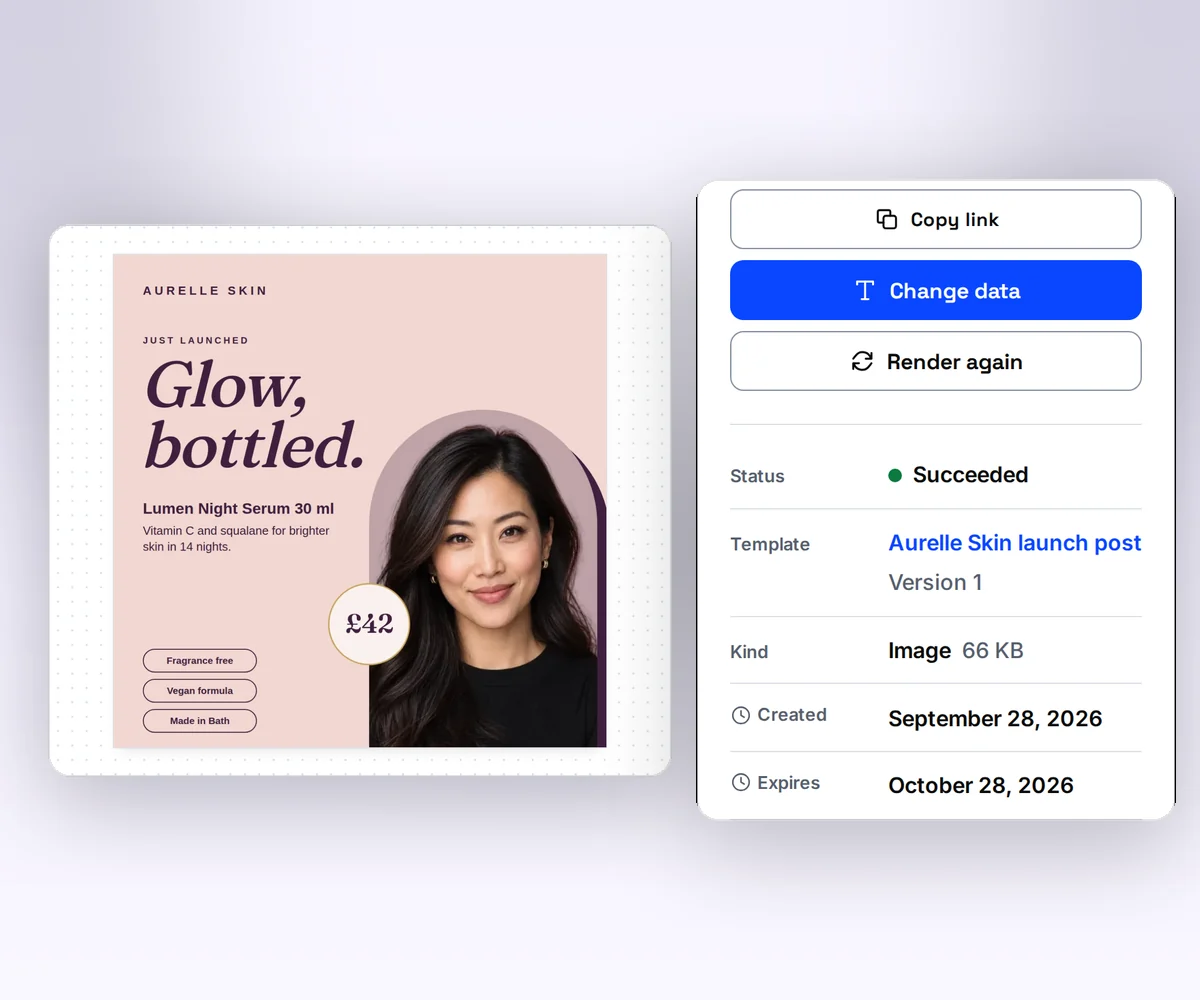
Connect thirds.ai to ChatGPT, Claude, Gemini, Grok, or any other AI you use. Then ask for the file in plain words. Ask for the speaker card for Thursday's talk, and the finished card comes back in your brand.
Your assistant can do the whole job, from building the design to writing the words and handing you the files. Placid's GPT and MCP server fill a template you built first, and Placid says its MCP doesn't invent visuals (vendor claim, checked 12 October 2026).
Where thirds.ai wins
One credit for a whole PDF, not two per page
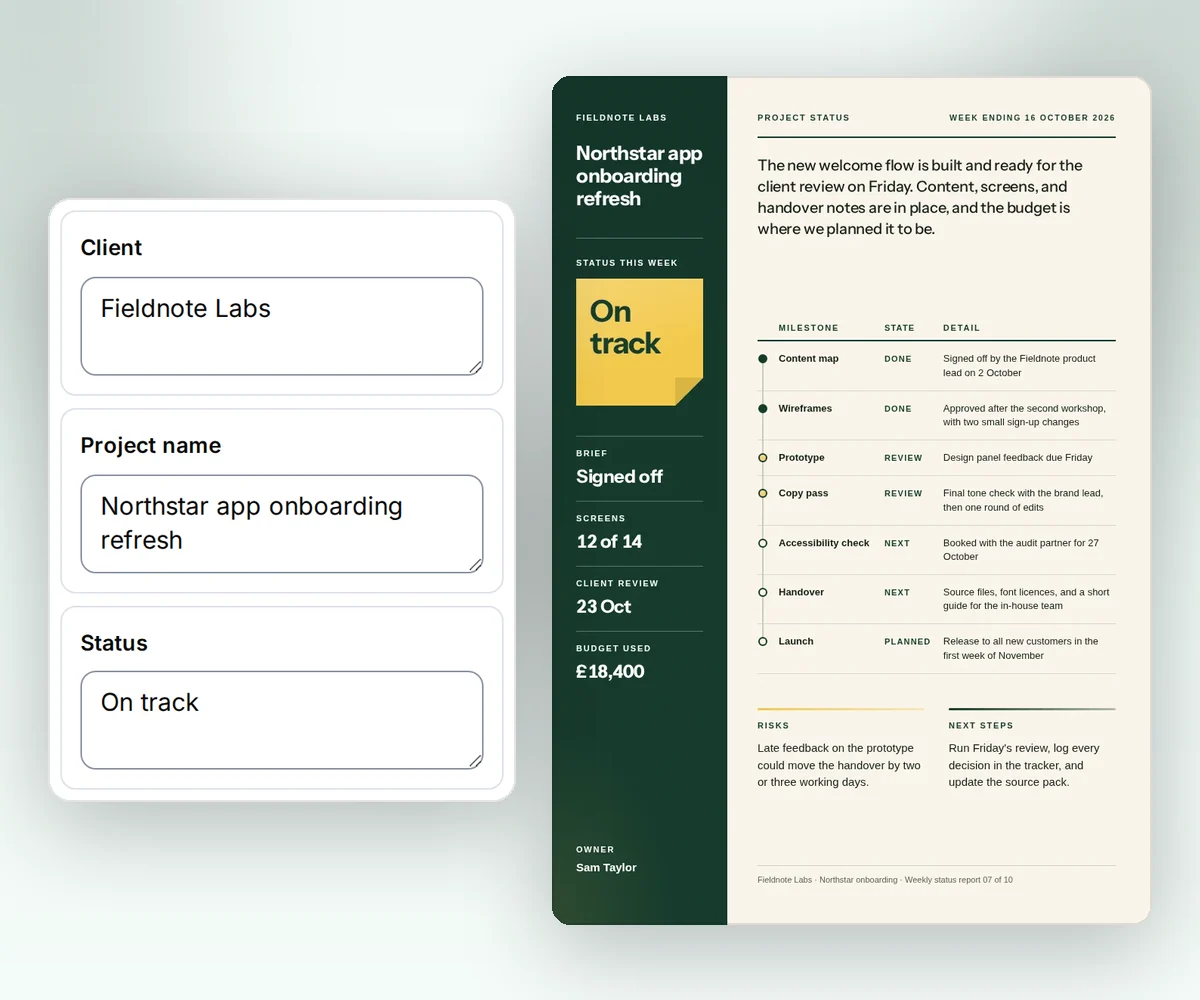
In thirds.ai, long text, tables, and lists run across the pages on their own, all in your brand, and one credit covers up to 100 pages. A Placid PDF is a list of pages, each one a filled template, at two credits a page (vendor claim, checked 12 October 2026).
Start from a designer-made report, invoice, or certificate in the gallery, or ask the AI chat for one. See HTML to PDF for the developer side.
Where thirds.ai wins
A design you can open as HTML
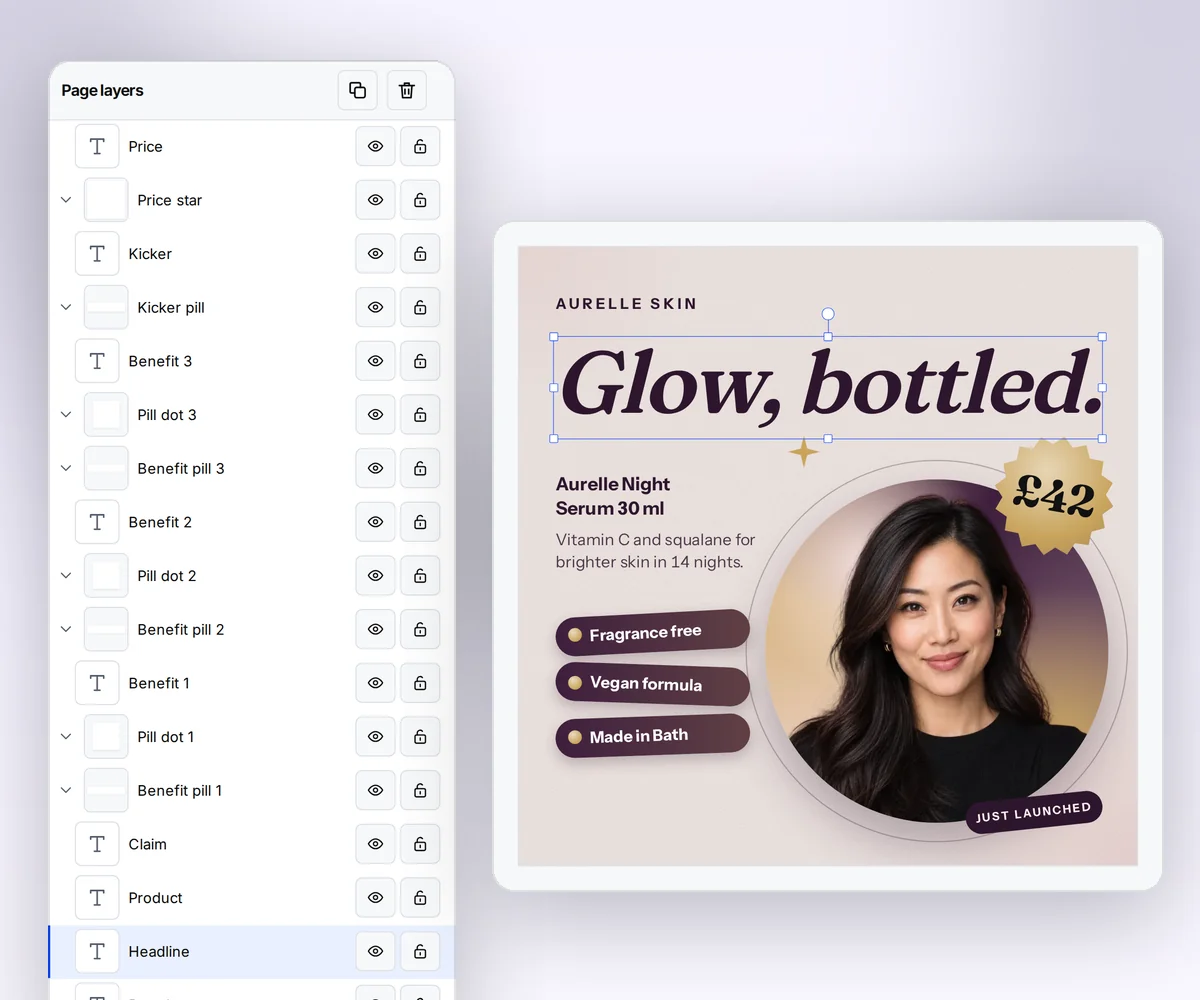
Every thirds.ai design is HTML you can open and edit in the template editor. Paste in a page you already have and it becomes a design with fields you can fill, or let the AI start it and take over when you want full control. We found no HTML editing in Placid (our reading, 12 October 2026).
That's how a designer or a developer gets the final say on a design the AI started.
Where thirds.ai wins
Every size, every language, and a whole spreadsheet at once
Once a design is yours, thirds.ai makes the rest. Smart resize fits one design to every size you post. Your assistant writes the same card in every language you sell in. Paste a spreadsheet and you get one file for each row. See the plans.

No code needed
How do you make a speaker card in thirds.ai without a designer?
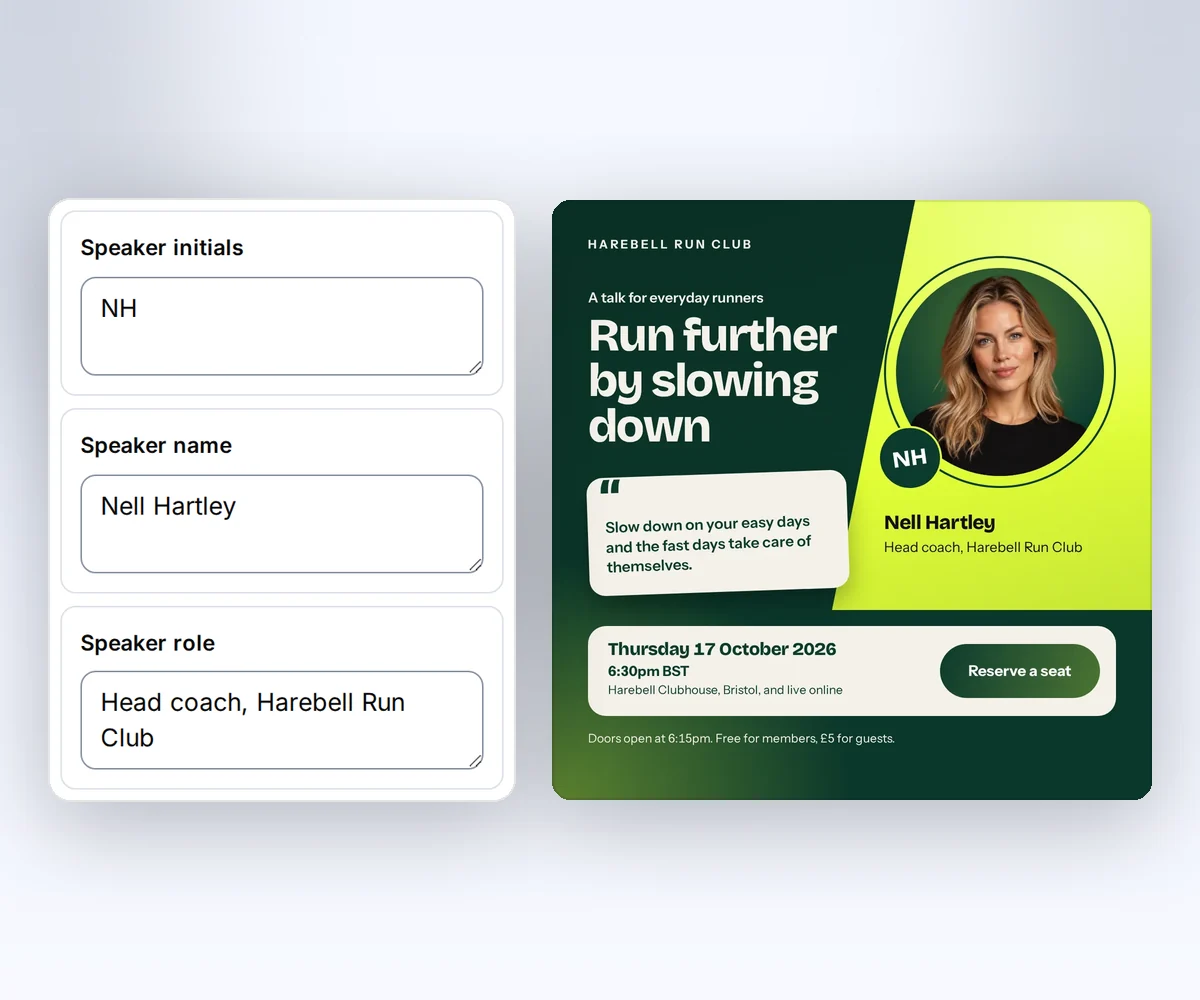
Start from a designer-made speaker card and type in the talk. You can make a card for every speaker in a few minutes, each one in your brand.
- Open the Speaker card in the gallery and click Use this template. You can also upload a picture of your Placid design and let the AI rebuild it.
- Type the talk headline, the speaker's name and role, the quote, and the date, time, and place into the boxes beside the card. Pick your brand kit, and the card switches to your logo and colours.
- Click Save and export PNG to download it. For the next speaker, change the details and export again.
Once the design is yours, ask ChatGPT or Claude for the next card in plain words, or paste a spreadsheet of speakers and get one card per row.
Switching
Moving from Placid
You move from Placid to thirds.ai one design at a time, and each design takes two steps. First you rebuild the design in thirds.ai, then you point your code, your workflow, or your assistant at it. The fastest rebuild is the picture import. Export one finished image from Placid, upload it, and the AI rebuilds it as an editable design in your brand kit. You can also paste your own HTML into the template editor or describe the design to the AI chat. The image rebuild guide shows what to check and fix after the import. Then mark the parts that change and save.
For developers, both APIs fill a saved design with data, but the request and the result differ. Placid takes a template_uuid and a layers object keyed by layer name, returns a polling_url, and can call webhook_success (vendor claim, checked 12 October 2026). thirds.ai takes a template_id, a version, and a data object keyed by the field names in your HTML, returns a job with an id and a status, and a webhook reports render.succeeded, render.failed, or render.cancelled when the job ends. Start with Generate your first PDF with the API, then read Use templates with your data for fields, schemas, and versions.
If Zapier, Make, or Airtable connections also matter, our Bannerbear comparison, Orshot comparison, and Templated comparison cover tools built around those same workflows, and the ranked list of Bannerbear alternatives weighs Placid against them.
Checked and dated
Sources
We checked Placid's home page, features page, pricing page, credit rules, API docs, and its ChatGPT, MCP, and Editor SDK pages on 12 October 2026. Where we say which tool fits, that's our opinion.
- Placid home page, checked 12 October 2026 for its editor, outputs, MCP, Editor SDK, and the list of integrations
- Placid features, checked 12 October 2026 for the drag-and-drop editor, design presets, and dynamic layers
- Placid pricing, checked 12 October 2026 for the Basic, Pro, Business, and VIP plans, their monthly and yearly prices, the credit rules, rollover, no overage, free previews, and the free trial
- How do Placid credits work, checked 12 October 2026 for the credits per image size, per PDF page, and per ten seconds of video
- Placid images API and Placid PDFs API, checked 12 October 2026 for the endpoints,
template_uuid,layers,pages,webhook_success,polling_url, and S3 transfer - Placid ChatGPT, Placid MCP, and Placid Editor SDK, checked 12 October 2026 for the Placid GPT, what the MCP server does, and the SDK
- thirds.ai facts come from our pricing page, API reference, and billing guide.
Free to try
Make your first file free
Make your first image free from the Knitwear launch story design, then let ChatGPT or Claude make the rest. A developer can make the next one from code with HTML to image.
Start from a designer-made template and download a real file for free. Sign up, and ChatGPT or Claude can make the next one in your brand.