
Invoice PDFs with everything your client needs to pay you
To get paid on time, your invoice has to show who owes what, by when, and how to pay, and it has to reach the client the day the work is done. thirds.ai turns an invoice template a designer laid out into yours, with your payment details already on it. Type the client and the lines in the editor, ask ChatGPT or Claude for this month's invoices from the hours it can see, or send a spreadsheet and get one PDF for each row. A payment reminder and a credit note come in your brand when you need them.
Free to start, and you don't need a card.
Real invoices, a payment reminder, a credit note, and an account statement, each made from a thirds.ai gallery template.
Design studio invoicePDF · A4 Client invoicePDF · A4 Hospitality invoicePDF · A4 Retainer invoicePDF · A4 Trade invoicePDF · A4 Invoice reminderPDF · A4 Credit notePDF · A4 Account statementPDF · A4
Branded invoices
Invoice PDF generator: branded invoices from a template or ChatGPT
Read the transcript
Here's an invoice PDF with everything your client needs to pay you, right where they look. Everything's on it, down to the reference, so the money finds its invoice.
It's month end, and four shops are waiting on their invoices. And the old invoice file is fighting you again.
So start from an invoice a designer laid out. Pick your brand kit, and your logo, colours, and fonts go on in one step.
Type in the client, a line for each piece of work, and the totals from your books. Your brand's already on it.
Click Export, then Export PDF, and the first one's ready to send.
For the other three, hand the jobs sheet to ChatGPT or Claude. It fills your saved invoice for each shop and hands back the PDFs.
That's all four shops, in your own brand, and the last three took one message. When one runs late, ask for a reminder to match.
Start free at thirds.ai, and make your first branded invoice.
How it works
How do I make an invoice PDF?
Put your brand and your payment details on the design once. After that, an invoice is the client, the lines, and the totals from your books.
Pick an invoice design
Open any invoice template in the gallery and click Use this template. Pick your brand kit, and your logo, colours, and fonts go on in one step. Gallery invoices start on A4; if your clients are in the US, click Page size and pick Letter from the Size preset list.
Fill in what the client needs to pay you
Open the Data tab and fill in the client, each line of work with its price, and the totals from your books. In the payment terms, say when it is due and that the invoice number is the payment reference, so the money matches the invoice when it lands.
Export and send
Click Export, then Export PDF, and download the file. Next month, open the saved design, change the client and the lines, and export again.
Why it looks right
The total stays where the client looks for it
In a word processor, one more line of work pushes the total down the page or onto a second one, and a long client name breaks the header. On a thirds.ai invoice the totals block keeps its place and size: a long amount shrinks to fit its box instead of wrapping, and each line of work wraps inside its own row of the table. The client opens a clean page with the amount due and the way to pay where they expect them.
- Save the design with your payment details and your terms filled in, and the next invoice starts from them.
- Your spreadsheet, your AI assistant, or your own automation sends the numbers, so nobody retypes a total.
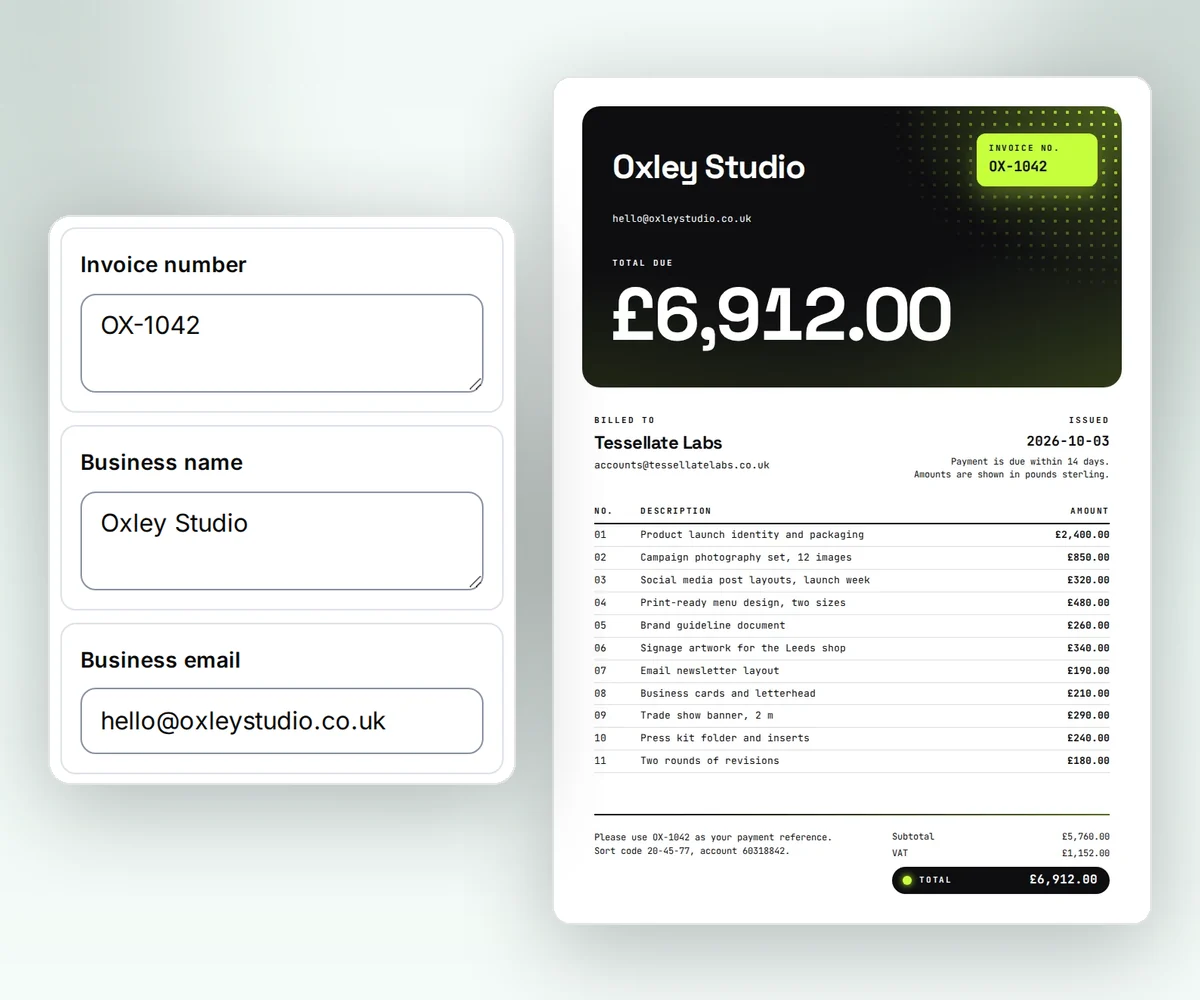
From your AI assistant
Ask your AI assistant for this month's invoices
Connect thirds.ai to ChatGPT, Claude, Gemini, Grok, or any other AI you use. Tell it the client and the hours, or let it read them from a time tracker or a shop it can reach, and ask for the invoice. The assistant puts the client, the lines, and the totals into your saved invoice design and hands you the PDF. When an invoice passes its due date, ask for a reminder in the same brand, with the invoice number and the amount still due.
- A monthly retainer is one message.
- A reminder names the invoice, the due date, and the amount due, so the client can pay it from the reminder alone.

Quotes, invoices, and credit notes
From the accepted quote to the invoice, and a credit note when something changes
A client gets your quote before the work and your invoice after it. Make both on thirds.ai, carry the same lines across, and the invoice reads like the quote they said yes to. When you have to take an amount back, don't edit an invoice you've already sent. Issue a credit note against it in your brand, and both your books and the client's stay in step.
- The gallery has a reminder, a receipt, and a credit note to go with the invoice.
- Name the quote number on the invoice, so the client ties the two together.

Around the invoice
Give the rest of your paperwork the same look
If you ship goods, your order papers can match your invoice too. The gallery has a purchase order, an order confirmation, a delivery note, and a packing slip, and each one takes the same brand kit as your invoice.
Purchase orderPDF · A4 Tells a supplier exactly what you approved, with a line for them to sign.
Sales order confirmationPDF · A4 Reassures a customer that their order went through and says when it arrives.
Delivery notePDF · A4 Lets the person who receives a shipment check it against the order and sign for it.
Packing slipPDF · A4 Shows the customer what's in the box before they unpack it.
For developers and agents
Generate invoice PDFs through the API or MCP
Copy an invoice template from the gallery, then send one POST request to /v1/pdf with your copy's ID, your brand kit's ID, and the invoice data. The request below sends sample data and runs as it is once you put your own IDs in. Use the invoice number as the Idempotency-Key, and a retry within 24 hours returns the first PDF instead of a second invoice with the same number. Pin the version, so a design change you make later never alters an invoice you're still sending. Gallery invoices print amounts in pounds. To bill in dollars or euros, open Edit source and change each currency("GBP") to USD or EUR; the Client invoice template has five. Set pdf.password to lock the file with AES-256 encryption, and use a webhook when your app should hear that the PDF is ready.
curl --fail-with-body --silent --show-error \
  https://thirds.ai/v1/pdf \
  -H "Authorization: Bearer YOUR_API_KEY" \
  -H "Content-Type: application/json" \
  -H "Idempotency-Key: invoice-NS-1042" \
  --data '{
    "template_id": "tpl_YOUR_INVOICE_TEMPLATE",
    "version": 1,
    "brand_kit_id": "kit_YOUR_BRAND_KIT",
    "data": {
      "business_name": "Northline Studio",
      "business_email": "hello@northlinestudio.co.uk",
      "client_name": "Fieldnote Labs",
      "client_email": "accounts@fieldnotelabs.co.uk",
      "invoice_number": "NS-1042",
      "issued_on": "2026-10-03",
      "items": [
        { "description": "Product launch identity and packaging", "amount": 2400 },
        { "description": "Campaign photography set, 12 images", "amount": 850 },
        { "description": "Social media template pack", "amount": 320 },
        { "description": "Print-ready menu design, two sizes", "amount": 480 },
        { "description": "Brand guideline document", "amount": 260 },
        { "description": "Signage artwork for the flagship store", "amount": 340 },
        { "description": "Email newsletter template", "amount": 190 },
        { "description": "Business card and letterhead set", "amount": 210 },
        { "description": "Two rounds of revisions", "amount": 180 }
      ],
      "subtotal": 5230,
      "tax": 1046,
      "total": 6276,
      "payment_terms": "Payment is due within 14 days. Amounts are shown in pounds sterling.",
      "payment_note": "Please use NS-1042 as your payment reference when you pay."
    },
    "pdf": { "format": "A4" }
}'{
"servers": {
"thirds": {
"type": "http",
"url": "https://thirds.ai/mcp",
"headers": {
"Authorization": "Bearer YOUR_API_KEY"
}
}
}
}Good to know
Cost, page size, and how long an invoice PDF is kept
- Cost
- One credit for each finished PDF
- Page size
- A4 by default, or Letter, landscape, or your own size
- A month at once
- One CSV row per invoice: 10 rows on Free, up to 200 on Scale
- Password
- Optional, with AES-256 encryption
- File kept
- 30 days on Free, up to a year on a paid plan
Who it is for
Who makes invoices with thirds.ai
One invoice a year is fine here, but the design earns its keep when the first of the month means twenty of them, whether you're a freelancer with a handful of clients or a studio with a list.
Agencies and studios
Bill each client from one design in your brand, and send the monthly report in the same look.
Shops and service businesses
Send the quote, then the invoice, then the receipt, in one look, and a reminder from your assistant in one message.
Developers and agents
Make the invoice the moment an order closes, from a REST call or an MCP tool, with webhooks and CSV batches for month end.
Freelancers and consultants
Make one invoice at the end of each job, with your payment details already on it, and have it look like you hired a designer.
Questions people ask before the first invoice
Make a sample invoiceWhy does a professional-looking invoice matter?
A clear, well-set invoice is easy to check, so the client has fewer questions before they pay it. It also matches the quality of the work you did. A designer-made template gives you that look without a designer.
Why does each invoice need its own number?
The number is how you and the client talk about one invoice, and how a payment finds its invoice when it arrives with the number as its reference. Keep one sequence with no gaps, such as INV-2026-091, and never reuse a number. A missing number then stands out in your books, and a correction gets a credit note instead of a second invoice with the same number.
What should an invoice include?
Your business name and contact details, the client's name and contact details, the invoice number, the issue date, the due date or payment terms, each piece of work with its quantity and price, the subtotal, each tax on its own line with the rate, the total, and how to pay: the account, the method, and the reference to use. Where your country asks for it, add your tax registration number. An invoice template from the gallery has a place for each one, so you fill them in and nothing gets left off. Open the Client invoice template.
What is the difference between an invoice and a receipt?
An invoice asks for payment and says when it is due. A receipt proves that payment happened and shows how it was paid. Send the invoice first. When the money lands, make a receipt from the same brand kit if the client wants one for their records. See quotes and receipts.
How do I correct an invoice I have already sent?
Don't edit the PDF and send it again, because the client already has the first one in their books. Issue a credit note that names the original invoice number, gives the reason, and lists the lines you credit, then a new invoice if the client still owes something. The Credit note template has a place for each of those. Open the Credit note template.
Does thirds.ai work out my totals or send the invoice?
No. thirds.ai prints the subtotal, the tax, and the total exactly as your books give them, and the PDF is yours to send by email, from your accounting tool, or any other way you like.
Can ChatGPT or Claude make my invoices?
Yes. Connect your assistant to thirds.ai, then give it the client and the hours, or let it pull them from a tool it can reach, and ask for the invoice. It comes back as a PDF from your saved invoice design, ready to send. Connect your AI assistant.
Can I make a month of invoices at once?
Yes. Click Batch at the top of the editor, and the Batches page opens with one column for each detail on your invoice. Paste one row per client, or load a CSV, and put the lines of work as JSON in their cell. Check the cost, click the button that shows your file count, such as Make 20 files, and then click Download ZIP. A batch takes 10 rows on Free, 50 on Starter, 100 on Growth, and 200 on Scale. Read about CSV batches.
Should my invoice be A4 or Letter?
A4 is the standard page in most of the world, and Letter is the standard in the US and Canada. Gallery invoices start on A4. To switch, click Page size in the editor and pick Letter from the Size preset list, or send "format": "Letter" from your code. The design scales to fit the page. Set the PDF page size.
Is this invoice PDF generator free?
Yes. A new account starts with 50 free credits a month and no card. Each finished invoice uses one, and a PDF that fails uses none. Free files stay for 30 days; a paid plan keeps them for up to a year and adds more credits. See the plans.
Can I protect an invoice PDF with a password?
Yes, when your code or your AI agent makes it. Set pdf.password on the request, and the PDF is encrypted with AES-256 until the client types it. Give the client the password by another route than the invoice email. Set PDF options and a password.
Branded invoices
Send the next invoice from a design you'll keep
Make a sample invoice in the free tool now. When you like it, sign up, save the design with your logo and your payment details, and every invoice after that comes from it.