
thirds.ai vs Orshot
Orshot and thirds.ai both fill a saved design with your next offer, product, or client and hand you the finished file, from an editor, an API, or an AI assistant. Orshot adds video, Canva and Figma imports, and posting to social media. thirds.ai adds a design the AI builds from a sentence, your own HTML, or any picture you upload, saved as plain HTML you can open and edit. And one credit makes one image or a whole PDF of up to 100 pages, where Orshot charges a credit for every page.
We aren't connected to Orshot. Orshot is a trademark of its owner.
- 1 credit
- makes 1 PDF or image
- 50 credits
- free every month, no card
- $29
- a month for Starter, with 2,500 credits
- 4 formats
- PDF, PNG, JPEG, and WebP
Feature by feature
What's different
| What you need | thirds.ai | Orshot |
|---|---|---|
| Inputs | Describe it to the AI, paste your own HTML, or upload a picture that becomes a design you can edit. | A template from the Studio editor, the library, the AI design agent, or an imported Canva, Figma, or Polotno design, filled with a modifications object (vendor claim, checked 12 October 2026). Its free HTML to PDF tool can save pasted HTML as a Studio template (vendor claim). We found no way to upload a picture and get an editable design back (our reading). |
| Outputs | PDF, PNG, JPEG, and WebP. | PNG, JPEG, WebP, and AVIF images, PDFs, and MP4, WebM, MOV, MKV, and GIF video (vendor claim, checked 12 October 2026). |
| Template editing | Change the design in the editor or ask the AI chat, and both work on the same design. Add sizes to one image design and the layout adapts to each one. | The Studio editor, a library of more than 2,400 templates, an AI design agent, and smart resize to any size (vendor claim, checked 12 October 2026). |
| Brand kits | Save your logo, colours, and fonts once as a brand kit. Pick it on any design and all three apply at once. | A brand assets library for images, colours, fonts, video, and audio. You insert an asset in Studio with one click, and swapping a logo there updates every file that uses it (vendor claim, checked 12 October 2026). |
| API and MCP | A REST API at /v1/pdf, /v1/image, and /v1/templates, plus an MCP server for AI agents. | A REST API at https://api.orshot.com/v1/studio/render with a templateId, modifications, and a response.format, plus SDKs for Node.js, Python, PHP, and Ruby, webhooks, and an MCP server (vendor claim, checked 12 October 2026). |
| Integrations | A Zapier app and a Make app that you join from an invite link, and an n8n community node. | Zapier, Make, n8n, Pipedream, Airtable, Google Sheets, Shopify, Slack, and WordPress among 46 integrations, plus publishing to 15 social platforms (vendor claim, checked 12 October 2026). |
| Pricing model | One credit makes one PDF or image. Starter is $29 a month for 2,500 credits. Extra credits cost $0.015 each on a paid plan, and packs start at $10 for 500 credits. | One credit per image, per PDF page, or per video second (vendor claim, checked 12 October 2026). Launch is $39 a month for 1,500 credits, Grow is $160 for 20,000, and Scale is $349 for 75,000. Extra credits cost from $0.036 down to $0.024 each, by plan. |
| Free tier | 50 free credits a month for a verified account, no card. Making a design with AI or from a picture costs 50 credits, so one month's free credits can pay for your first AI design. | 100 render credits every month and 50 AI credits once, no card needed (vendor claim, checked 12 October 2026). The free plan doesn't include video (vendor claim). |
| Where it fits | Marketers and founders who make long PDFs and don't want to pay per page, and who want AI to build each design and keep it as plain HTML they can edit. | Marketing teams that want a large design library, video, and social publishing connected to no-code tools (our reading). |
Pricing
How much does Orshot cost compared with thirds.ai?
The cheaper tool depends on how many files you make each month and what kind they are. Here's what Orshot and thirds.ai each cost, and how each one counts a file.
- Orshot Launch costs $39 a month for 1,500 credits, and thirds.ai Starter costs $29 a month for 2,500 credits (Orshot's price from its site on 12 October 2026). Paying yearly gets you two months free on both: thirds.ai Starter is $290 a year, and Orshot prices a year at ten months (vendor claim, checked 12 October 2026). Prices can change, so check the Orshot pricing page and our pricing page before you decide.
- One thirds.ai credit makes one PDF of up to 100 pages, or one image. The AI uses credits too. It costs 50 to build a new design or rebuild one from a picture, and 25 for a later text or HTML edit. A later message with a new picture costs 50 credits. Making or remaking an AI image also costs 50 credits. A file that fails costs nothing. See credits and billing.
- One Orshot credit is one image, one PDF page, or one video second (vendor claim, checked 12 October 2026). A ten-page PDF costs 10 Orshot credits and one thirds.ai credit, so if long PDFs are your main job, thirds.ai's cheaper plan also goes further.
Where thirds.ai wins
One credit for a whole PDF of up to 100 pages
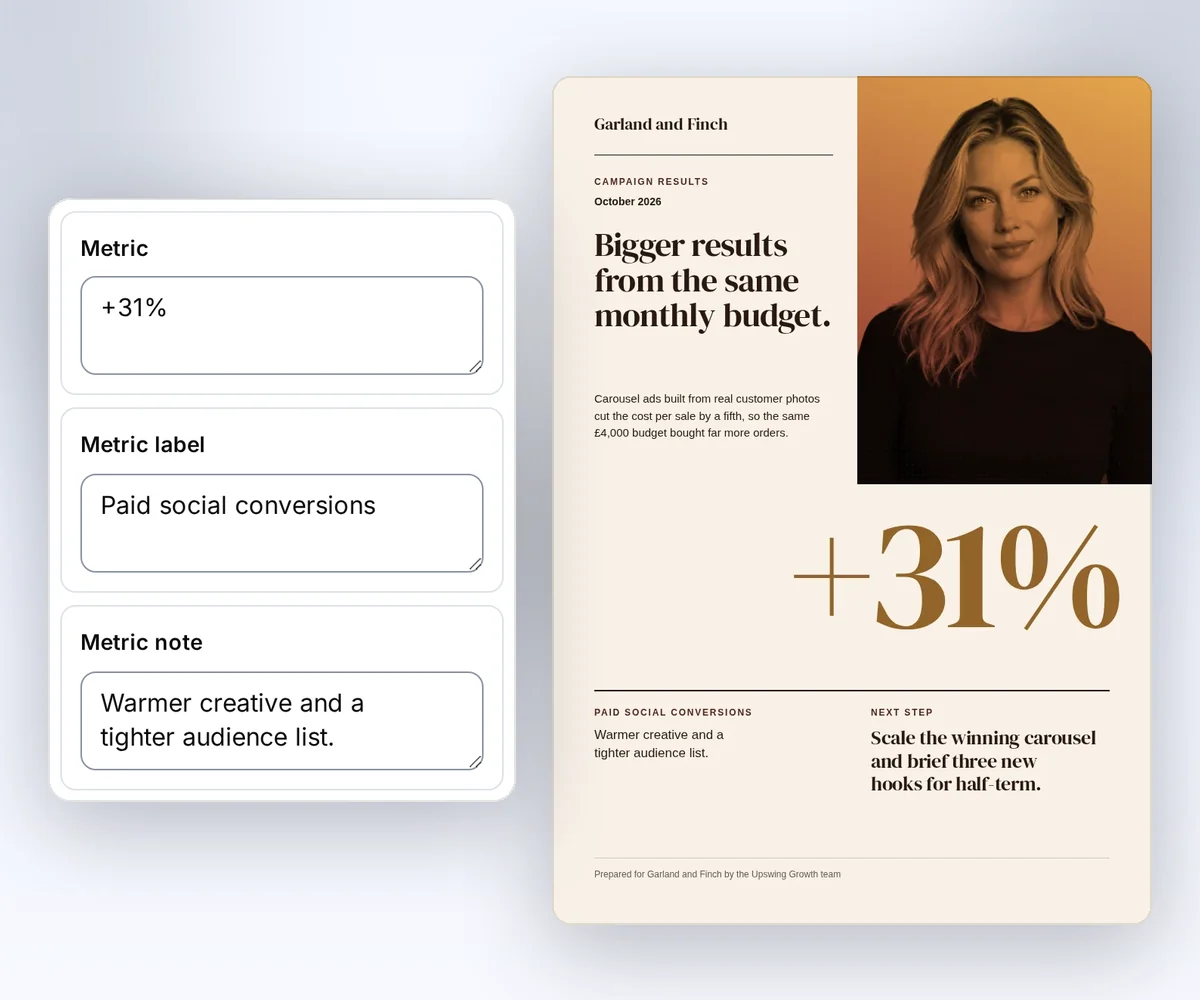
A campaign report, a client proposal, or a price list runs to pages. In thirds.ai, one finished PDF costs one credit, up to 100 pages, so a ten-page report costs the same as a one-page banner. Orshot counts a credit for every PDF page (vendor claim, checked 12 October 2026), so the same report costs ten there.
That makes a monthly allowance easy to plan: 2,500 credits on Starter is 2,500 reports of up to 100 pages each.
Where thirds.ai wins
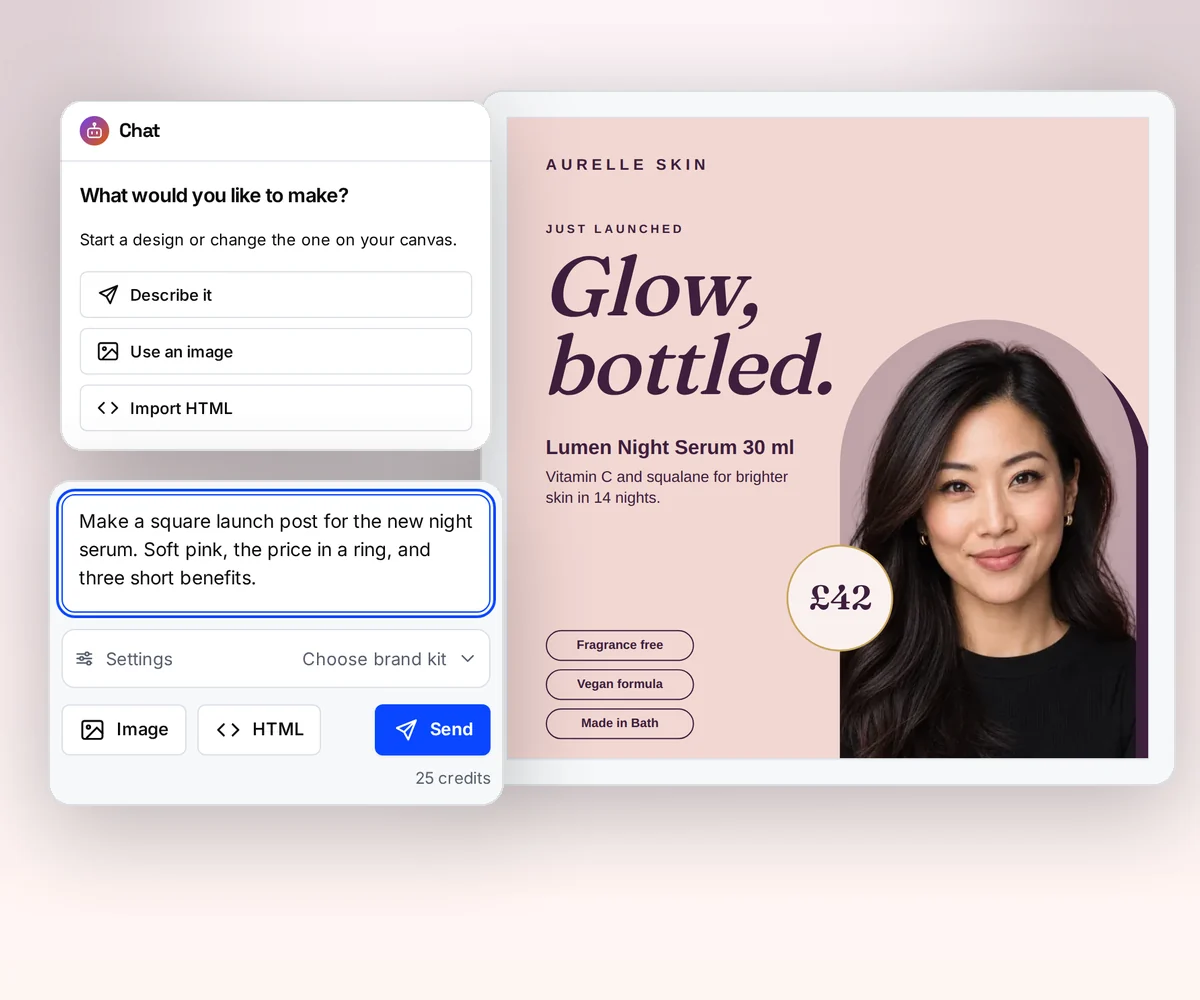
The AI builds the design from a sentence or a picture
In Orshot, you start from its library, its Studio editor, or a Canva or Figma file (vendor claim, checked 12 October 2026). In thirds.ai, you can also describe the design in a few sentences, paste your own HTML, or upload a picture of a design you like, and the AI rebuilds it as an editable design in your logo, colours, and fonts. One creative becomes many.
The result is plain HTML. You can open it, read it, and change it, in our editor or in your own code, and take it anywhere. Orshot keeps each design as layers inside its Studio (vendor docs, checked 12 October 2026). Try it on the AI template generator page, or turn a picture into a template.
Where thirds.ai wins
Ask ChatGPT or Claude for the next file
Connect thirds.ai to ChatGPT, Claude, Gemini, Grok, or any other AI you use. Ask for the banner with next month's offer, and your assistant writes the words, fills the design, and hands you the finished file, without you opening the editor.
Orshot has an MCP server too (vendor claim, checked 12 October 2026), so an AI agent can make files in both tools. With thirds.ai, the same assistant also builds the design with you and sets up your brand kit from your logo and colours, so the whole job, from first draft to finished files, happens in one chat.
No code needed
How do you make the same campaign image in the thirds.ai editor?
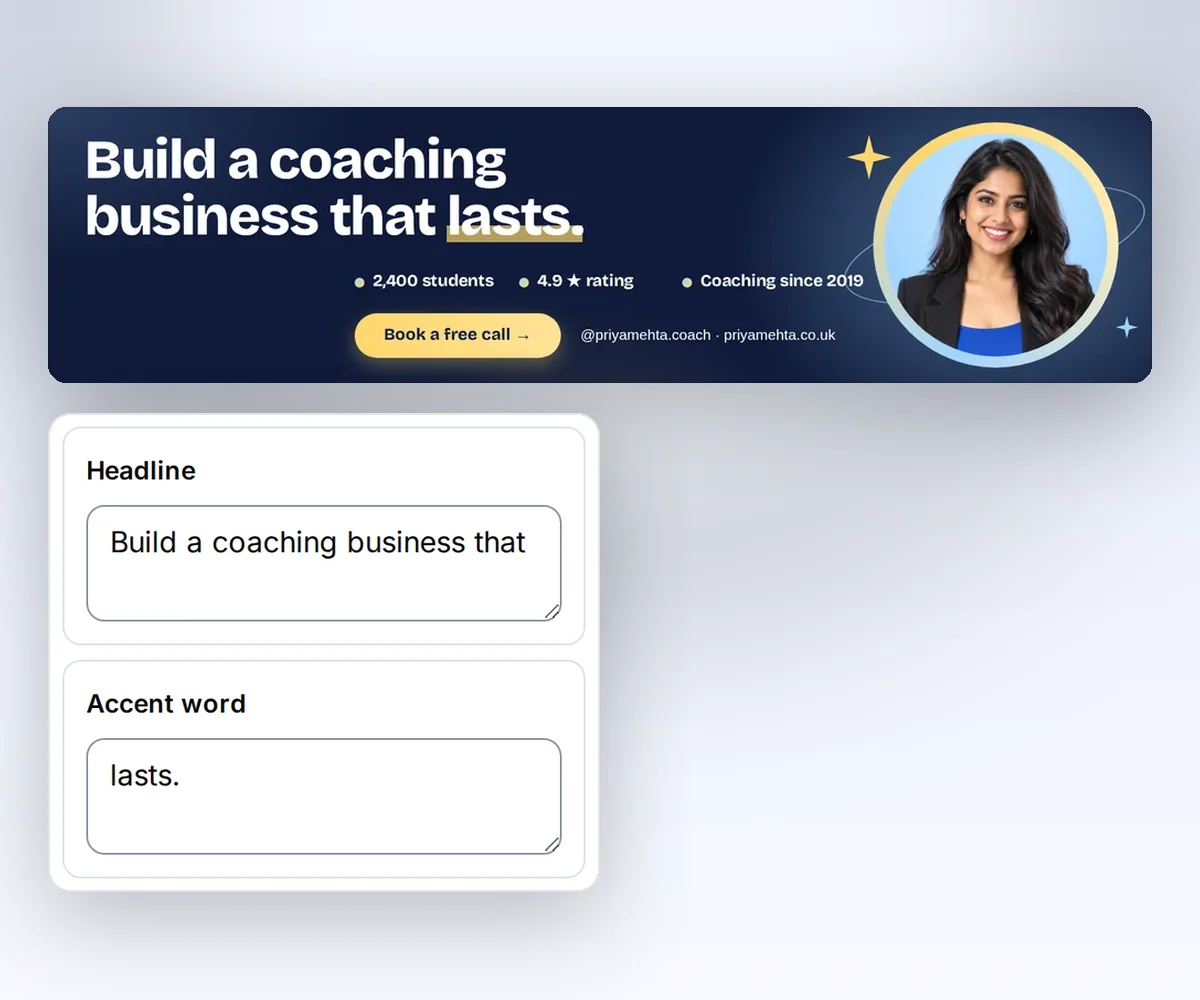
You can make a campaign image, such as a LinkedIn banner for a coaching offer, in the thirds.ai editor without code. It takes three steps and a free account with 50 credits a month, and each finished image costs one credit.
- Open the Business coach banner and click Use this template.
- Type your headline, your three stats, and your button text into the boxes beside the banner. The banner changes as you type.
- Click Save and export PNG to download it.
Switching
Moving from Orshot
Move one design at a time: rebuild it once in thirds.ai, then point your code or your automation at the new template. Start with one saved Orshot design and a real set of its data.
Map that design's changing data, and check how your app receives the result. Orshot takes a templateId and a modifications object keyed by layer name, with response.format for the file type (vendor docs, checked 12 October 2026). thirds.ai takes a template_id, a version, and a data object keyed by the field names in your HTML, with image.format for png, jpeg, or webp. thirds.ai returns a job with an id and a status, and a webhook reports render.succeeded, render.failed, or render.cancelled when the job ends.
The design itself doesn't move as a file, because Orshot stores layers and thirds.ai stores HTML. Export the Orshot design as a PNG and turn the picture into a template, or describe it in the AI chat, or ask ChatGPT or Claude to do either for you. Save your logo, colours, and fonts in a brand kit and pick it on the new design. Check the result, save the fields you need, copy the template ID, and switch the API call. Start with Generate your first PDF with the API, then read Use templates with your data for fields, schemas, and versions. If you're also weighing Templated, our Templated comparison shows how its per-page PDF credits and yearly prices line up with ours.
Checked and dated
Sources
We checked Orshot's features, docs, and prices on 24 September 2026 and again on 12 October 2026. Where we say which tool fits, that's our opinion.
- https://orshot.com/, checked 24 September 2026, rechecked 12 October 2026, for the template library, integrations, and social publishing
- https://orshot.com/pricing, checked 24 September 2026, rechecked 12 October 2026, for plan prices, credits, overage, and the free plan
- https://orshot.com/docs, checked 24 September 2026, rechecked 12 October 2026, for output formats and SDKs
- https://orshot.com/docs/api-reference/render-from-studio-template, checked 12 October 2026, for the render request
- https://orshot.com/docs/importing-templates, checked 24 September 2026, rechecked 12 October 2026
- https://orshot.com/tools/html-to-pdf, checked 24 September 2026, rechecked 12 October 2026
- https://orshot.com/features/brand-assets-library, checked 12 October 2026
- https://orshot.com/llms.txt, checked 24 September 2026, rechecked 12 October 2026, for smart resize and the MCP server
- thirds.ai facts come from our pricing page, API reference, and billing guide.
Free to try
Make your first file free
You can make a free sample campaign image from the Business coach banner design. Open it, change the details, and make the image. Then follow the variant recipe to make more versions with new offers.
Start from a designer-made template and download a real file for free. Sign up, and ChatGPT or Claude can make the next one in your brand.