
Free iPhone home screen widget mockup
Upload your doodle and download an iPhone home screen post with real app icons.
Free to try
Free tool
An Open Graph image is the picture people see under your link when they share a page. Pick one of five designs, type your site name, the page title, and a short description, and download a 1200 × 630 PNG for your page's og:image tag. On thirds.ai, you can also save the card with your logo, colours, and fonts, so every new blog post or product page gets its own card in the same design.
Download the image free with no account, up to 5 a day. Sign up free to save your design. You don't need a card.
Choose a design
open-graph-card.pngWatch how
When you share a link, this is the picture people see first. It's called an Open Graph image, and every page you share needs one.
Without one, you get a grey box, and a great post looks half-finished.
With the Open Graph image generator on thirds.ai, you pick from five designs, and you can edit any of them for every page you share.
Add your brand kit, and your logo and colours go on in one step.
Type in the page's title, and your card's ready.
Publishing a lot of pages? Send the next title to our API when a page goes live, and get its card back.
Every new post gets its own card, in your colours, without you opening a design tool again.
Make your first Open Graph card free, at thirds.ai.
See a sample
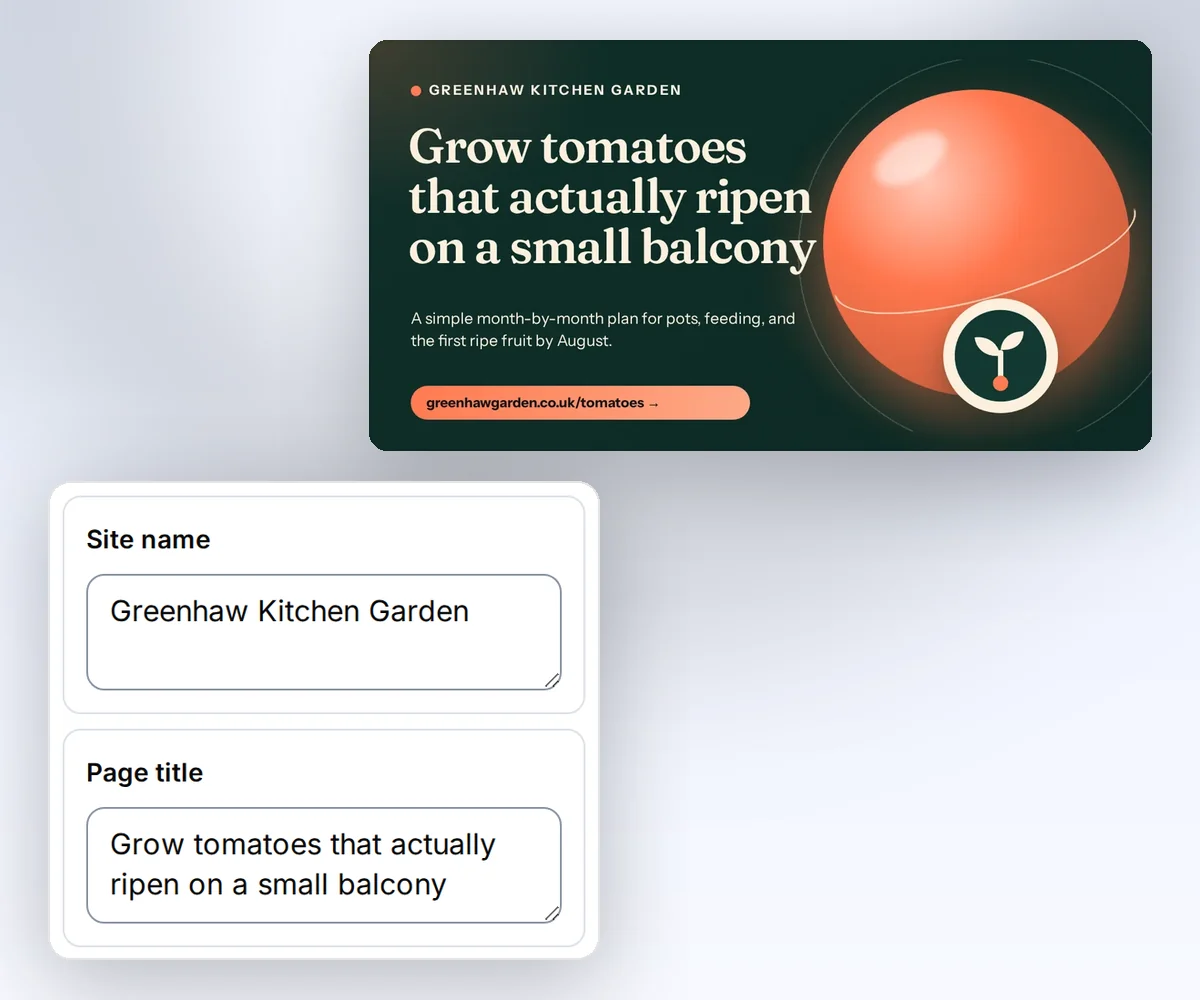
You can pick from five Open Graph image designs, and each one is already 1200 × 630 pixels, so you never size a card by hand. Four designs show your site name, the page title, a short description, and your web address. The Share card puts a photo beside the headline, for a post about a person or a place. Save the one you like, and every card after it comes out in the same logo, colours, and fonts.
How it works
Choose one of the five card designs. You can switch without leaving this page.
Add your site name, the page title, and a short line about the page. Click Your brand to put your logo and colours on the card.
Download the image and upload it to your site. Then set your page's og:image tag to its full https address.
Do more with thirds.ai
A free tool does one job on one file. thirds.ai makes the finished file for you, in a design that's yours, as many times as you need it.

Choose a template from the gallery, or ask your AI assistant to draw one for you. Put your logo, colours, and fonts on it once, and every file after that comes out looking like your business made it.
Set up your brandTell it what you need in plain words, and the finished PDF or picture lands in the chat, in your design and ready to send.
Connect your AIGot a list? Upload a spreadsheet, and each row comes back as its own finished file in your design, all of them in one ZIP.
Make a batchYes. Without an account, you get the finished image free, up to 5 a day. Signed in, an image uses one of your 50 free credits. Opening the page never spends a credit.
Make it 1200 × 630 pixels. Facebook's guide for link shares asks for at least that size, so most sites start there. Keep the important words about 60 pixels from every edge, because some sites crop the card. See the size for each site.
PNG keeps text and flat colours sharp, so it's the safe choice. JPEG makes a smaller file when the card has a photo, such as the Share card. Reduce image file size.
Social sites can hold on to the old image for a while. Give the new image a new file name, such as launch-v2.png, update your og:image tag, and use the site's refresh tool if it has one.
Yes. Save the design, then send each page's title from the step that publishes your pages, and you get its card back. We keep each file for up to a year on paid plans and 30 days on Free, so save your own copy and point og:image at it. Read the quickstart. Make Open Graph images from HTML.
Free tools
Save the design with your logo, colours, and fonts. When you publish a new page, open the design in the editor, type the page's title, and click Export. Or let your own app send each new title and get its card back.