
thirds.ai vs Bannerbear
In Bannerbear you build every template by hand, layer by layer, before you make one image. thirds.ai builds the design for you. Describe it in a few sentences, or upload a picture of a design you like, and the AI gives you an editable design in your logo, colours, and fonts. From then on, ask ChatGPT or Claude for each new file in plain words. The $29 plan gives you 2,500 images or PDFs a month.
We aren't connected to Bannerbear. Bannerbear is a trademark of its owner.
- 1 credit
- makes 1 PDF or image
- 50 credits
- free every month, no card
- $29
- a month for Starter, with 2,500 credits
- 4 formats
- PDF, PNG, JPEG, and WebP
Feature by feature
What's different
| What you need | thirds.ai | Bannerbear |
|---|---|---|
| Who builds the design | The AI does. Describe it in a few sentences, or upload a picture of a design you like, and you get an editable design in your brand. | You do, in the layer editor, or you pick from its library or import from Figma (vendor claim, checked 2 October 2026). We found no way to build a design from a sentence or a picture (our reading). |
| Your brand | Save your logo, colours, and fonts once, or type your website address and the kit builds itself. Pick the kit and the file comes out in your brand. | We found no brand kit on the pages we read. You set colours and fonts on each template's layers (our reading, 2 October 2026). |
| Files from your AI assistant | Connect ChatGPT, Claude, Gemini, or Grok once. Then ask for a card in plain words and it comes back finished. | An MCP server lets an AI agent run a Bannerbear workflow (vendor claim, checked 2 October 2026). |
| PDFs | One credit makes a real PDF of up to 100 pages, from a one-page quote to a long report. | An image template saved as PDF, one page per image, merged up to 50 files per document (vendor claim, checked 2 October 2026). |
| Editing the design | A visual editor and an AI chat on the same design. Change it by chatting with the AI, or edit the HTML yourself. | A layer editor (vendor claim, checked 2 October 2026). We found no HTML editing (our reading). |
| Price per file | One credit per image or PDF at any size and in any format. Starter is $29 a month for 2,500 credits. | One credit per image, times the number of formats, times the scale. Automate is $49 a month for 1,000 API credits (vendor claim, checked 2 October 2026). |
| Free plan | 50 free credits every month, enough for the AI to build your first design. | A free trial with 30 API credits (vendor claim, checked 2 October 2026). We saw no monthly free plan (our reading). |
| Outputs | PDF, PNG, JPEG, and WebP. | JPG, PNG, WebP, and PDF from image templates, plus video and animated GIF (vendor claim, checked 2 October 2026). |
| For developers | A REST API at /v1/pdf, /v1/image, /v1/carousels, and /v1/templates, webhooks, an MCP server, and apps for Zapier, Make, and n8n. | A REST API at https://api.bannerbear.com/v5, webhooks, SDKs, an MCP server, and apps for Zapier and Make (vendor claim, checked 2 October 2026). |
Pricing
How much does Bannerbear cost compared with thirds.ai?
The cheaper tool depends on how many files you make each month and what kind they are. Here's what Bannerbear and thirds.ai each cost, and how each one counts a file.
- thirds.ai costs less for image and PDF work, in our judgment. The $29 Starter plan gives you 2,500 files a month. Bannerbear's $49 Automate plan gives you 1,000 API credits (vendor claim, checked 2 October 2026).
- In Bannerbear, a JPG and a PNG of the same card at scale 2 cost four credits (vendor claim, checked 2 October 2026). In thirds.ai one image costs one credit at any size and in any format.
- A PDF costs one credit in both tools. The thirds.ai credit covers up to 100 pages. In Bannerbear each page is an image, and merging up to 50 of them into one document costs one more credit (vendor claim, checked 2 October 2026).
- A file that fails costs nothing in thirds.ai. Bannerbear charges when the request is made, so a file that fails later still counts (vendor claim, checked 2 October 2026).
- You start free with 50 credits every month and no card, enough for the AI to build your first design. Bannerbear gives a one-time trial of 30 API credits (vendor claim, checked 2 October 2026).
- If you run out on a paid thirds.ai plan, you keep making files at $0.015 each, up to one month of your plan's credits. Bannerbear refuses the request until you upgrade (vendor claim, checked 2 October 2026). See credits and billing.
Where thirds.ai wins
The AI builds the design for you
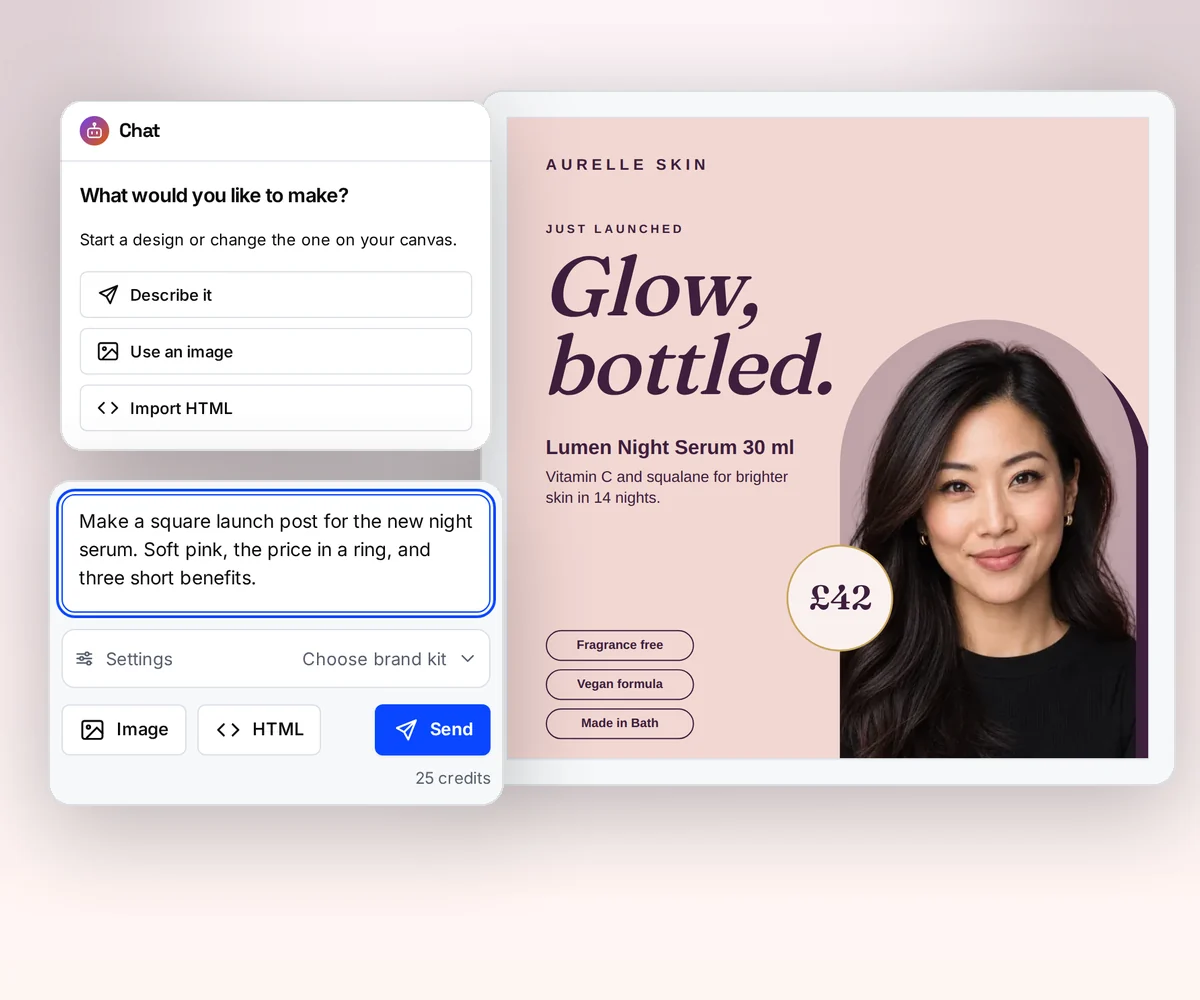
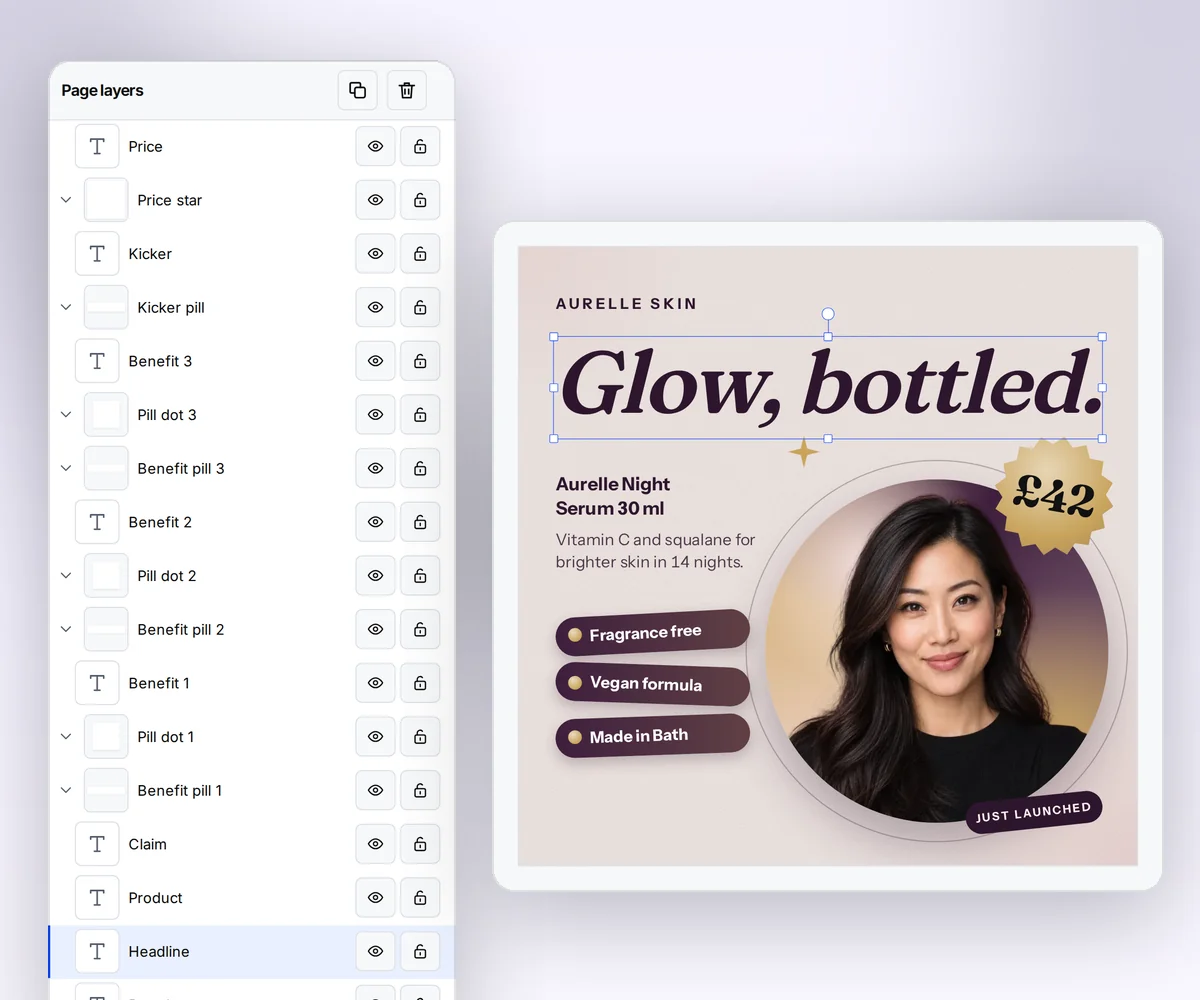
In Bannerbear, someone has to build each template layer by layer before you can fill it. In thirds.ai, you describe the design in a few sentences, or upload a picture of one you like, and the AI builds it as an editable design in your logo, colours, and fonts.
Your assistant can then make the next hundred files, and each one matches your design, so nobody has to check them one by one. Try it on the AI template generator page, or turn a picture into a template.
Where thirds.ai wins
Your brand kit, applied in one step
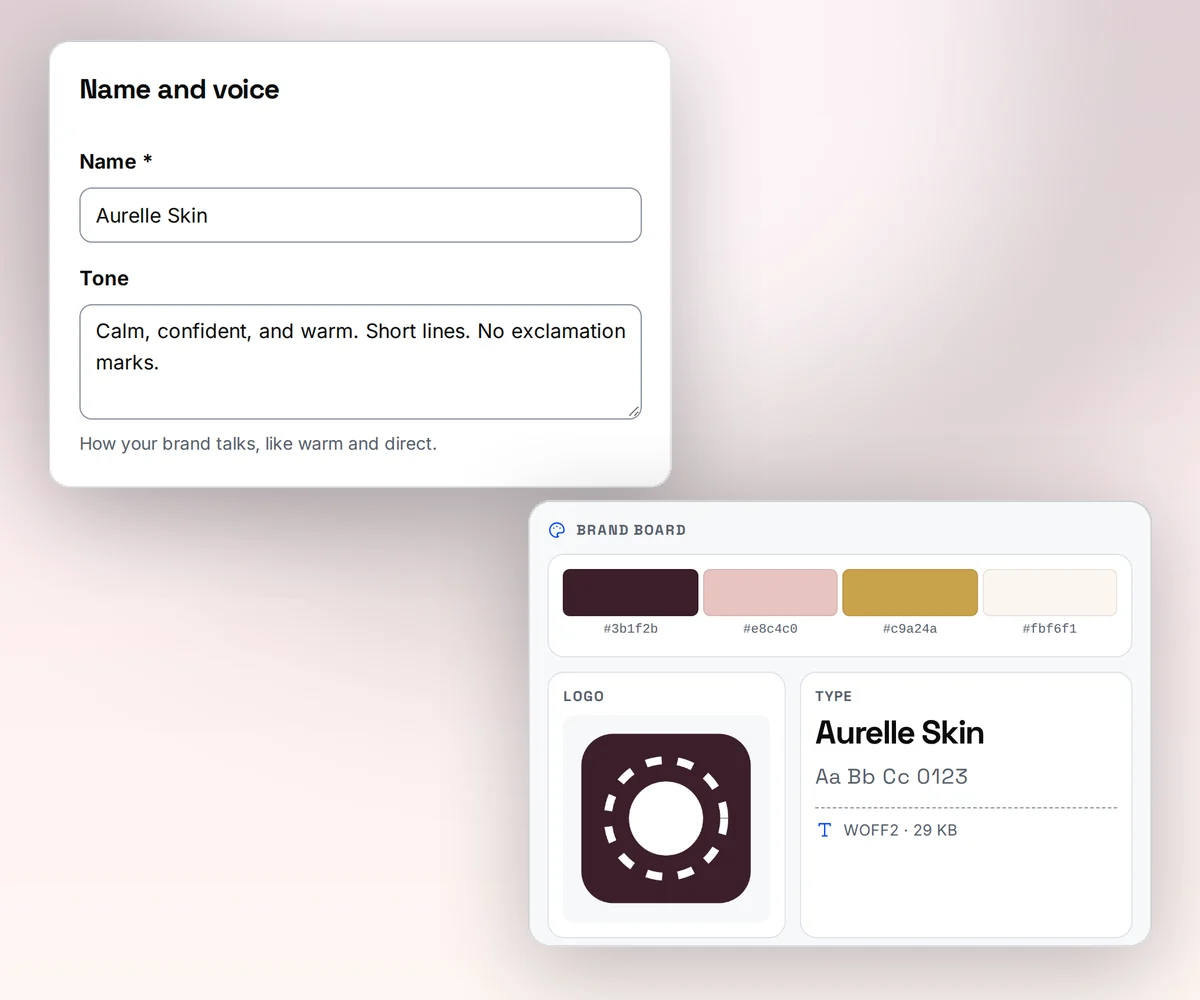
Save your logo, colours, and fonts once as a brand kit, or type your website address and thirds.ai builds the kit itself. Pick the kit on any design, and you're done.
Each colour goes where it looks best on that design, and your text stays easy to read on top of it. In Bannerbear, you set colours and fonts on each template's layers, one template at a time (our reading, 2 October 2026).
Where thirds.ai wins
Ask ChatGPT or Claude for the finished file
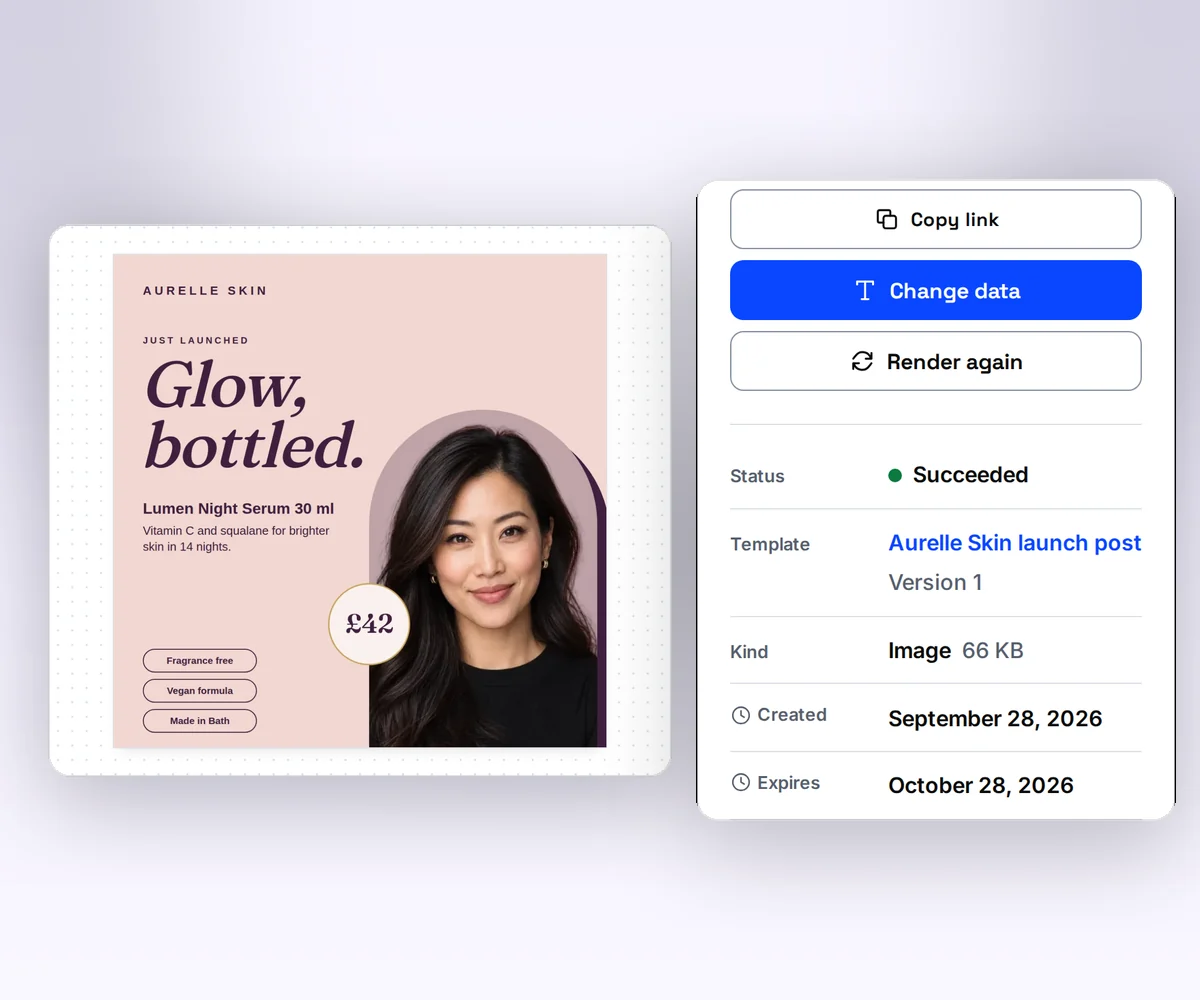
Connect thirds.ai to ChatGPT, Claude, Gemini, Grok, or any other AI you use. From then on you ask for a card in plain words. Ask for the launch post with the new price, and you get the finished post back in your brand.
Your assistant can do the whole job, from your brand kit to the finished files, so you never open a form. Bannerbear's MCP server lets an AI agent run a workflow you built first (vendor claim, checked 2 October 2026).
Where thirds.ai wins
PDFs that are more than a picture
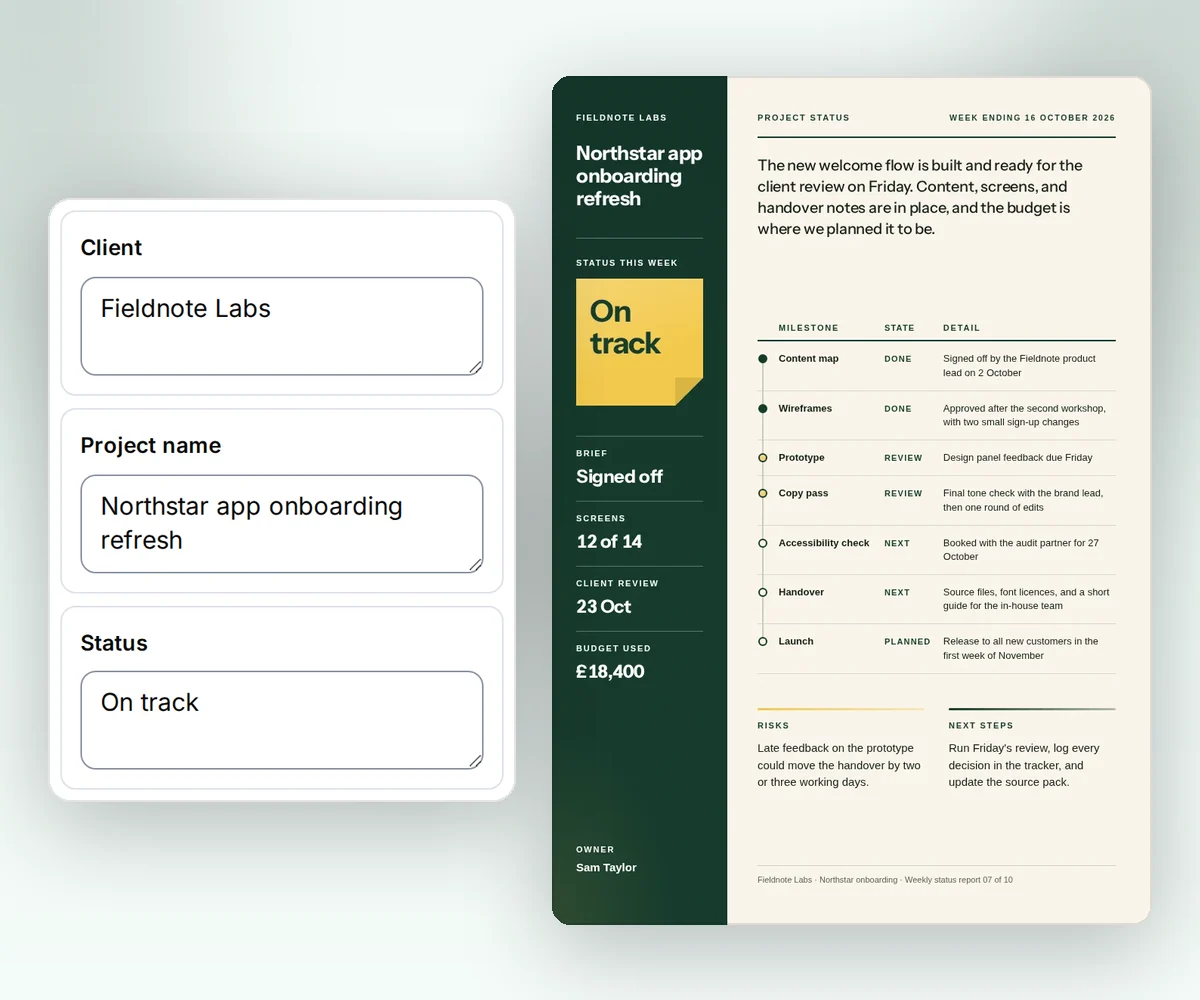
A thirds.ai PDF is a real document. Long text and tables run across pages, all in your brand. A Bannerbear PDF is an image template saved as a PDF, one page per image (vendor claim, checked 2 October 2026).
Start from a designer-made report, invoice, or certificate in the gallery, or ask the AI chat for one. See HTML to PDF for the developer side.
Where thirds.ai wins
A design you can open as HTML
Edit the HTML yourself in the template editor when you want full control over a design. Paste in your own HTML and it becomes a design with fields you can fill. We found no HTML editing in Bannerbear (our reading, 2 October 2026).
That's how a designer or a developer gets the final say on a design the AI started.
Where thirds.ai wins
More files for less money, and free every month
One credit makes one image or PDF in thirds.ai, whatever the size and whatever the format. In Bannerbear the same card costs more each time you add a format or a larger scale (vendor claim, checked 2 October 2026). So you can test more versions and post more often for the same money.
The free plan comes back every month. Bannerbear's trial runs once (vendor claim, checked 2 October 2026). See the plans.

No code needed
How do you make a product card in thirds.ai without a designer?
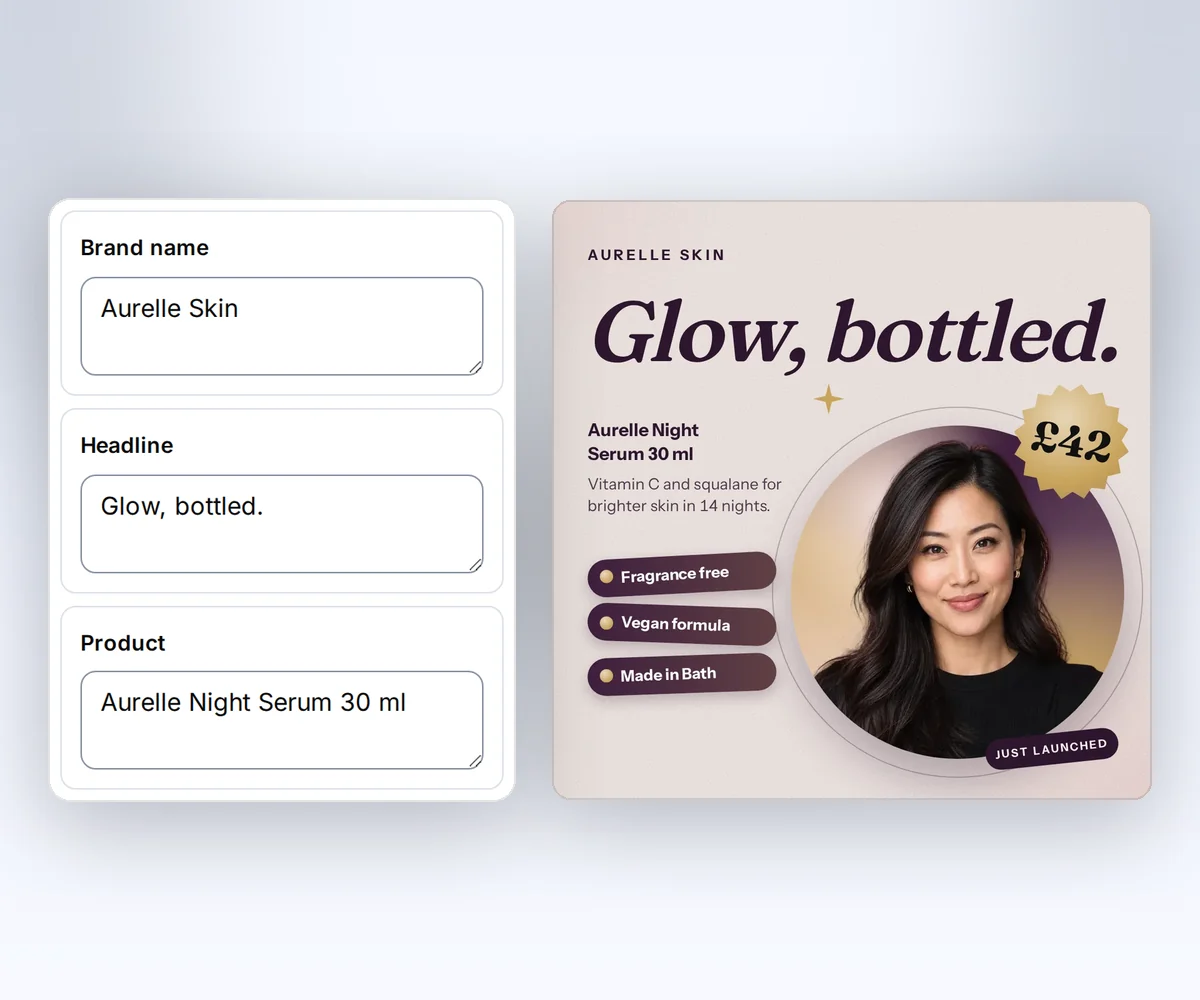
Start from a designer-made product card and type in your product. Your card looks designer-made without a designer.
- Open the Skincare serum launch design in the gallery and click Use this template.
- Type your headline, product name, and price into the boxes beside the card. Pick your brand kit, and the card switches to your logo and colours.
- Click Export and download the PNG, JPEG, or WebP. Every card you make from this design matches the first one.
Once the design is yours, ask ChatGPT or Claude for a card for each product in plain words, or paste a spreadsheet and get one card per row.
Switching
Moving from Bannerbear
You move from Bannerbear to thirds.ai one design at a time, and each design takes two steps. First you rebuild the design in thirds.ai, then you point your code or your assistant at it. The fastest rebuild is the picture import. Export one finished image from Bannerbear, upload it, and the AI rebuilds it as an editable design in your brand kit. You can also paste your own HTML into the template editor or describe the design to the AI chat. Check the layout, mark the parts that change, and save.
For developers, both APIs fill a saved design with data, but the request and the result differ. Bannerbear takes a template uid and a modifications list where each entry names a layer and sets its text, colour, or image, then returns 202 Accepted for you to poll or catch with a webhook (vendor claim, checked 2 October 2026). thirds.ai takes a template ID and a data object whose keys match the fields in the design, checks the data against the template's schema, and gives you a download link when the file is ready, or calls your webhook. Use templates with your data shows how to map your old modifications to template data.
If you're weighing more than one switch, our ranked list of Bannerbear alternatives checks Placid, Templated, Orshot, and others against the same job. The Robolly comparison covers its render links and credit rules, the Placid comparison shows how its per-page PDF credits and video compare with ours, and the APITemplate.io comparison covers its separate image and PDF templates.
Checked and dated
Sources
We checked Bannerbear's plans, prices, credit rules, PDF page, API docs, and about page on 2 October 2026. Where we say which tool fits, that's our opinion.
- Bannerbear home page, checked 2 October 2026 for outputs, the 50+ tools claim, Zapier, and MCP
- Bannerbear pricing, checked 2 October 2026 for plan prices, API and AI credits, the trial, credit rules, overage, and failed renders
- Bannerbear PDF generation API, checked 2 October 2026 for PDF credits, merging, and Figma import
- Bannerbear API docs, checked 2 October 2026 for endpoints, formats, scale, the sync host, SDKs, the OpenAPI schema, and the MCP server
- Bannerbear Zapier integration, checked 2 October 2026 for its public Zapier app and Airtable workflows. Its integrations index page returned a 404 that day, so the 50+ tools claim comes from the home page.
- Bannerbear about page, checked 2 October 2026 for its start in January 2020 and its support team
- thirds.ai facts come from our pricing page, API reference, and billing guide.
Free to try
Make your first file free
Make your first card free from the Skincare serum launch design, then let ChatGPT or Claude make the rest. A developer can make them from code with HTML to image.
Start from a designer-made template and download a real file for free. Sign up, and ChatGPT or Claude can make the next one in your brand.