
AI template generator for PDFs and images you can edit
Tell thirds.ai which document or image you need, which details change each time, and the longest each one can be. The AI builds it as a real template in your logo, colours, and fonts, with layers you can move and a field for each detail, not a flat picture. You compare the draft with your current design, apply it, and change anything by hand. From then on, each new version is new details in the same design, typed by you, your spreadsheet, or your AI assistant.
Free to start, and you don't need a card.
AI template generator
AI template generator for on-brand PDFs and images
Read the transcript
Tell thirds.ai what you want, and get a design you can use again!
Say how it should look. The AI builds the layout, with your saved logo and colours!
Check the draft, tweak it by hand, and save it.
Next month again? But hey, type in the new details, and make unlimited versions!
Start free at thirds.ai.
How it works
How do I make a template with AI?
A good prompt names four things: the kind of file and its size, what it must show, the details that change from one use to the next, and the longest content it must hold. For example: a one-page A4 client report with a project name, a period, three big numbers, and a summary of up to 80 words. Leave the colours and fonts to your brand kit.
- Choose PDF document or Image, click Describe what you need, and pick your brand kit.
- Write what the result must show and name the details that change. The Send button shows the cost before you click it.
- Compare Before and After. Click Apply changes to take the draft, or Discard to keep your design.
- Change anything by hand in the editor, then click Save to keep it as your template.
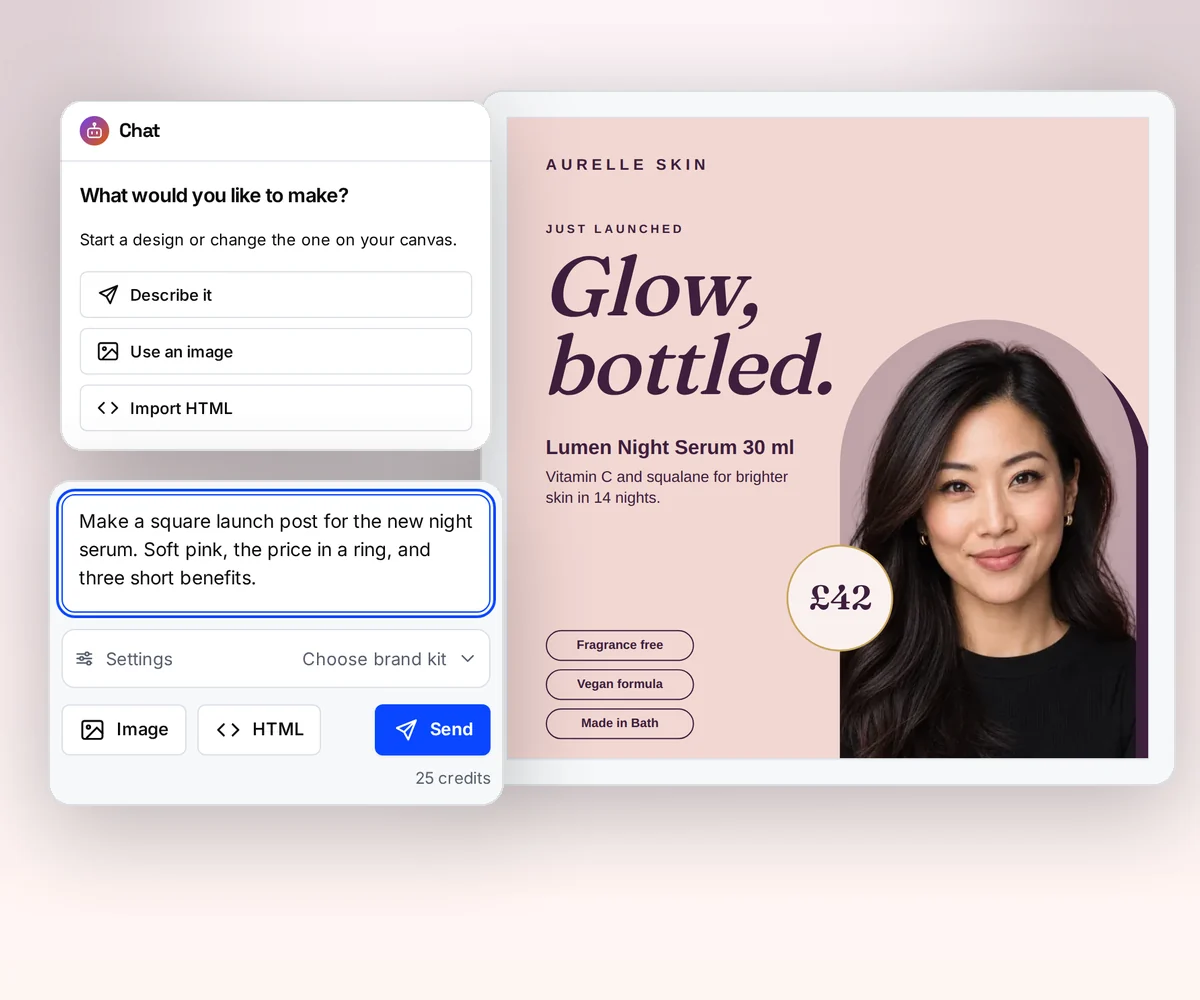
- Before and After
- the draft beside your current design
- One field
- for each detail you say changes
- Free
- to fix and save the design by hand
- Every size
- from one design, with smart resize
What you get back
An editable design with layers, not a flat picture
An image generator hands you one picture, and every fix is a new roll of the dice. The thirds.ai AI returns a template: the headline, the price, the logo, and the photo are separate layers on a canvas, each one yours to move. Drag the logo bigger yourself, and nothing else moves. The draft shows as After beside your current design as Before, and you choose Apply changes or Discard.
- Select one element in After, type what is wrong with it, and click Send feedback. The next draft aims at that part.
- For a bigger change, like a second page or a new section, send the chat a message. It starts from the design as you left it, hand changes included.
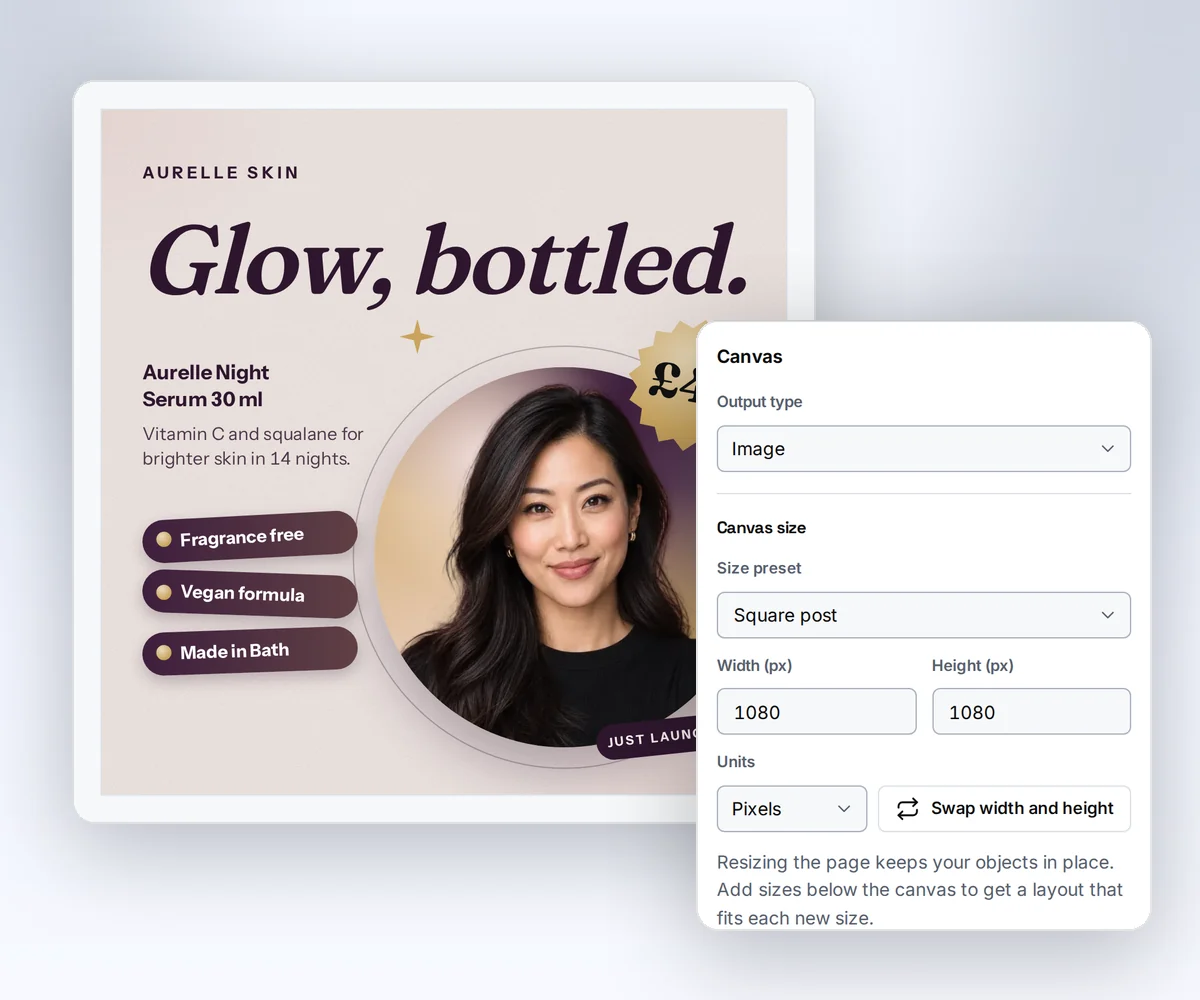
One design, every version
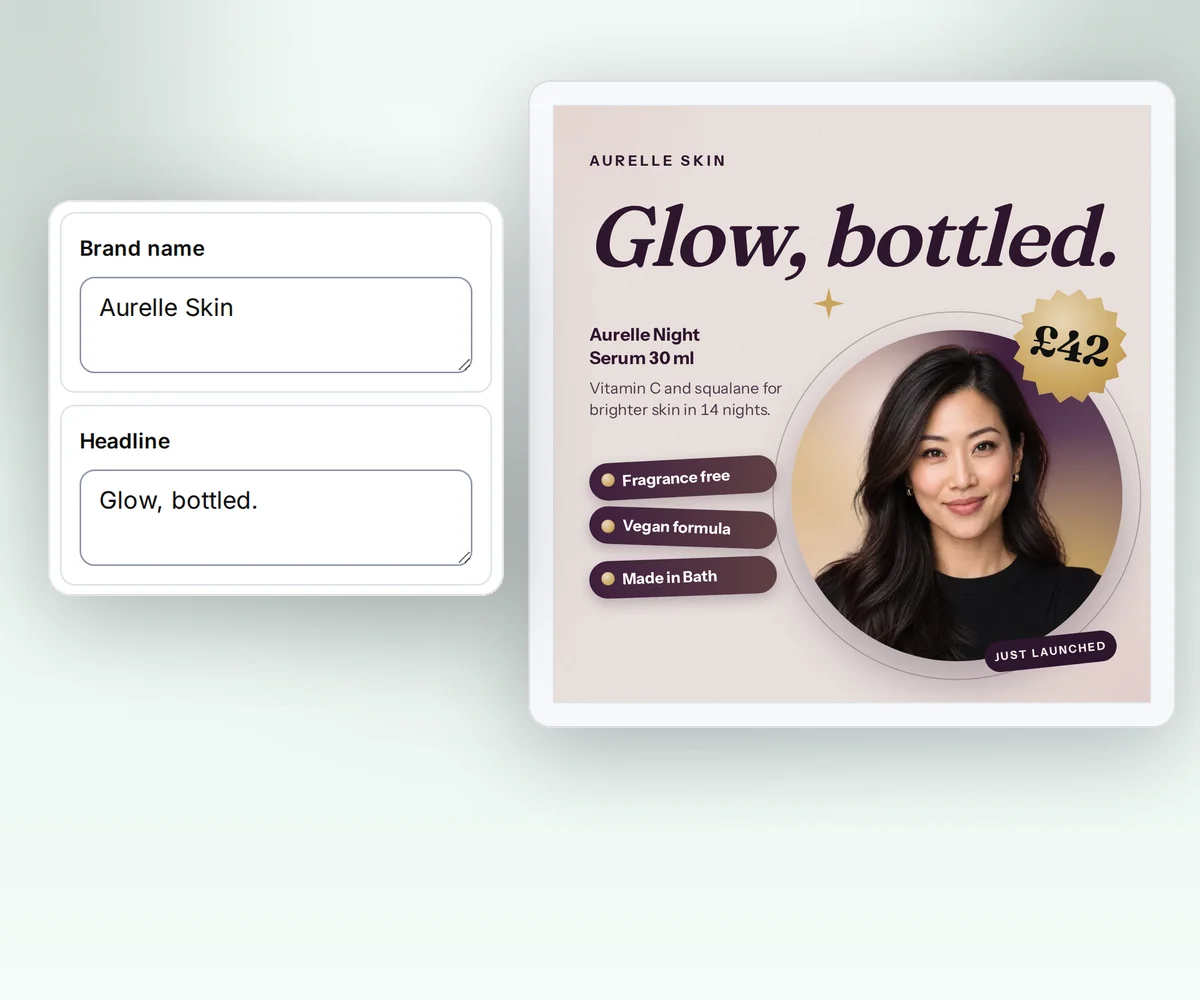
Name the details that change, and each one becomes a field
When your prompt says the product name, the price, and the date change each time, the draft comes back with a field for each one, and the Data tab lists them. Type a new value and the design updates without another AI message or another credit. Try your longest product name and your shortest before you save, so every version after that fits.
- Upload a spreadsheet with one row for each version, and download one file for every row.
- Need the same design as a story and a square? Add each size, and smart resize fits the layout to it.
From your AI assistant
Let ChatGPT or Claude write the prompt and make the files
You don't have to write the prompt yourself. Connected to thirds.ai, ChatGPT, Claude, Gemini, Grok, or any other AI you use does the whole job from the chat you already have open: it asks which details change, writes the prompt, builds the template with your brand kit, and hands you the draft to check. After that, give it this month's numbers or the sale details, and the finished file comes back in that design.
Connect your AI assistant
What it makes
What can the AI template generator make?
Ask for a report, a certificate, a flyer, or a product ad, as a PDF or an image. If you'd rather start from a finished design, copy one of these from the gallery for free, and ask the AI chat to make it yours.
Monthly reportPDF · A4 Achievement certificatePDF · A4 Event promoImage · 1200 × 630 Product launch squareImage · 1200 × 1200
For developers and agents
Generate templates through the API or MCP
Send a prompt with your API key and an Idempotency-Key to start a template with its AI chat. The message names the brand kit and the output, a PNG, JPEG, WebP, or PDF with its size. Poll the message until it has succeeded, read the draft, then apply it to save it as the next version, ready for renders with data. Over MCP, your agent calls the same steps as tools on the same account.
curl --fail-with-body --silent --show-error https://thirds.ai/v1/templates \
  -H 'Authorization: Bearer YOUR_API_KEY' \
  -H 'Content-Type: application/json' \
  -H 'Idempotency-Key: YOUR_UNIQUE_TEMPLATE_REQUEST' \
  --data '{
    "message": {
      "brand_kit_id": "kit_YOUR_BRAND_KIT",
      "input": {
        "type": "prompt",
        "prompt": "A square launch image with a product photo, a short headline, a price, and one action"
      },
      "output": {"type": "image", "format": "png", "width": 1080, "height": 1080}
    }
}'{
"servers": {
"thirds": {
"type": "http",
"url": "https://thirds.ai/mcp",
"headers": {
"Authorization": "Bearer YOUR_API_KEY"
}
}
}
}Questions people ask before they describe a template
Make a sample reportCan AI make a template for me?
Yes. Describe the file in the AI chat, like a sale poster with a big price and one photo, and the AI template generator builds an editable draft in your brand. It is a real template with layers and fields, so you fix anything by hand and save it as your own.
Is the AI template generator free?
Your first build fits in the free plan. Making a design with AI costs 50 credits, and a verified free account gets 50 credits each month with no card. Fixing the draft by hand, previews, and copying a gallery template are free on every plan. A draft that fails costs nothing, and when the prompt is too vague to design, the AI asks you for more detail instead and you pay nothing.
What types of design can the AI make?
Ask for a report, a certificate, a flyer, a letter, or a sale ad, as a PDF or an image. You choose PDF document or Image on the New template page before you describe it. You can also start from a picture of a design you like, or from your own HTML. Turn a picture into a template. Make static ads from one design.
Does the draft use my brand kit?
Yes. Pick a brand kit in the chat before you send, and the AI gets its name, colours, tone, and main logo. Check the draft for the fonts and logos it used before you apply it. Set up your brand kit.
Can I change an AI draft before I save it?
Yes. Compare Before and After, select an element in After to leave feedback on just that part, or send the chat another message. Each later message costs 25 credits, or 50 when you add a new picture. Fixing it by hand in the editor is free. Apply changes saves the draft as a new version you can go back to, and Discard keeps your design as it was.
Can ChatGPT or Claude use my template?
Yes. Connect your assistant to thirds.ai, and ask it for a file from any saved template in plain words. The file comes back in your design, with the details you asked for. Connect your AI assistant.
How long does the AI take to make a template?
A design is often ready in a minute or two. The chat shows the current step and the time so far while you wait, and your chat stays with the template, so you can come back and keep going.
What happens to my prompt?
We send your prompt, your brand details, and any picture you add to OpenRouter and the AI model host it picks. That provider may use them to improve its models. We never log your prompt, and your draft and saved design stay private in your account. Read the privacy policy.
AI template generator
Describe it once, and keep a design you can fix yourself
Describe your first poster or report now, and in a few minutes you have a real template in your brand, with a field for each detail that changes.