
Free proposal template
Type the client, the work, and your price, and download a one-page proposal PDF.
Free to try
Make a receipt PDF online with this free receipt maker. Pick one of five receipt designs made by designers, type what your customer paid and how, and download an A4 PDF with no account. Save it in your brand, or ask ChatGPT or Claude for the next receipt.
Choose a design
payment-receipt.pdfDownload the PDF free with no account, up to 5 a day. Sign up free to save your design. You don't need a card.
Get 50 free creditsWatch how
Need to send a receipt for a payment? Here's how to fill in a receipt template online and download it as a PDF, without designing a thing!
Open the free receipt generator on thirds.ai, and pick a layout. There are five, and you can switch any time.
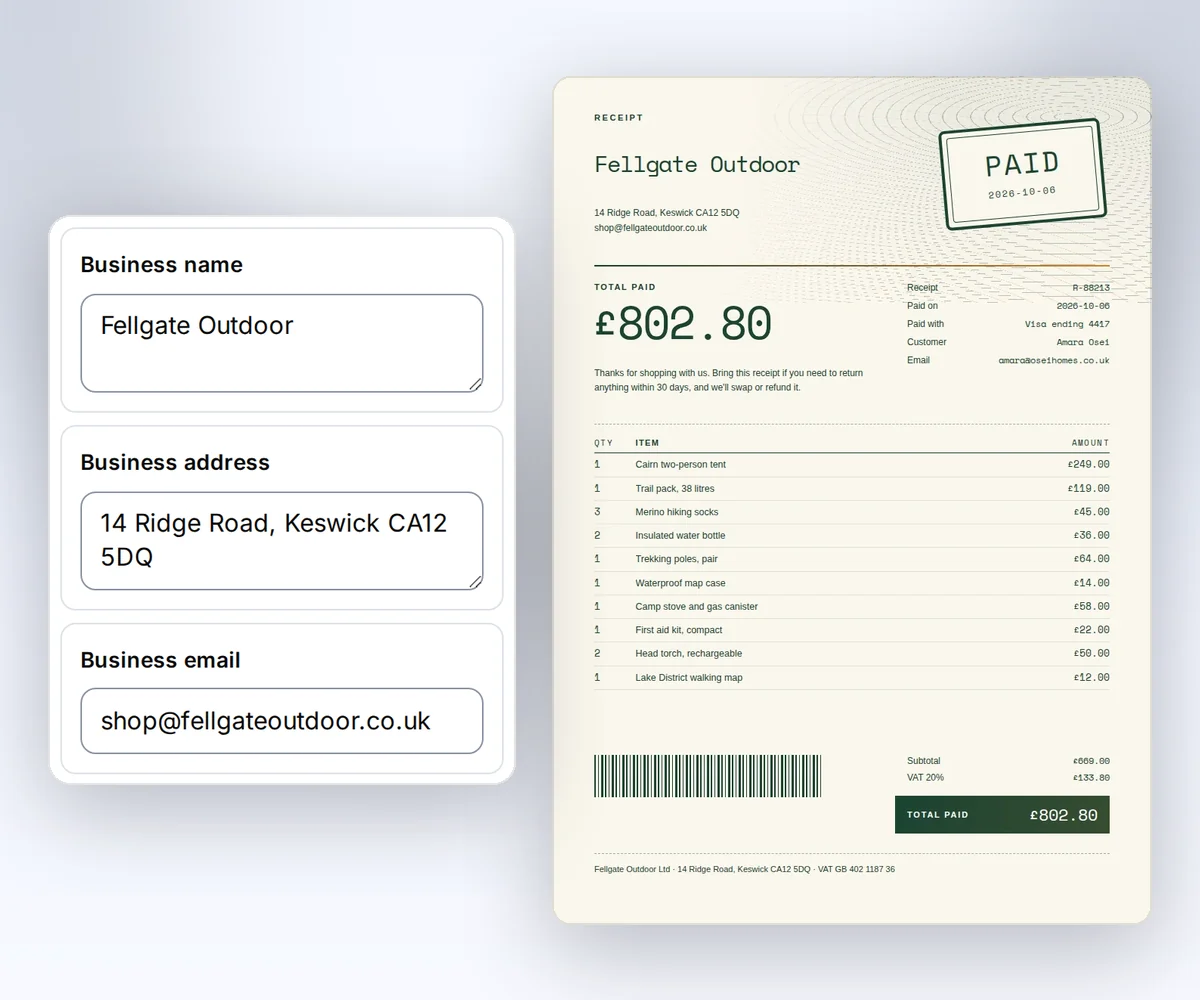
Now type the payment: your business, who paid, the date, and how they paid.
Then list what they paid for, and the total. A long line? It shrinks to fit.
When it looks right, press Download your PDF. The finished receipt is yours, free, with no account and no watermark!
But hey, making receipts every week? Create a free account, and the design saves with all your business details, so it is ready for next time!
Next time, open your saved design and change only the payment. Got lots of them? Add each payment as a row in a CSV file.
Make your first receipt at thirds.ai.
See a sample
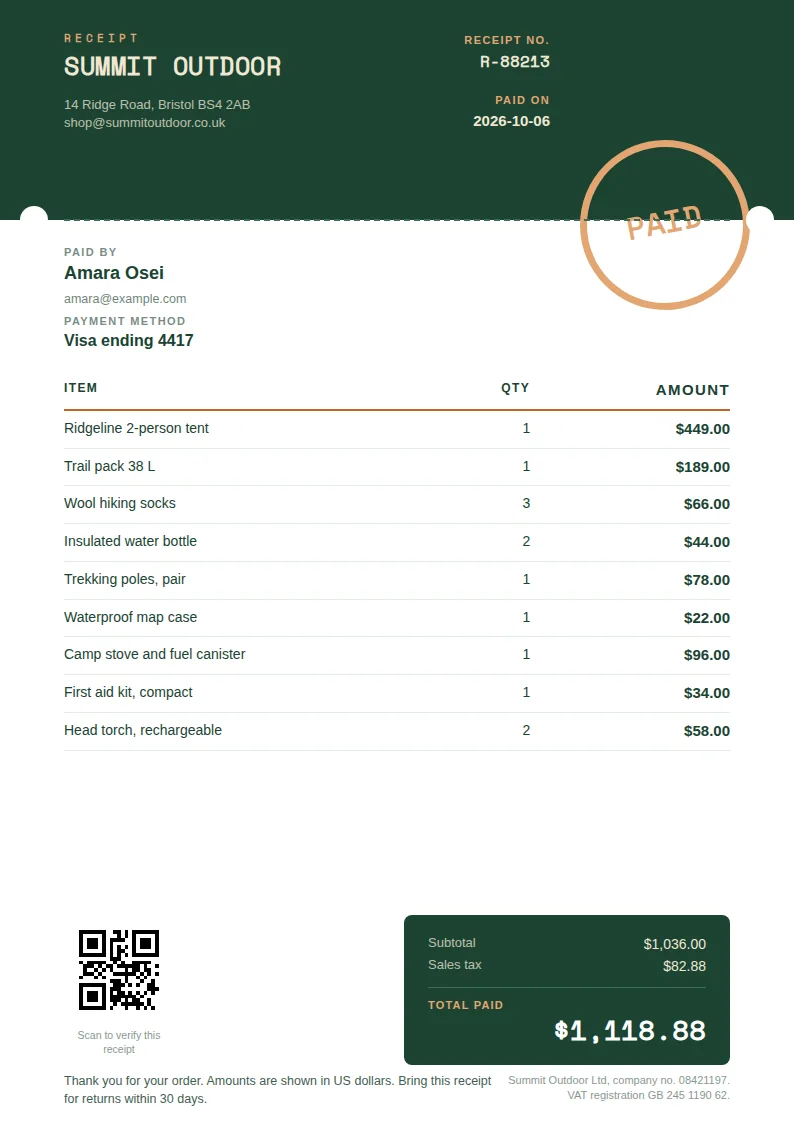
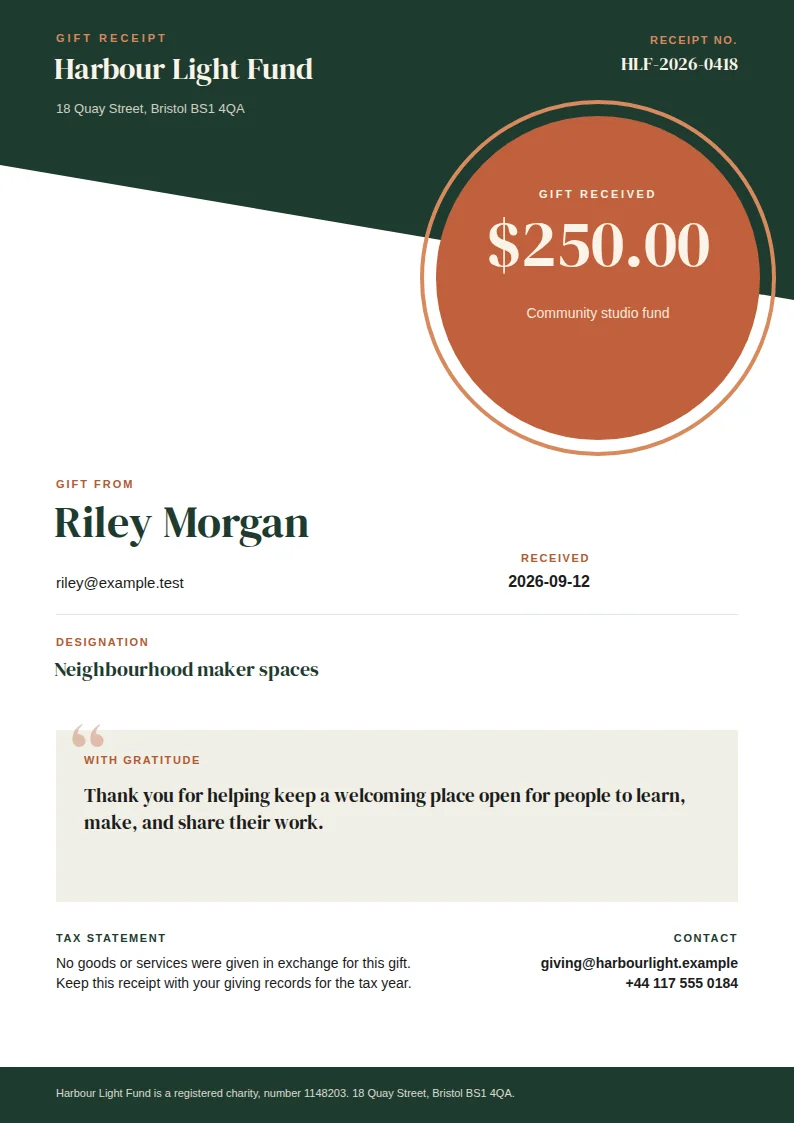
Pick the design that fits the sale: a Paid stamp for a shop order, the word Paid and the amount large at the top for a studio client, a Paid ribbon on the total for a cafe, or the amount paid up top for a class booking. Each one lists up to 12 items with a quantity and an amount, then the subtotal, the tax, and the total. The donation receipt is different: one gift amount, the cause, a thank-you, and your tax statement, so the donor has a record to keep for their tax return.
How it works
Pick one of five receipt designs, type who paid, what they paid for, how, and the date, and download your receipt as an A4 PDF. When a customer pays by bank transfer or in cash, there's no card-reader slip to hand over, and a receipt typed into a Word file looks like an afterthought. Designers made these five, from a cafe receipt to a donation receipt, and your website address puts your logo and colours on them. Save the design to a free account, and ChatGPT or Claude can make the next receipt when you tell it who paid and for what. Here's how to make receipts and quotes in your own brand.
Click one of the five receipt designs at the top of the form. To see it in your own colours, click Your brand, type your website address, and click Find my brand.
Type in your business, the customer, a receipt number, the date they paid, and how they paid, such as a card ending in 4417. Add each item with its quantity and amount. Click Add item for more, up to 12. Then type the subtotal, the tax, and the total, because the generator doesn't add them up. On the donation receipt, type the gift amount and your tax statement instead.
Click Download your PDF, and the A4 receipt is yours. You don't need an account.
Do more with thirds.ai
A free tool does one job on one file. thirds.ai puts your brand on a designer-made look in one step, and then your AI assistant or a spreadsheet can make the files for you.

Choose a template from the gallery, or have AI build one from a sentence or a picture you upload. Your logo, colours, and fonts go on in one step.
Set up your brandTell it what you need in plain words, and the finished PDF or picture lands in the chat, in your design and ready to send.
Connect your AIGot a list? Upload a spreadsheet, and each row comes back as its own finished file in your design, all of them in one ZIP.
Make a batchYes. Without an account, you get the finished PDF free, up to 5 a day. Signed in, a PDF uses one of your 50 free credits. Opening the page never spends a credit.
Yes. Save the design to a free account and connect your assistant. Then ask for the next one in a sentence, and the finished file comes back in the chat. You can also make one for each row of a CSV file.
You send an invoice before the money arrives, to ask the customer to pay. You send a receipt after they've paid, to show what they paid and how. If you still need to ask for the money, make the invoice first with the free invoice generator. Free invoice generator.
Who was paid, who paid, a receipt number, the date, how they paid, each item with a quantity and an amount, the tax, and the total paid. The four sales designs have a place for each one. The donation receipt swaps the item list for one gift amount, the cause, and your tax statement.
No. You type the subtotal, the tax, and the total from your till or your books, and they print on the receipt as you typed them. Check your sums before you download.
Yes. Pick the Donation receipt design. In place of a list of items, it holds one gift amount, the cause the donor gave to, a thank-you note, and your tax statement, so the donor can keep it for their tax return.
Yes. Click Your brand, type your website address, and click Find my brand. Your logo and colours land on the receipt right there. Save the design to add your own fonts too, and every receipt after that comes out in all three.
The PDF is fixed, but your details aren't. Change them in the form and click Download your PDF again.
Free tools
Click Download your PDF, and your receipt is ready to send. Save the design to a free account, and ChatGPT or Claude makes the next receipt when you tell it who paid and for what. If you sell online, your shop can send each paid order to our API and get its receipt back.
Free to start. No card needed.