
How to make a carousel on Instagram with branded slides
To make a carousel on Instagram, you need a set of slides that share one size and one look, in the order people swipe them. In thirds.ai, each page of one saved design is one slide. You type your words into each slide, choose the slides you want, and download a ZIP of PNG, JPEG, or WebP images that are numbered in order. Then you add the images to your Instagram post in that order. Each slide image costs one credit, and one PDF of the whole set costs one credit, as the credits and billing page lists.
Give this prompt to your AI agent. The agent does the task for you.
Read https://thirds.ai/docs/carousels and help me turn a multi-page thirds.ai template into ordered carousel images or a PDF, with a clear credit cost.
With thirds.ai, you save a design once, such as a social post, an invoice, or a report. Then you type in new details and get a finished PDF or image with your logo, colours, and fonts. For a carousel, you stop rebuilding every slide by hand, and each slide in every set looks like your brand. A verified free account gets 50 free credits each month, so you can make a five-slide set before you pay for anything. A slide that fails costs nothing.
Read the transcript
Want an Instagram carousel template that puts your brand on every slide? You'll get them as pictures, in the order people swipe, ready to post.
Start from the Product launch carousel. Its five portrait slides already tell one story: a cover, your message, an offer, a quote... and what to do next.
Pick your brand kit, and every slide switches to your colours at once.
In the Data tab, you type what each slide says. One idea on each slide keeps people swiping.
When it looks right, export the set as images.
The number at the front of each file name tells you where it goes in your post.
Making slides from your own app? Send a POST to /v1/carousels, with your template ID, next month's words, and the pages in the order you want them.
You get an ID right away. Check on it, and once it says complete, download the ZIP from its archive URL.
Next month, new records fill the slides, in Night Owl's own colours.
Copy the steps and the request from the carousels guide at thirds.ai.
Make it without code
You can make a carousel in the thirds.ai editor without writing any code. It takes four steps, and you need a free thirds.ai account. This example uses the Product launch carousel, which has five portrait slides at 1080 x 1350 pixels: a cover, a message, an offer, a customer quote, and a closing action.
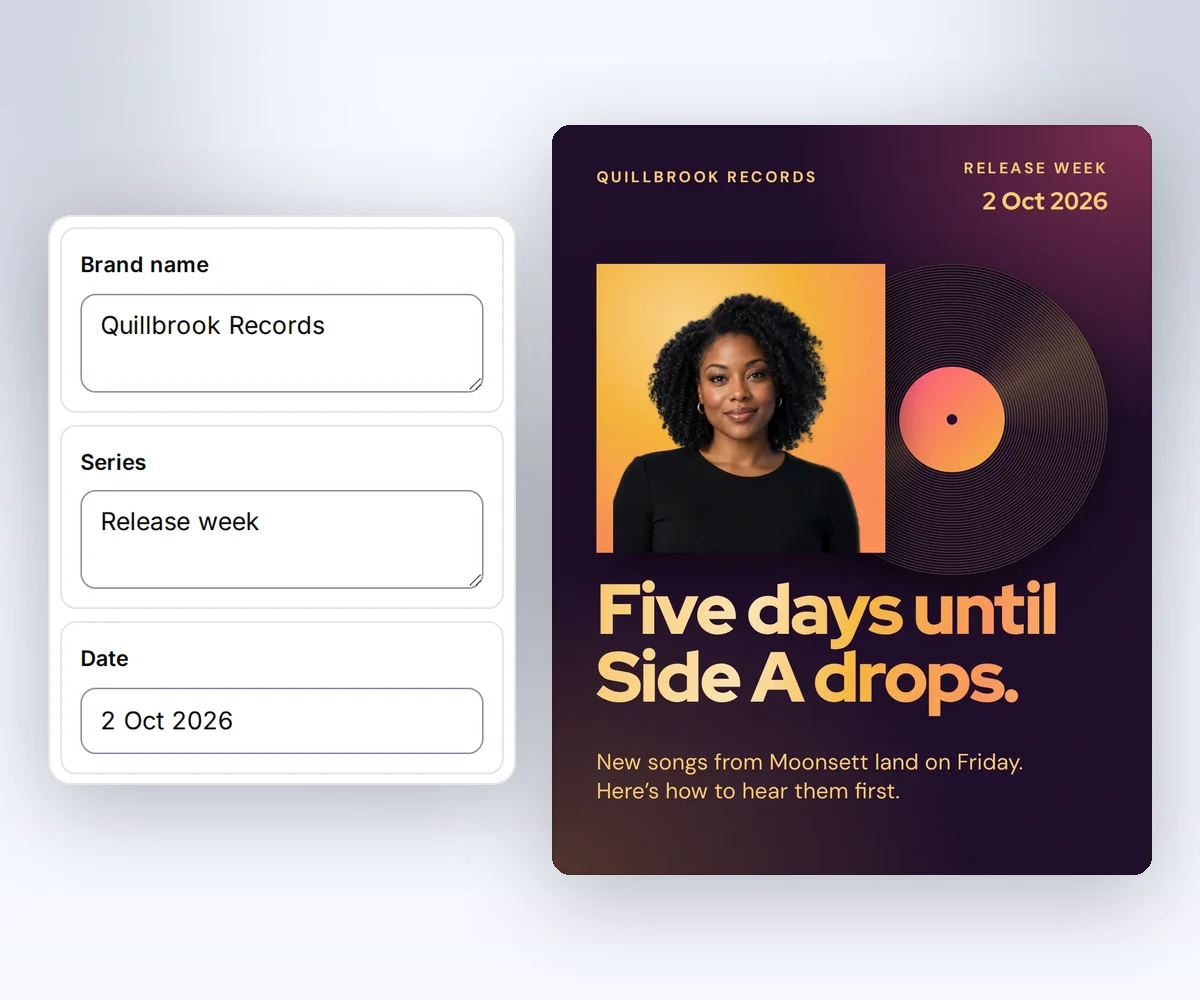
- Open the Product launch carousel and click Use this template. Sign in first if you need to.
- Pick your kit in the Brand kit box. That one pick puts your colours and logo on every slide.
- Open the Data tab and type your words for each slide. Click Add page or Duplicate page to add a slide, and click Move page earlier or Move page later to change the order.
- Click Export, choose Images ZIP, and pick PNG, JPEG, or WebP. Click Save and export PNG ZIP, which saves your words first. When the slides are ready, click Download ZIP or download one slide at a time.
You can also open a multi-page PDF design that you already saved. Its button reads Export PNG ZIP until you change something.
What should go on each carousel slide?
Each carousel slide should hold one idea, so the reader wants to swipe to the next one. The Product launch carousel uses a five-slide plan that you can copy for a launch, an offer, or a tip series. Every slide in one thirds.ai design has the same size, so the set lines up when someone swipes.
- Cover. A headline that makes people stop, with your brand name and the date.
- Message. The one change you want the reader to remember.
- Offer. The deal, with a big number and one line of detail.
- Proof. A short quote from a customer, with a name and a role.
- Action. What the reader should do next.
You can export 1 to 100 slides at once, as the carousel API reference lists. Your social app may take fewer slides in one post, so check its own limit before you plan a long set.
Choose images or one PDF
Choose Images ZIP in thirds.ai when you post the slides to Instagram, because the post needs separate pictures. Choose One PDF when you want the whole set as one document to share, print, or post where a document fits. The choices differ in cost and in how you download them. If your slides are already pictures on your computer, the free PNG to PDF converter puts them into one PDF, one slide on each page.
| You choose | You get | Cost |
|---|---|---|
| Images ZIP | One PNG, JPEG, or WebP file for each slide, numbered in order, such as 01-cover.png | 1 credit for each slide that works |
| One PDF | One PDF with one slide on each page | 1 credit |
Export lists every slide. Leave every box checked to keep the order of your pages, or clear a box to leave a slide out. The slides you keep stay in page order, so move a page in the editor to change where it goes. The button shows the cost before you click it, and a refresh never spends a credit. If a slide fails, click Retry failed slides. The retry doesn't charge you again for the slides that already worked.
Make carousel slides from your own code
To make carousel slides from your own code, send POST /v1/carousels with the saved template ID, a version, a file type, and the page IDs in the order you want. You need an API key and the template ID. The template ID has a Copy button in the editor Template menu and on the Templates page. The Product launch carousel has the page IDs cover, message, offer, proof, and action.
Pin the template version. Reuse an idempotency key only for the same body.
This request makes ordered images from the Product launch carousel pages:
curl --fail-with-body --silent --show-error https://thirds.ai/v1/carousels \
  -H 'Authorization: Bearer YOUR_API_KEY' \
  -H 'Content-Type: application/json' \
  -H 'Idempotency-Key: YOUR_UNIQUE_CAROUSEL_REQUEST' \
--data '{"template_id":"tpl_00000000000000000000000000000000","version":1,"format":"png","pages":["cover","message","offer","proof","action"],"data":{"brand_name":"Northline Studio","series":"Launch week","headline":"Five slides for one launch week.","cover_line":"A Fieldnote Labs product launch.","date":"21 September 2026","message_title":"Show the change in one sentence.","message_body":"Every client sees the same numbers.","offer_label":"The offer","offer":"14 days","offer_detail":"One owner for every slide.","quote":"The questions finally matched.","attribution":"Maya Chen","role":"Operations lead, Fieldnote Labs","action":"Start this week","action_note":"Export the set as images."}}'const response = await fetch("https://thirds.ai/v1/carousels", {
method: "POST",
headers: {
"Authorization": "Bearer YOUR_API_KEY",
"Content-Type": "application/json",
"Idempotency-Key": "YOUR_UNIQUE_CAROUSEL_REQUEST"
},
body: JSON.stringify({
"template_id": "tpl_00000000000000000000000000000000",
"version": 1,
"format": "png",
"pages": [
"cover",
"message",
"offer",
"proof",
"action"
],
"data": {
"brand_name": "Northline Studio",
"series": "Launch week",
"headline": "Five slides for one launch week.",
"cover_line": "A Fieldnote Labs product launch.",
"date": "21 September 2026",
"message_title": "Show the change in one sentence.",
"message_body": "Every client sees the same numbers.",
"offer_label": "The offer",
"offer": "14 days",
"offer_detail": "One owner for every slide.",
"quote": "The questions finally matched.",
"attribution": "Maya Chen",
"role": "Operations lead, Fieldnote Labs",
"action": "Start this week",
"action_note": "Export the set as images."
}
}),
redirect: "error",
signal: AbortSignal.timeout(30000),
});
if (!response.ok) throw new Error(`HTTP ${response.status}; Retry-After: ${response.headers.get("retry-after") ?? "none"}`);
console.log(await response.text());import json
from urllib.error import HTTPError
from urllib.request import HTTPRedirectHandler, Request, build_opener
class NoRedirect(HTTPRedirectHandler):
def redirect_request(self, req, fp, code, msg, headers, newurl):
return None
request = Request("https://thirds.ai/v1/carousels",
method="POST",
headers={
"Authorization": "Bearer YOUR_API_KEY",
"Content-Type": "application/json",
"Idempotency-Key": "YOUR_UNIQUE_CAROUSEL_REQUEST"
},
data=json.dumps({
"template_id": "tpl_00000000000000000000000000000000",
"version": 1,
"format": "png",
"pages": [
"cover",
"message",
"offer",
"proof",
"action"
],
"data": {
"brand_name": "Northline Studio",
"series": "Launch week",
"headline": "Five slides for one launch week.",
"cover_line": "A Fieldnote Labs product launch.",
"date": "21 September 2026",
"message_title": "Show the change in one sentence.",
"message_body": "Every client sees the same numbers.",
"offer_label": "The offer",
"offer": "14 days",
"offer_detail": "One owner for every slide.",
"quote": "The questions finally matched.",
"attribution": "Maya Chen",
"role": "Operations lead, Fieldnote Labs",
"action": "Start this week",
"action_note": "Export the set as images."
}
}).encode("utf-8"),
)
try:
with build_opener(NoRedirect()).open(request, timeout=30) as response:
print(response.read().decode("utf-8"))
except HTTPError as error:
retry = error.headers.get("Retry-After", "none")
raise RuntimeError(f"HTTP {error.code}; Retry-After: {retry}") from NonePoll GET /v1/carousels/{id} until state is complete, partial, or failed. Then download archive_url. POST /v1/carousels/{id}/retry admits failed slides only.
This request makes one PDF of two slides in that order:
curl --fail-with-body --silent --show-error https://thirds.ai/v1/pdf \
  -H 'Authorization: Bearer YOUR_API_KEY' \
  -H 'Content-Type: application/json' \
  -H 'Idempotency-Key: YOUR_UNIQUE_PDF_REQUEST' \
--data '{"template_id":"tpl_00000000000000000000000000000000","version":1,"pages":["cover","action"],"data":{"brand_name":"Northline Studio","series":"Launch week","headline":"Five slides for one launch week.","cover_line":"A Fieldnote Labs product launch.","date":"21 September 2026","message_title":"Show the change.","message_body":"Every client sees the same numbers.","offer_label":"The offer","offer":"14 days","offer_detail":"One owner for every slide.","quote":"The questions finally matched.","attribution":"Maya Chen","role":"Operations lead, Fieldnote Labs","action":"Start this week","action_note":"Export the set as a PDF."},"pdf":{"width":"1080px","height":"1350px"},"wait":false}'const response = await fetch("https://thirds.ai/v1/pdf", {
method: "POST",
headers: {
"Authorization": "Bearer YOUR_API_KEY",
"Content-Type": "application/json",
"Idempotency-Key": "YOUR_UNIQUE_PDF_REQUEST"
},
body: JSON.stringify({
"template_id": "tpl_00000000000000000000000000000000",
"version": 1,
"pages": [
"cover",
"action"
],
"data": {
"brand_name": "Northline Studio",
"series": "Launch week",
"headline": "Five slides for one launch week.",
"cover_line": "A Fieldnote Labs product launch.",
"date": "21 September 2026",
"message_title": "Show the change.",
"message_body": "Every client sees the same numbers.",
"offer_label": "The offer",
"offer": "14 days",
"offer_detail": "One owner for every slide.",
"quote": "The questions finally matched.",
"attribution": "Maya Chen",
"role": "Operations lead, Fieldnote Labs",
"action": "Start this week",
"action_note": "Export the set as a PDF."
},
"pdf": {
"width": "1080px",
"height": "1350px"
},
"wait": false
}),
redirect: "error",
signal: AbortSignal.timeout(30000),
});
if (!response.ok) throw new Error(`HTTP ${response.status}; Retry-After: ${response.headers.get("retry-after") ?? "none"}`);
console.log(await response.text());import json
from urllib.error import HTTPError
from urllib.request import HTTPRedirectHandler, Request, build_opener
class NoRedirect(HTTPRedirectHandler):
def redirect_request(self, req, fp, code, msg, headers, newurl):
return None
request = Request("https://thirds.ai/v1/pdf",
method="POST",
headers={
"Authorization": "Bearer YOUR_API_KEY",
"Content-Type": "application/json",
"Idempotency-Key": "YOUR_UNIQUE_PDF_REQUEST"
},
data=json.dumps({
"template_id": "tpl_00000000000000000000000000000000",
"version": 1,
"pages": [
"cover",
"action"
],
"data": {
"brand_name": "Northline Studio",
"series": "Launch week",
"headline": "Five slides for one launch week.",
"cover_line": "A Fieldnote Labs product launch.",
"date": "21 September 2026",
"message_title": "Show the change.",
"message_body": "Every client sees the same numbers.",
"offer_label": "The offer",
"offer": "14 days",
"offer_detail": "One owner for every slide.",
"quote": "The questions finally matched.",
"attribution": "Maya Chen",
"role": "Operations lead, Fieldnote Labs",
"action": "Start this week",
"action_note": "Export the set as a PDF."
},
"pdf": {
"width": "1080px",
"height": "1350px"
},
"wait": False
}).encode("utf-8"),
)
try:
with build_opener(NoRedirect()).open(request, timeout=30) as response:
print(response.read().decode("utf-8"))
except HTTPError as error:
retry = error.headers.get("Retry-After", "none")
raise RuntimeError(f"HTTP {error.code}; Retry-After: {retry}") from NoneDuplicate or unknown page ids return invalid_request with field pages. Use 1 to 100 different, known page ids. The selected canvases together stay within 128 million pixels.
Node 24:
const response = await fetch("https://thirds.ai/v1/carousels", {
  method: "POST",
  headers: {
    Authorization: `Bearer ${process.env.THIRDS_API_KEY}`,
    "Content-Type": "application/json",
    "Idempotency-Key": "YOUR_UNIQUE_CAROUSEL_REQUEST",
  },
  body: JSON.stringify({
    template_id: "tpl_00000000000000000000000000000000",
    version: 1,
    format: "png",
    pages: ["cover", "action"],
    data: { brand_name: "Northline Studio", action: "Start this week" },
  }),
});
const carousel = await response.json();
Python 3:
import os
import urllib.request

request = urllib.request.Request(
    "https://thirds.ai/v1/carousels",
    data=b'{"template_id":"tpl_00000000000000000000000000000000","version":1,"format":"png","pages":["cover","action"],"data":{"brand_name":"Northline Studio"}}',
    headers={
        "Authorization": f"Bearer {os.environ['THIRDS_API_KEY']}",
        "Content-Type": "application/json",
        "Idempotency-Key": "YOUR_UNIQUE_CAROUSEL_REQUEST",
    },
    method="POST",
)
See credits, PDF and image options, and the carousel API.
Make TikTok photo slides
TikTok photo slides use the same editor and the same export, and each TikTok slideshow template is 1080 x 1920 pixels. Follow the slideshow guide, or choose a story from ten ideas for app marketing. Check your text with the TikTok safe-zone guide before you export.