
Free PDF to PNG converter
Turn each page of a PDF into its own sharp PNG.
Runs in your browser
Free tool
Drop in up to 30 PNG, JPG, or WebP pictures, put them in order, and download one PDF with one picture on each page. Choose Picture size to make each page the same shape as its picture, or choose A4 or US Letter when you want to print. It's free, you don't need an account, and your pictures stay on your computer. This converter comes from thirds.ai, where you save a design once with your logo, colours, and fonts and type in new details to make each PDF or image.
PNG, JPG, or WebP, up to 10 MB each. You can pick several at once, and they stay on your computer.
Watch how
Here's how to convert PNG and JPG pictures into one PDF, free, right in your browser, without uploading a thing.
Drop your pictures onto the PNG to PDF tool. They open right on this page, so nobody else ever sees them.
Click the arrows under a page to move it earlier or later, until your pictures are in the order you want.
Choose Picture size to keep each page the shape of its picture, or pick A4 or US Letter when you want to print. Then click Download, and that's your PDF.
A see-through PNG stays see-through in the PDF, so its clear parts show the white page behind them.
And if your specials change every day, save the special poster once in thirds.ai. Type in today's dish, and you get a fresh poster in your café's colours.
Make your next poster on thirds.ai.
Before and after
In this PNG to PDF example, a café's 1080 × 1350 opening hours poster becomes a one-page A4 PDF that's ready to print. You choose A4, and the poster sits in the middle of the page with a half-inch white edge, so a home printer doesn't cut it off.
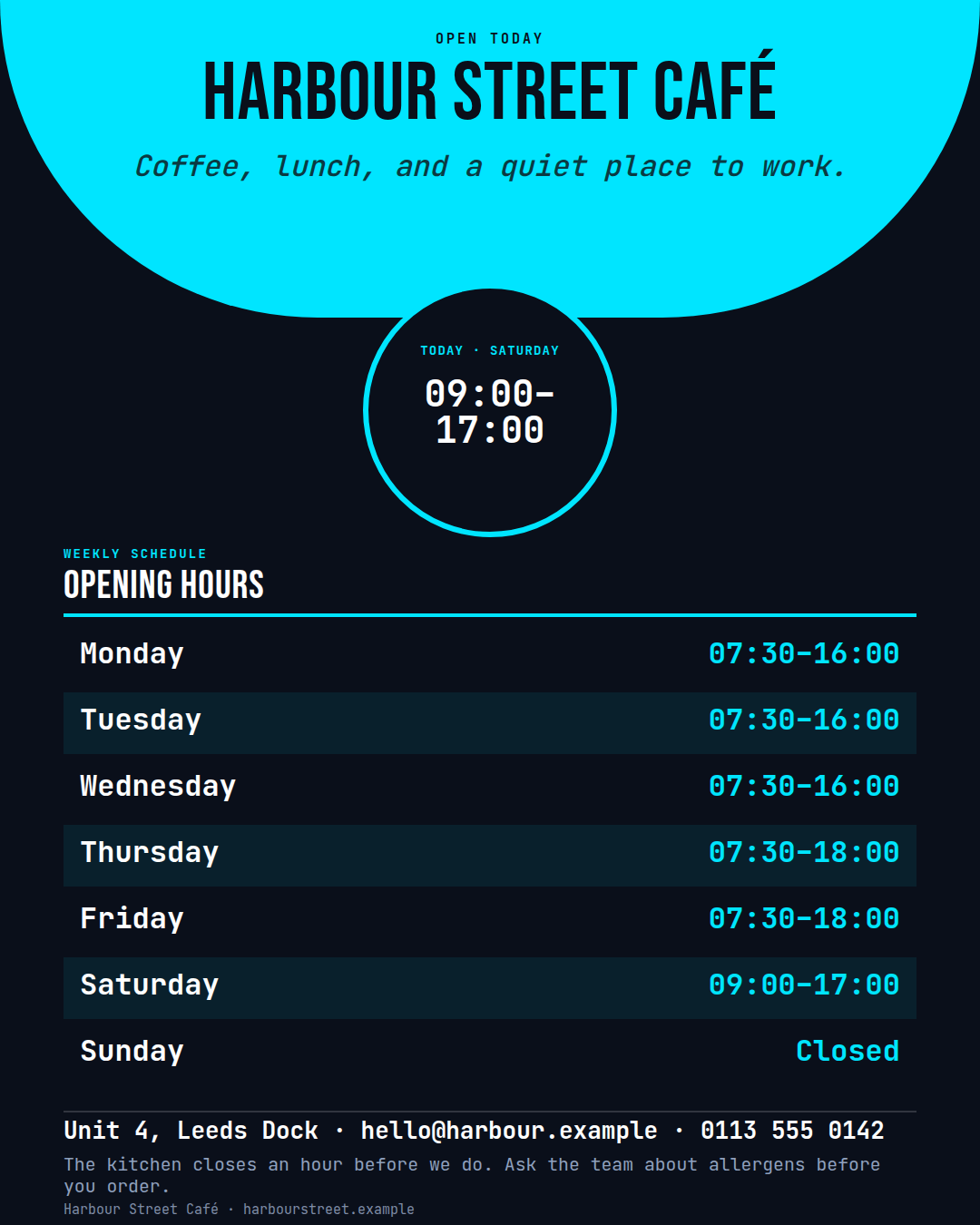 1080 × 1350
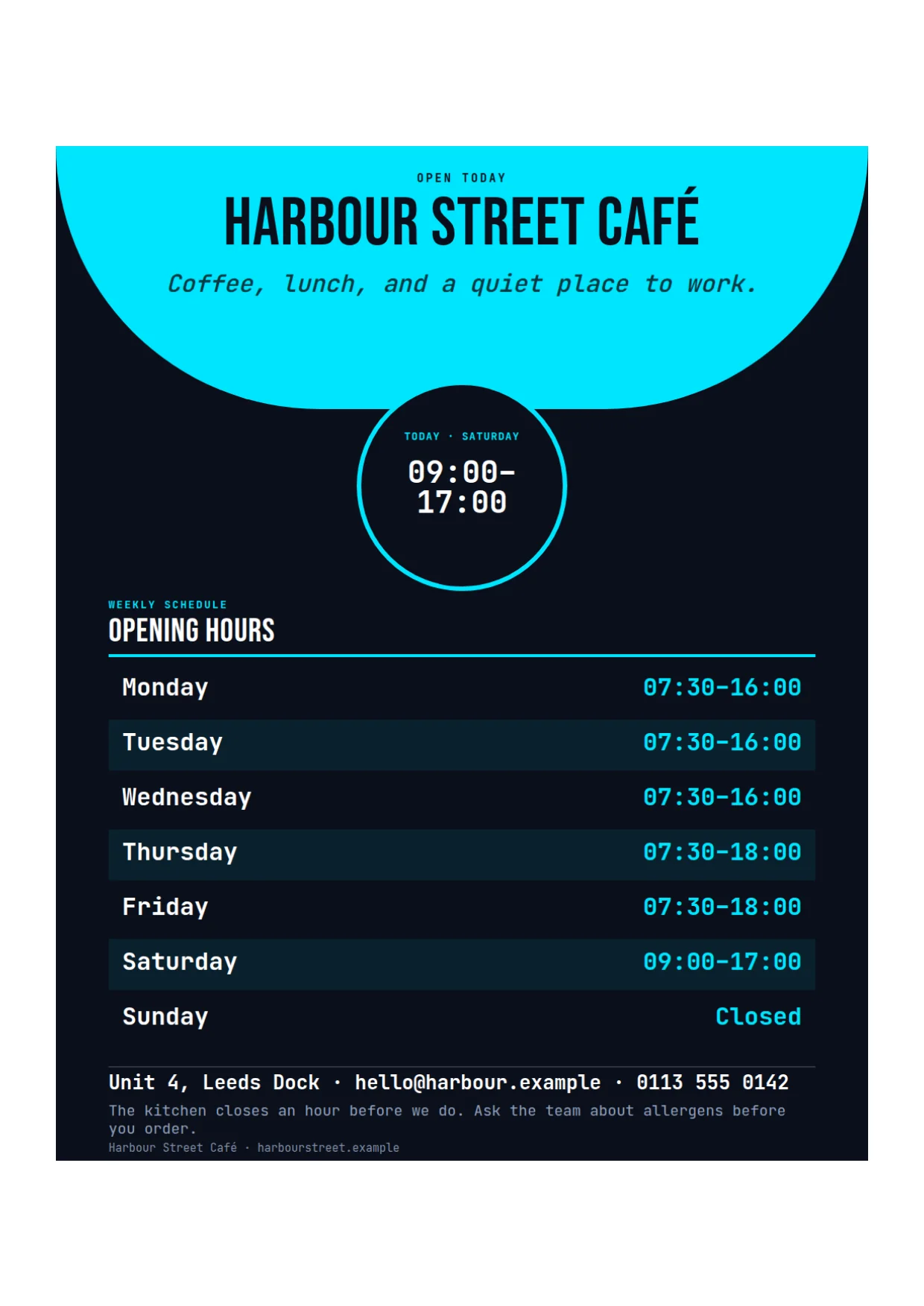 1240 × 1753
How it works
Drag PNG, JPG, or WebP pictures onto the page, or choose several at once. They open right here in your browser, so nothing uploads.
Each picture becomes one page. Use the arrows under a page to move it earlier or later, or remove it. Click Add more pictures to add pages at the end.
Choose Picture size, A4, or US Letter, then click Download PDF. The PDF takes the name of your first picture.
Do more with thirds.ai
A free tool does one job on one file. thirds.ai makes the finished file for you, in a design that's yours, as many times as you need it.

Choose a template from the gallery, or ask your AI assistant to draw one for you. Put your logo, colours, and fonts on it once, and every file after that comes out looking like your business made it.
Set up your brandTell it what you need in plain words, and the finished PDF or picture lands in the chat, in your design and ready to send.
Connect your AIGot a list? Upload a spreadsheet, and each row comes back as its own finished file in your design, all of them in one ZIP.
Make a batchNo. Your pictures open on this page in your browser, and the PDF is made there too. You don't need an account, and we never see the files.
Yes. You can mix PNG, JPG, and WebP pictures in one PDF. Each picture becomes one page, in the order you set.
Choose Picture size for a PDF you share on a screen, because each page fits its picture with no white edge. Choose A4 or US Letter to print. A wide picture gets a sideways page.
A PNG or WebP goes into the PDF with every pixel. A JPG is saved again as a high-quality JPG, so it keeps its size in pixels and looks the same.
You can add up to 30 pictures, each up to 10 MB. The finished PDF can be up to 25 MB. If it's bigger, use fewer pictures, or use JPG files for photos.
The see-through parts of a PNG stay see-through in the PDF, so they show the white page behind them.
Yes. The download from this page costs nothing. A file from a saved template still costs one credit.
Free tools
Pick the opening hours poster in the thirds.ai gallery, add your logo, colours, and fonts, and type your own hours. When your hours change, you change one line and print it again.