
Free proposal template
Type the client, the work, and your price, and download a one-page proposal PDF.
Free to try
Free tool
Upload a photo of the home, type the price, the address, the beds, baths, and square feet, and add your name and number. You'll get a real estate flyer as a US Letter PDF to hand out at showings, or a listing ad for your social feed. With thirds.ai, you pick a designer-made template and add your logo, colours, and fonts, so every flyer looks like it came from an agency. Save the design, and your next listing only needs a new photo, price, and address.
Download the flyer free with no account, up to 5 a day. Sign up free to save your design. You don't need a card.
Choose a design
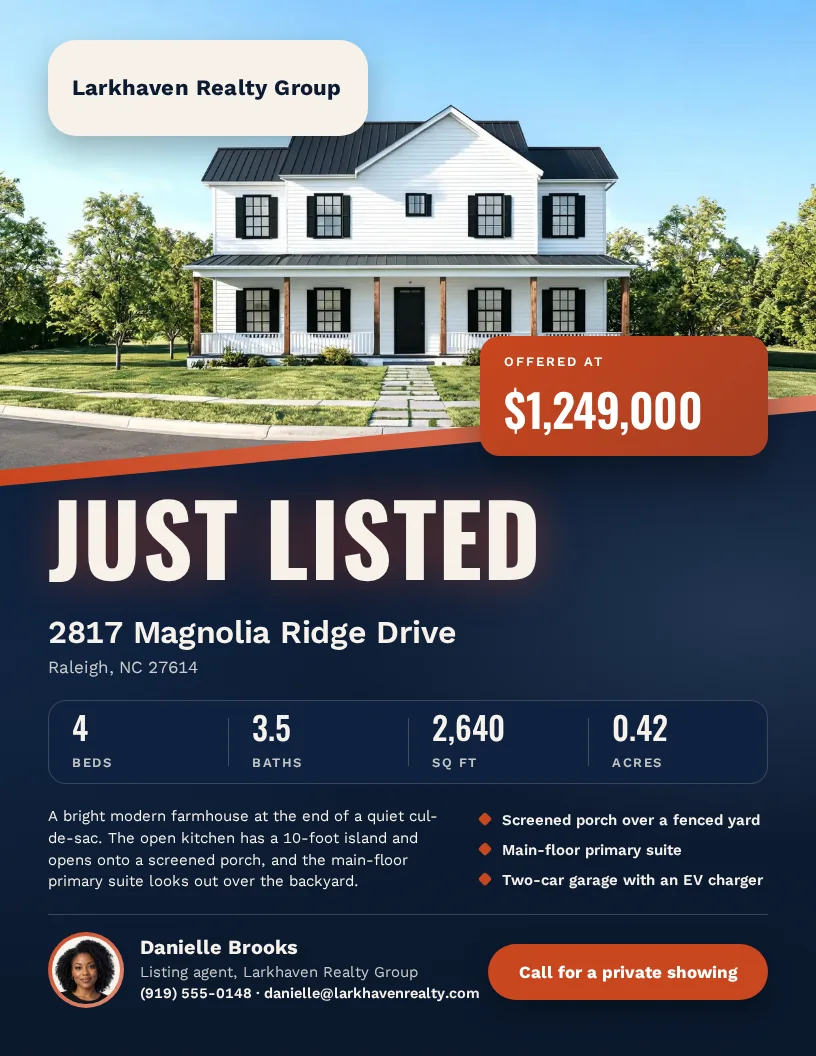
just-listed-flyer.pdfSee a sample
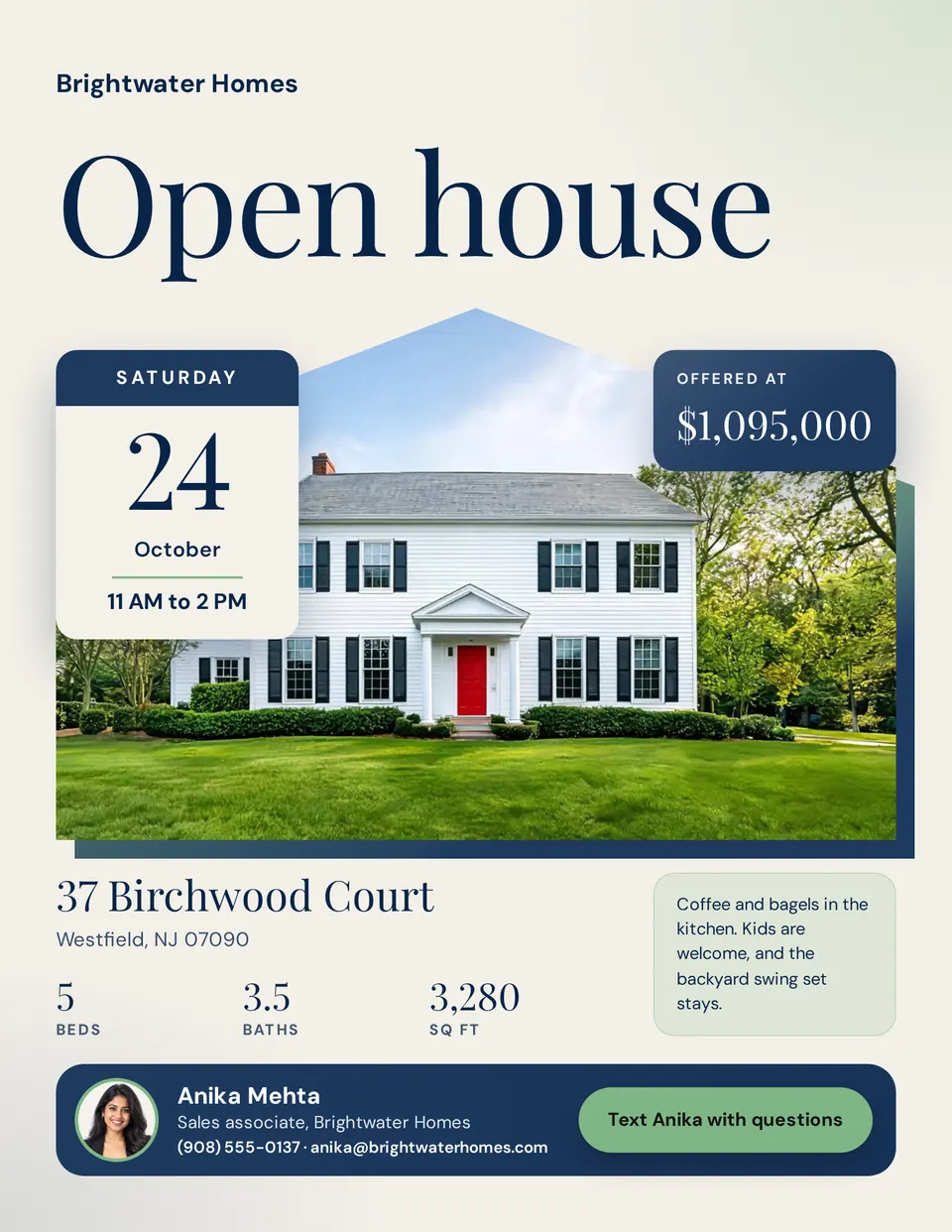
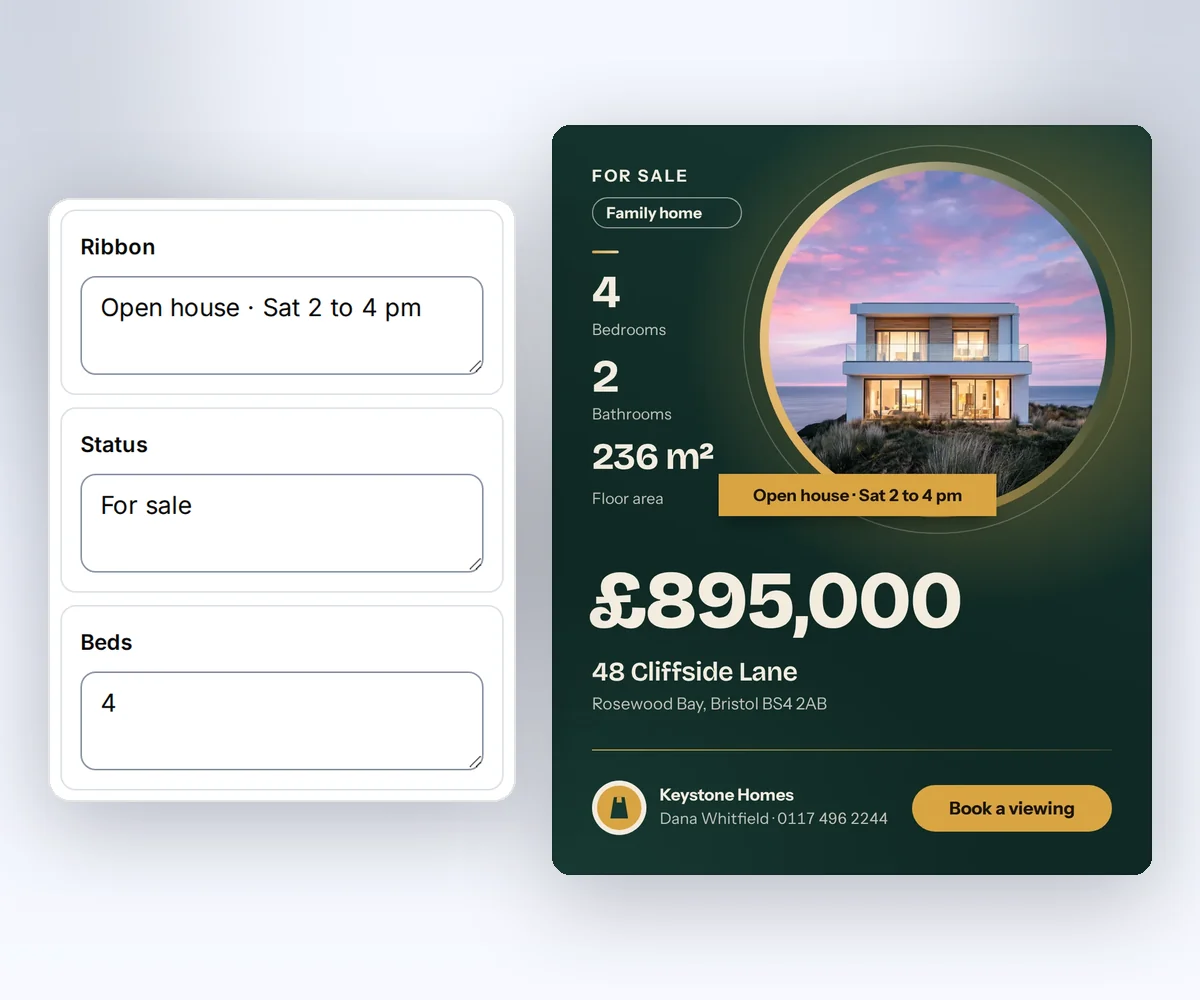
A plain flyer can make a great home look ordinary, so you can pick from five listing designs. Use Just listed when a home first hits the market, and Open house to put the day and hours next to the photo. Luxury real estate flyer gives a high-end home a quiet, gold-trimmed page. These three print on US Letter. The A4 real estate flyer suits agents who print on A4, and the property listing ad is a 1080 × 1350 picture for your feed. Every sample shows a made-up home and agent, so swap in your own listing before you print.
How it works
Choose Just listed, Open house, or Luxury for a Letter flyer, the A4 flyer, or the listing ad for your social feed.
Click Upload a photo and pick the house from your phone or computer. Then type the price, the address, the rooms, and your name and number. Click Your brand to put your logo and colours on it.
Click Download your PDF to get the finished flyer. You don't need an account.
Do more with thirds.ai
A free tool does one job on one file. thirds.ai makes the finished file for you, in a design that's yours, as many times as you need it.

Choose a template from the gallery, or ask your AI assistant to draw one for you. Put your logo, colours, and fonts on it once, and every file after that comes out looking like your business made it.
Set up your brandTell it what you need in plain words, and the finished PDF or picture lands in the chat, in your design and ready to send.
Connect your AIGot a list? Upload a spreadsheet, and each row comes back as its own finished file in your design, all of them in one ZIP.
Make a batchYes. Without an account, you get the finished flyer free, up to 5 a day. Signed in, a flyer uses one of your 50 free credits. Opening the page never spends a credit.
Yes, right on this page. Click Upload a photo and pick a JPEG, PNG, or WebP of the home from your phone or computer. You'll see it in the flyer right away. The Just listed, Open house, and Luxury designs also take a photo of you beside your name. We use your photos only to make your flyer. They're deleted once your sample is ready, and the sample itself is gone after one hour.
Put a big photo of the home and the price first, because that's what people look at. Then add the address, the bedrooms, bathrooms, and floor area, a short write-up, two or three things buyers will love, and your name, phone number, and logo. End with one clear next step, such as Call to book a showing.
Pick the Open house flyer. Type the weekday, the date, and the hours, such as Sunday, 18 October, 1 to 4 PM, and they sit on a card next to the house photo. Add a short note for visitors, like where to park. Need it for your feed too? The property listing ad has its own Ribbon box for the open house time.
In the US the usual flyer is Letter, 8.5 × 11 inches, so the Just listed, Open house, and Luxury designs print on Letter. The real estate flyer is A4, 210 × 297 mm, the usual sheet in the UK and Europe. To print that A4 PDF on Letter paper, choose Fit to page in your print settings, and you'll get a slightly wider white edge.
Yes. The Letter designs come with dollars and square feet, so type the price as $1,249,000 and the floor area as 2,640. Long prices like $12,495,000 and long street names like 24816 Pacific Coast Highway Unit 3 still fit, because the type gets a little smaller. Each box shows exactly what you type, so you can use pounds or square meters too.
Yes. Save the design once, then open it for each new home and type its price and address. With many listings, add each home as a row in a CSV file and get one flyer for each row, or let your own app send each new listing. Make PDFs from a CSV.
Free tools
When you rebuild the flyer by hand for each home, an old price or the wrong phone number can slip onto the page. Save this design with your logo, colours, and fonts, and the next listing only needs its photo, price, and address. Selling lots of homes? Add each listing as a row in a CSV file and get one flyer for each row.