
Free proposal template
Type the client, the work, and your price, and download a one-page proposal PDF.
Free to try
Free tool
Pick a meeting agenda design, type up to 12 topics, and download a PDF to send before the meeting or print for the table. Give each topic an owner and the minutes it needs, and the agenda works out when each topic starts and when the meeting ends. You can pick a design for a weekly team meeting, a board meeting, a client kickoff, a workshop day, or a one-on-one. thirds.ai is an online tool for branded PDFs and images. You pick a designer-made template, add your logo, colours, and fonts, and send out a polished PDF in minutes. Save this agenda there, and next week you only type the new topics.
Download the PDF free with no account, up to 5 a day. Sign up free to save your design. You don't need a card.
Choose a design
team-meeting-agenda.pdfSee a sample
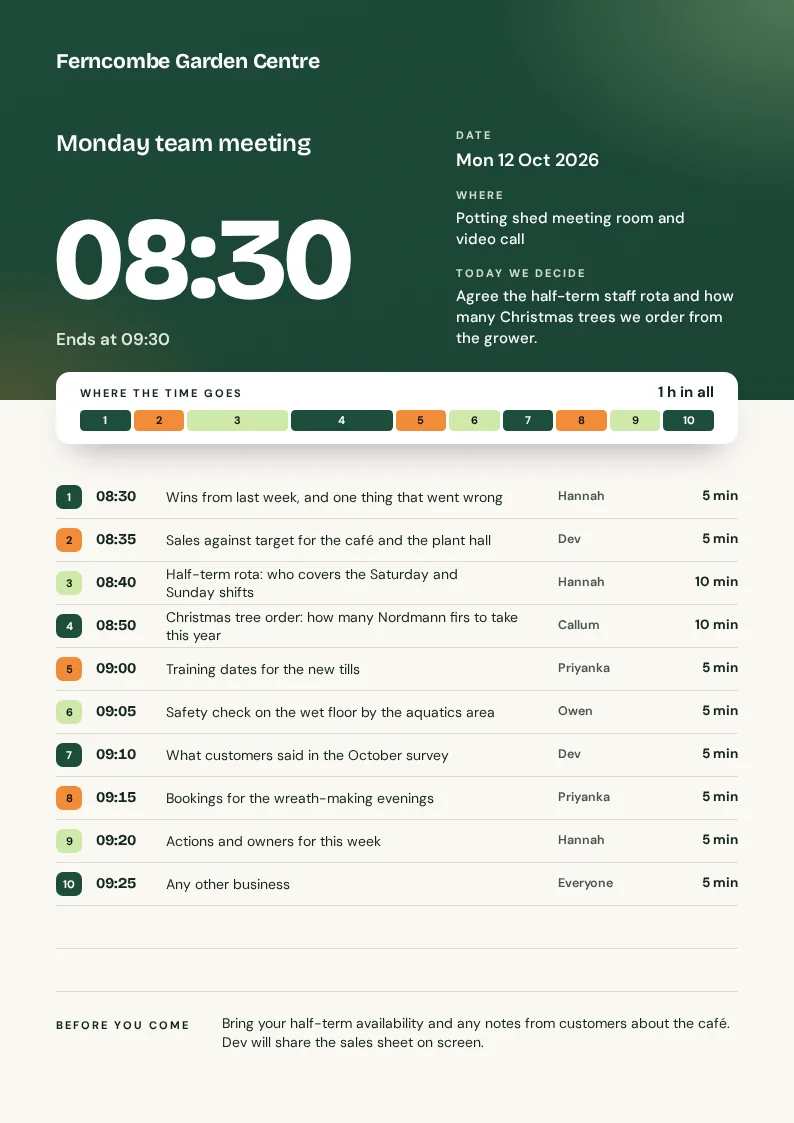
An agenda keeps your meeting on time, because everyone can see what it's for, who speaks next, and when it ends. Each design puts the date, the place, and the aim at the top, then lists every topic with its owner and start time. You type how many minutes each topic needs, and the agenda adds them up for you. If one topic needs longer, change its minutes and every later time moves with it. The team meeting sample shows Ferncombe Garden Centre, a made-up garden centre, planning its Monday meeting, so swap in your own topics before you send it.
How it works
Choose the design that fits your meeting: a team meeting, a board meeting, a client kickoff, a workshop day, or a one-on-one. Then add your business name, the date, the place, and the aim.
Type the hour and minute the meeting starts, then click Add item for each topic, up to 12. Give each one an owner and its minutes, and the agenda works out every start time.
Your agenda shows up on this page. Download it when it looks right, then send it to everyone before the meeting.
Do more with thirds.ai
A free tool does one job on one file. thirds.ai makes the finished file for you, in a design that's yours, as many times as you need it.

Choose a template from the gallery, or ask your AI assistant to draw one for you. Put your logo, colours, and fonts on it once, and every file after that comes out looking like your business made it.
Set up your brandTell it what you need in plain words, and the finished PDF or picture lands in the chat, in your design and ready to send.
Connect your AIGot a list? Upload a spreadsheet, and each row comes back as its own finished file in your design, all of them in one ZIP.
Make a batchYes. Without an account, you get the finished PDF free, up to 5 a day. Signed in, a PDF uses one of your 50 free credits. Opening the page never spends a credit.
Yes. After you make a file, you can save the design. Then fill it in again, or make many files from a list.
Put the meeting's name, the date and time, the place, and the one thing you want to decide at the top. Then list each topic with the person who leads it and how long it takes, and say what people should read or bring. Every design here has a place for each of those.
You can add up to 12 topics. Each one has the topic, an owner, and its length from 1 to 240 minutes. A topic can be up to 100 characters long, and a long one wraps onto the next line so you can read all of it.
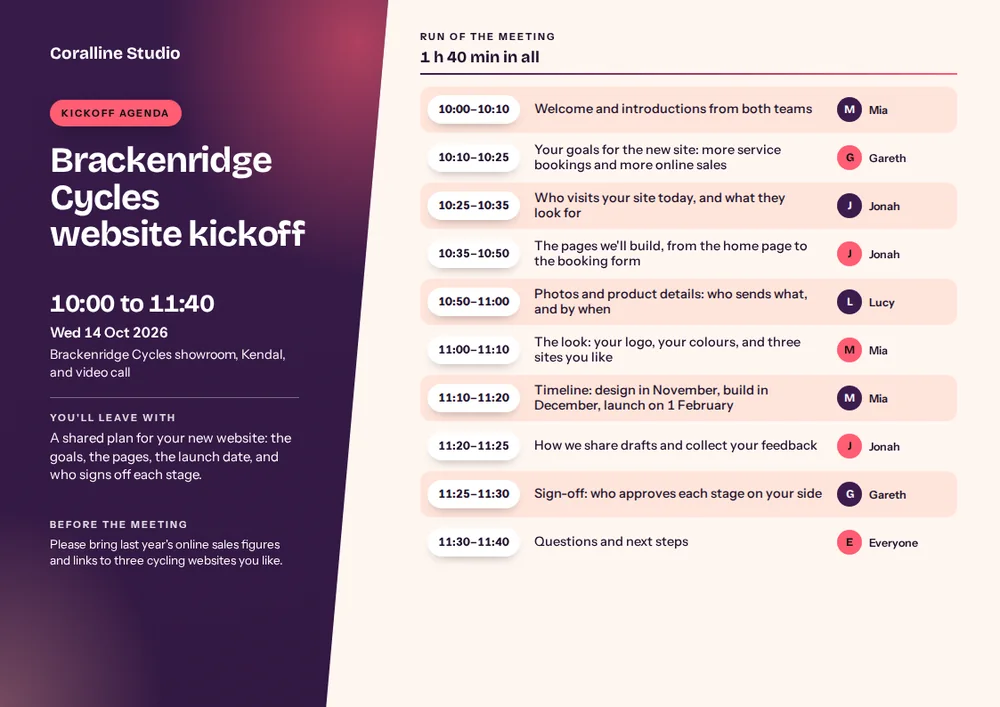
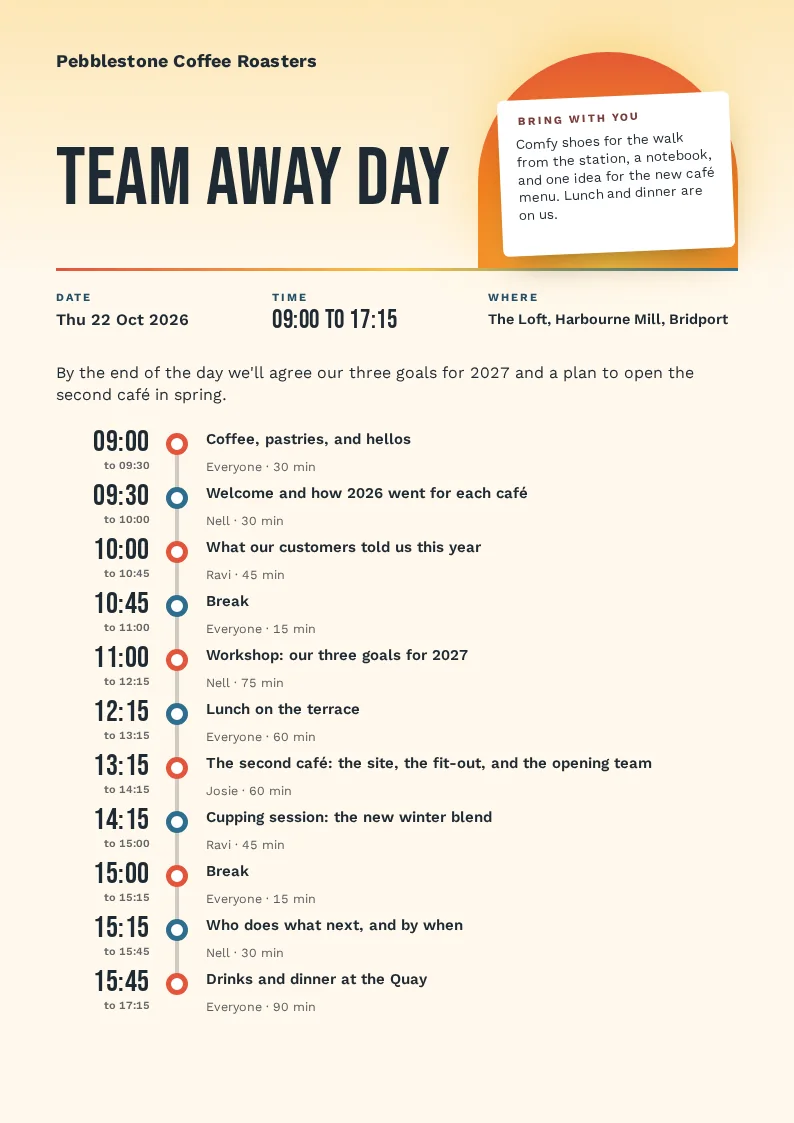
Yes. Type the time the meeting starts and the minutes for each topic, and the agenda shows when each topic starts and when the meeting ends. The team meeting, client kickoff, and one-on-one designs also show how long the meeting runs in all.
No. You download a PDF, so the layout looks the same on every screen and printer. To change the agenda, type the new details on this page and download it again. Or save the design and change it in the thirds.ai editor.
You get one A4 page as a PDF. The client kickoff design is A4 landscape, and the other four are A4 portrait. You can print it or attach it to your meeting invite.
Free tools
Save the agenda with your logo, colours, and fonts, and each week you only type the new topics. You can move or recolour any part in the editor, or let Claude fill in the same design from your meeting notes.